
Sale and Profit: see what every sale really earns
The Sales and Transactions screen now plots sales against profit, and marks every sale green, yellow or red so you know which ones made money.
- Released
- June 12, 2026
- Where
- Sales and Transactions
- Cost
- Included in every plan
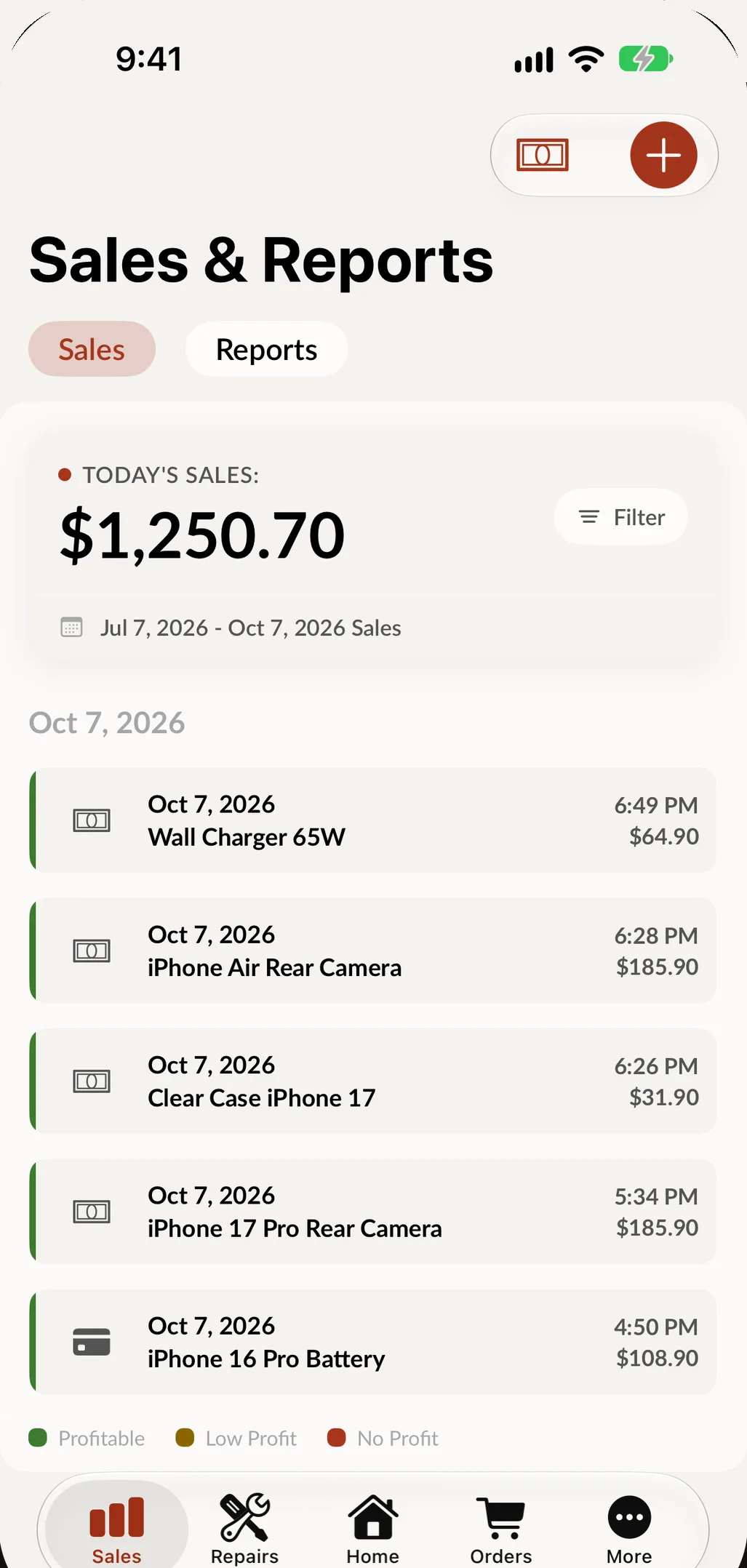
Knowing what you sold is good. Knowing what you earned is better. The new Sale and Profit graph lives on your Sales and Transactions screen and plots sales against profit over the period you choose: today, last week, this month or last month.
Every sale tells you how it did
- Green: profitable. This sale made you money.
- Yellow: low profit. Thin margins worth a closer look. A small price change can go a long way.
- Red: losing money. No profit, or sold below cost. Catch it now, not at the end of the month.
Spot a sale marked red, dig into why, and fix the pricing, the product or the process. Small adjustments made early add up to a healthier bottom line.
Read it as a pricing report
A repair that keeps coming up yellow is rarely bad luck; it is usually the quote. Open the sales report, find the jobs that run thin week after week, and put a real number behind the next quote instead of a feeling.
There is nothing to set up. Open SpotsPOS, go to Sales and Transactions, and the graph is already there.