
SpotsPOS Repair
Every repair,
from walk-in
to pickup.
SpotsPOS Repair is simple repair shop software built for the counter and the bench. Check a device in with four taps, keep every job on track, and know your numbers without opening a spreadsheet.
Free for 14 days. No credit card needed.
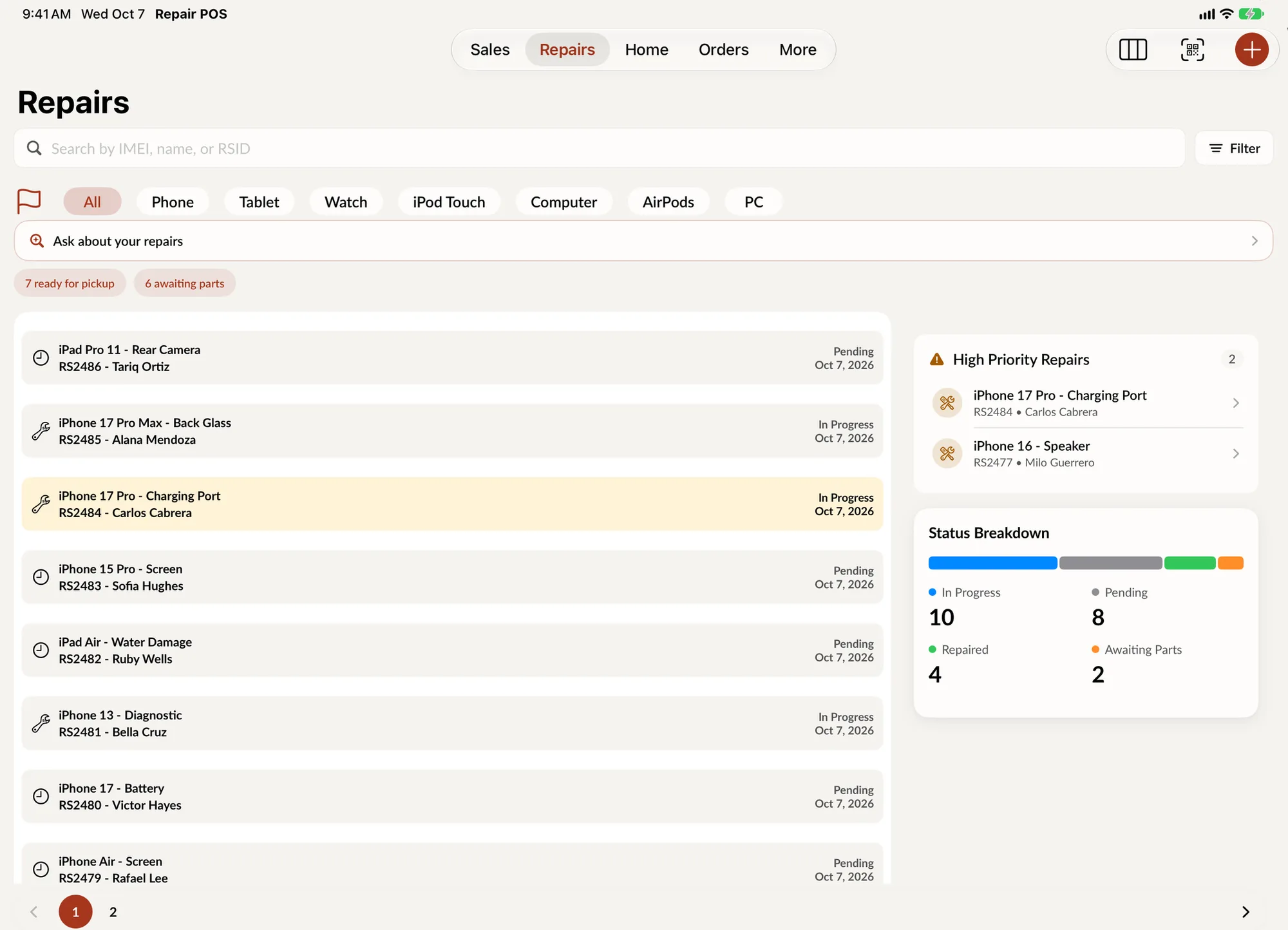
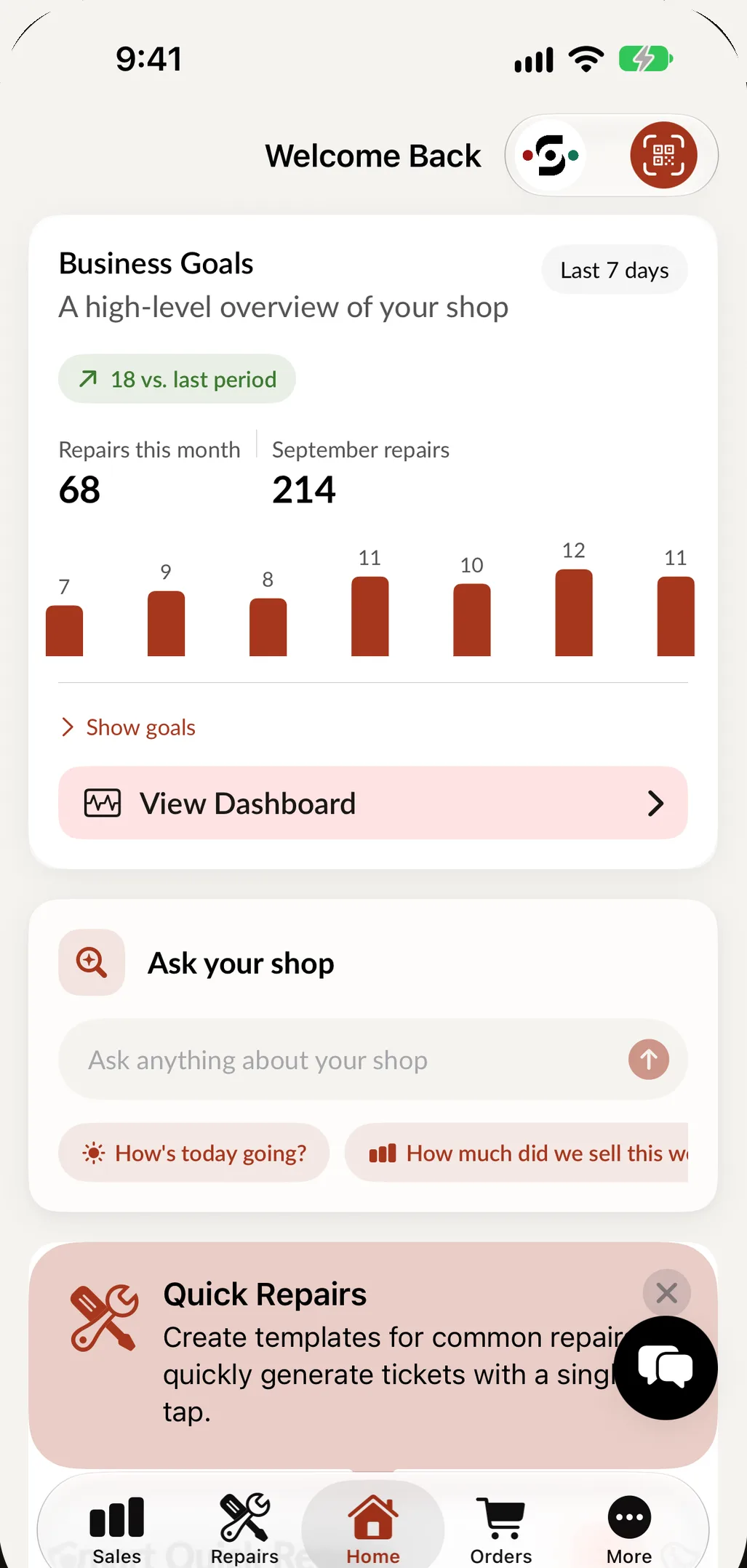
One app carries the whole job.
From the moment a cracked iPhone lands on your counter to the moment it is paid for. Every picture below is the app as your team will use it.
-
1Check in
Describe it, we fill it in.
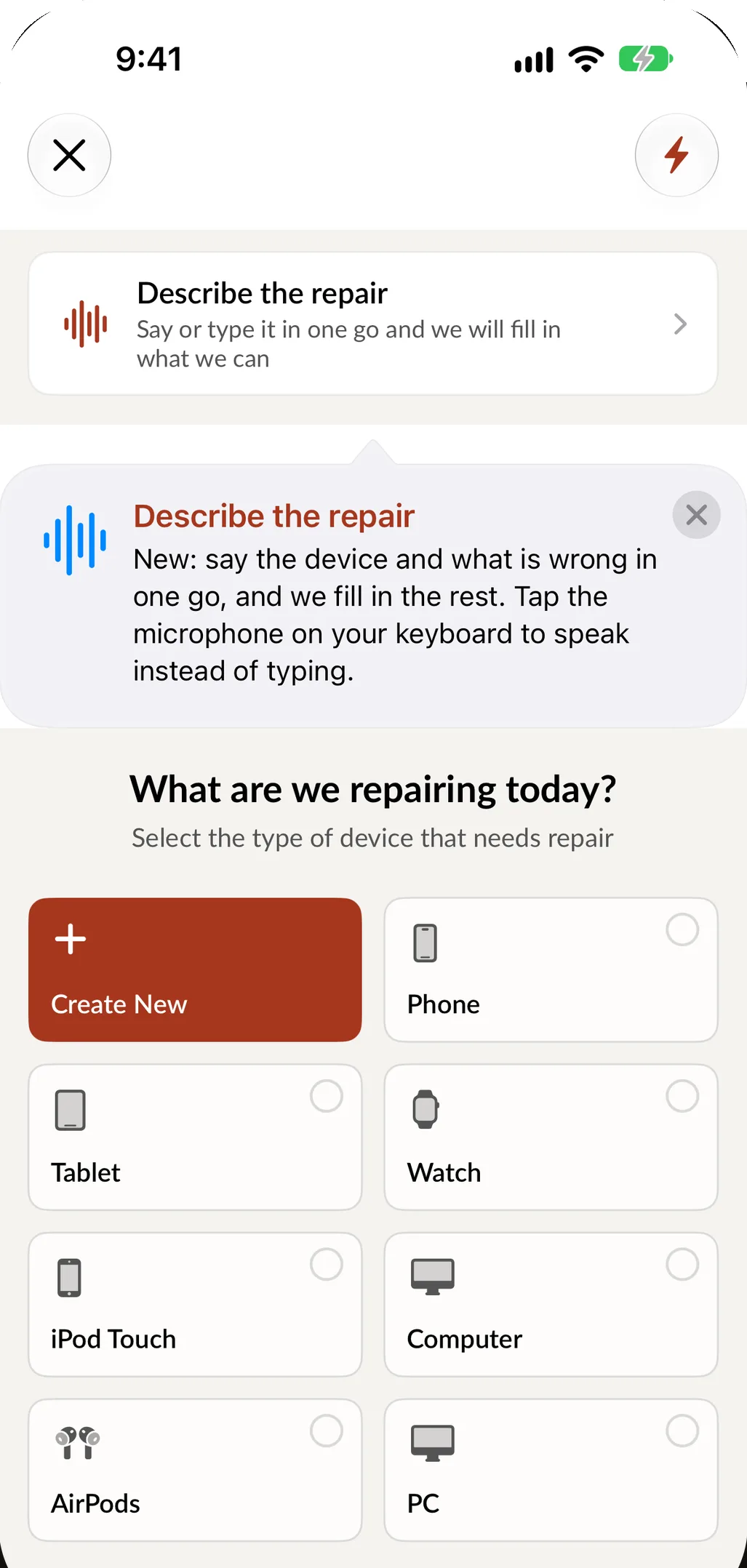
Device type, brand, model, problem. Four taps and the ticket has what a technician needs. Or say the job in one sentence, spoken or typed, and SpotsPOS fills in the form.
- Describe the repair in English or Spanish
- Quick Repairs start your most common jobs in one tap
- Passcode or unlock pattern saved with the ticket
- The customer signs on the screen
-
2Track
Every repair, on track.
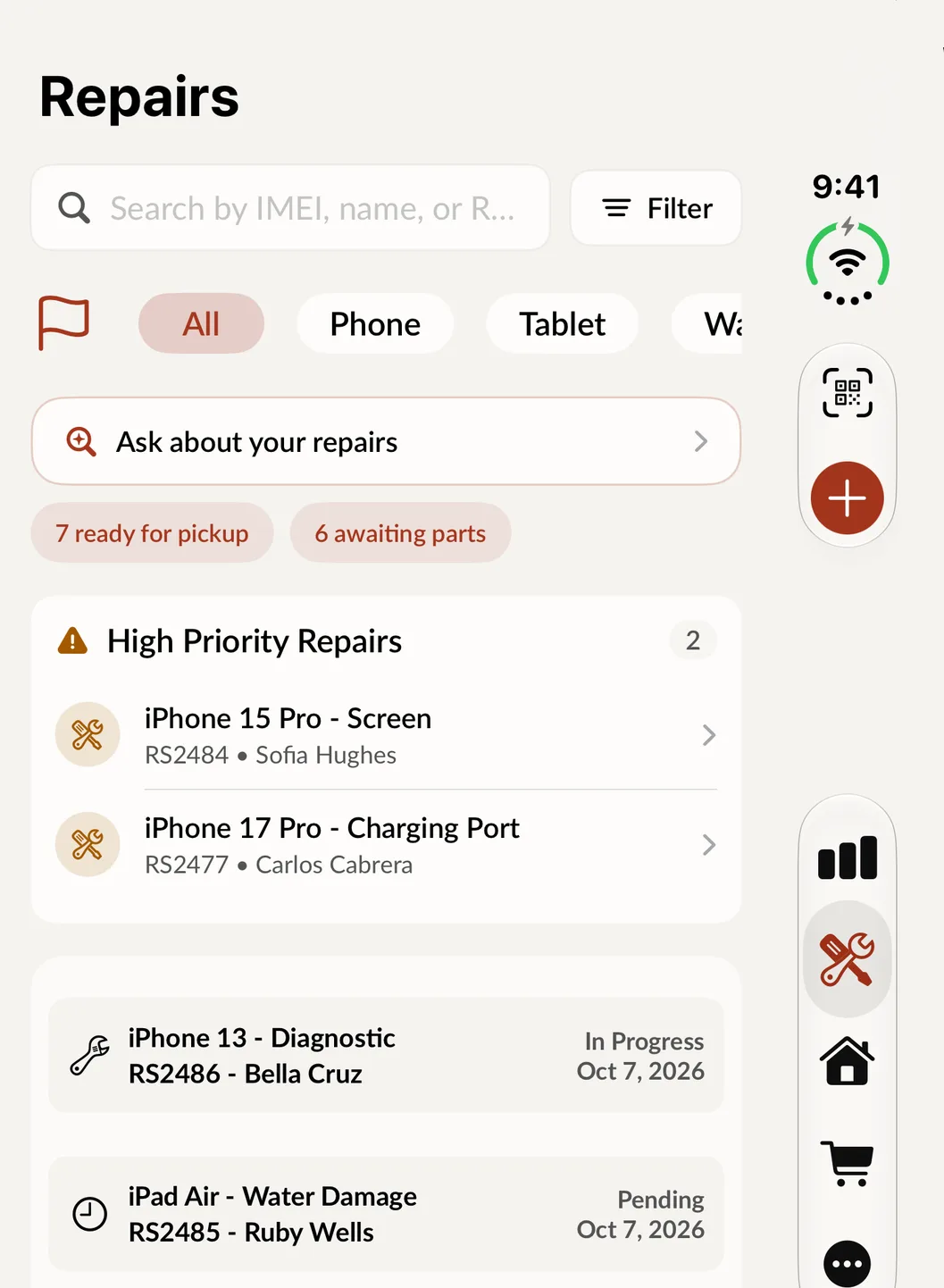
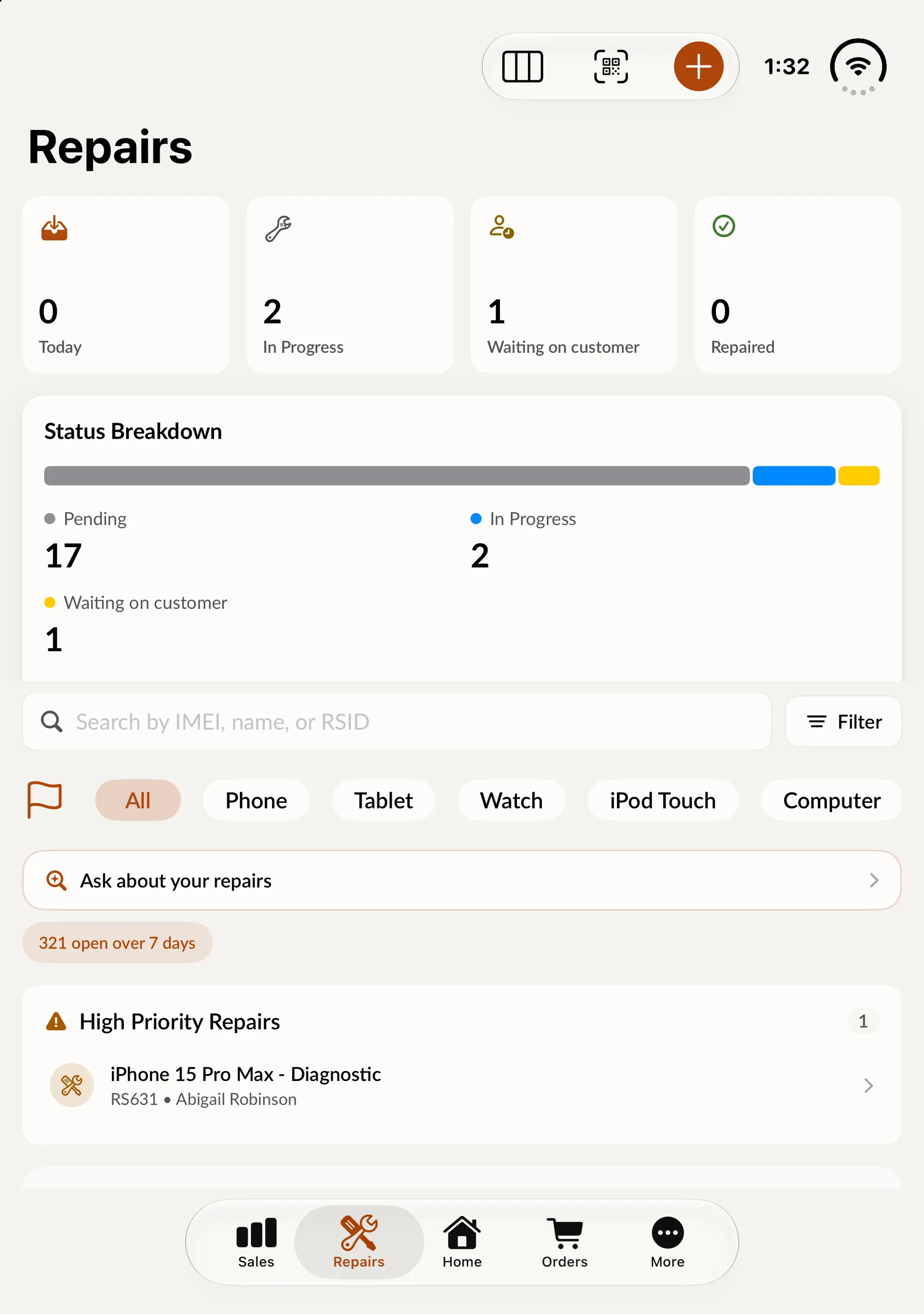
The Repairs screen is your whole bench. High priority jobs sit at the top, one tap shows what is ready for pickup or waiting on parts, and any ticket is a search away by IMEI, name or ticket number. On iPad, Repair Board turns the same list into a board you drag jobs across.
- Filter by device type and status
- Assign technicians, log diagnostics and time
- Deposits, estimates and warranty on every ticket
-
3Ask
Ask your shop anything.
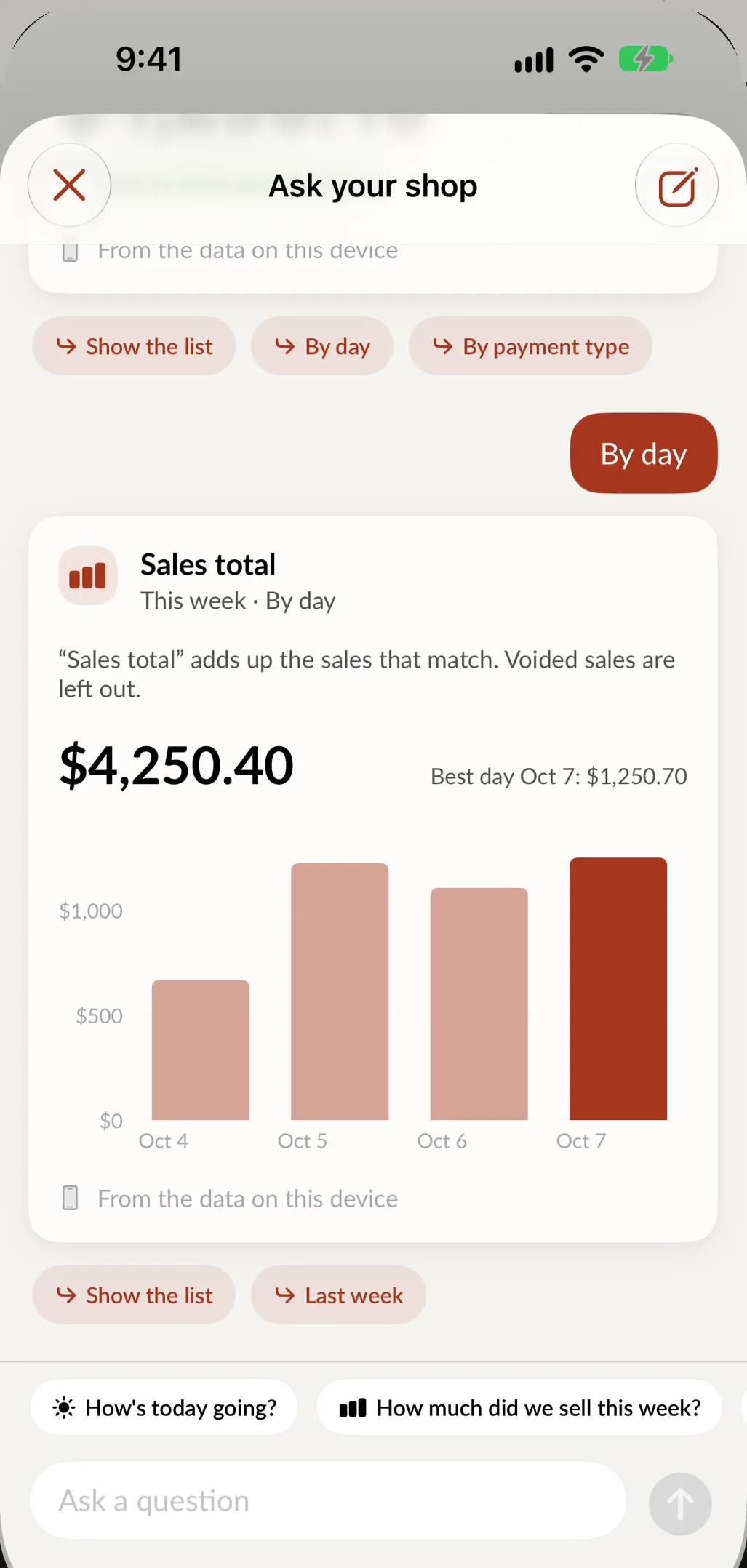
Type a question the way you would ask a manager. You get the number, a chart when one helps, and the list behind it. On supported iPhones and iPads the answer is worked out on the device, from your own data.
- How's today going?
- How much did we sell this week?
- Which repairs are ready for pickup?
-
4Measure
Know your numbers.
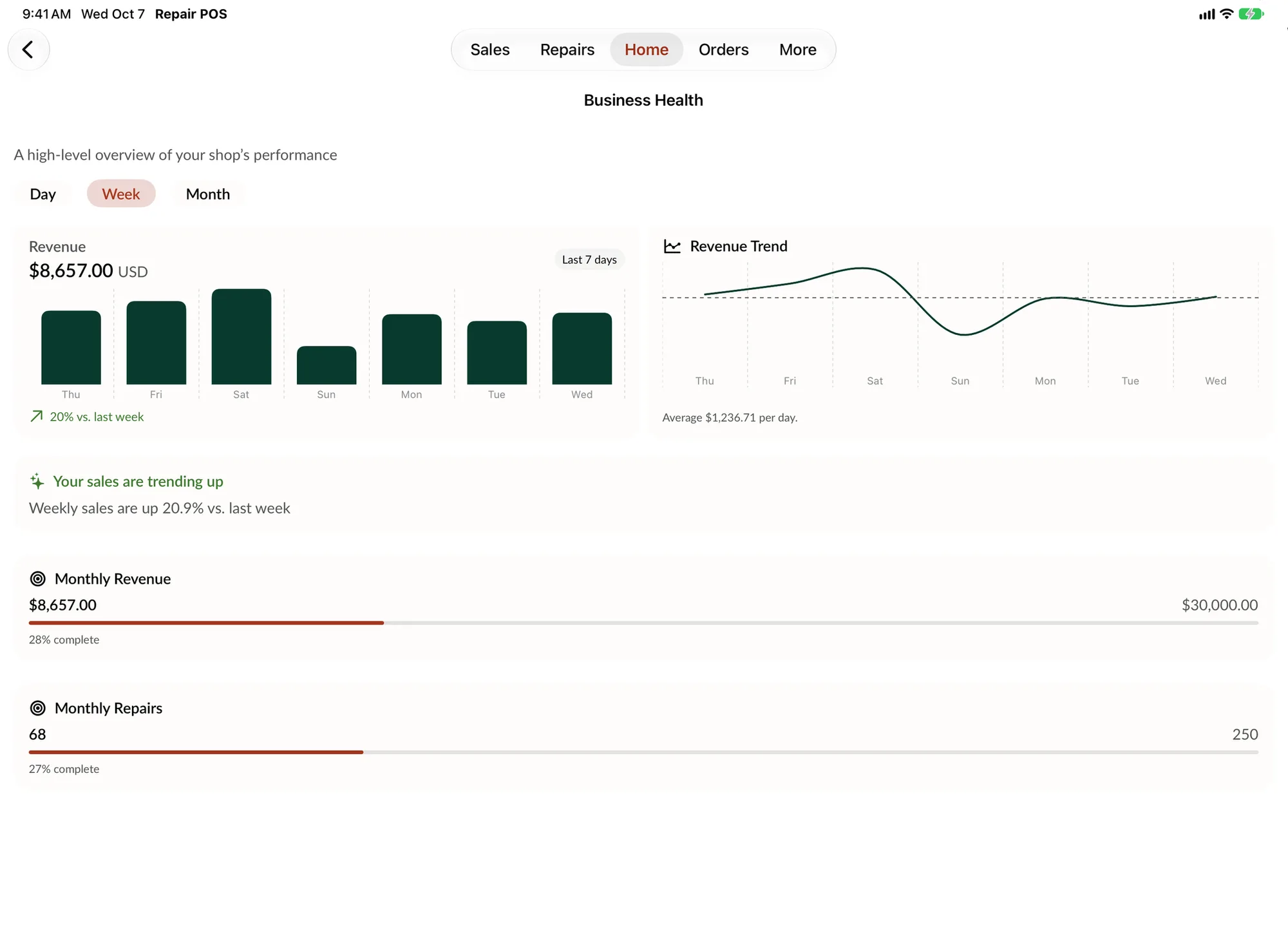
Business Health puts revenue, goals and trends on one screen, by day, week or month. See how this week compares with last, and how close you are to the month's revenue and repair goals.
- Revenue and repair goals for the month
- This week against last week
- Popular Times shows your busiest hours
-
5Get paid
Every sale, accounted for.
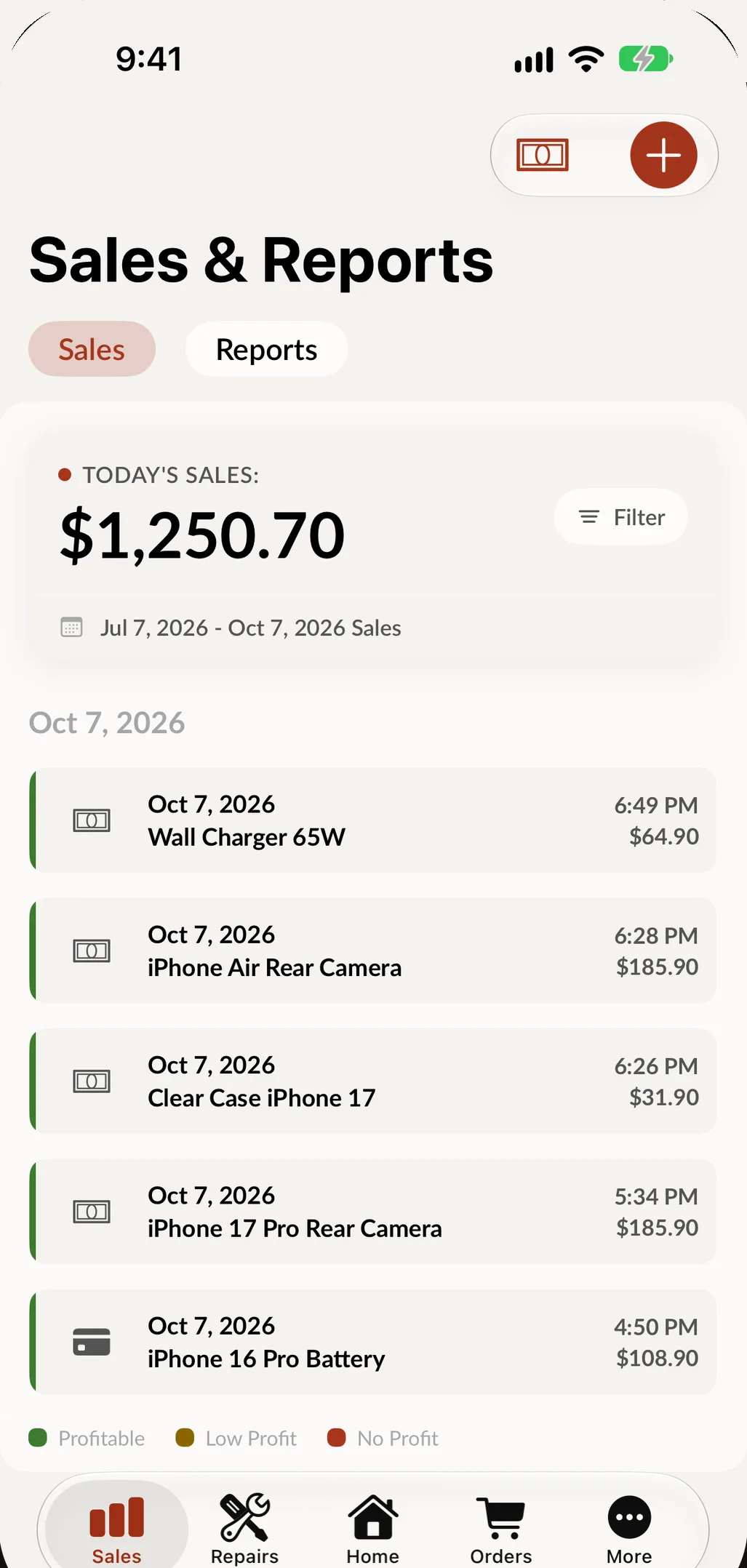
Parts and labor are already on the ticket. Take off the deposit, take payment at the counter, and the sale lands in Sales and Reports with the rest of the day. The parts leave your inventory and the receipt goes out by text, email or printer.
- Cash or card at the counter
- Today's sales and profit in one place
- Sales, tax and end of day reports
Buybacks and devices
Trade ins, made simple.
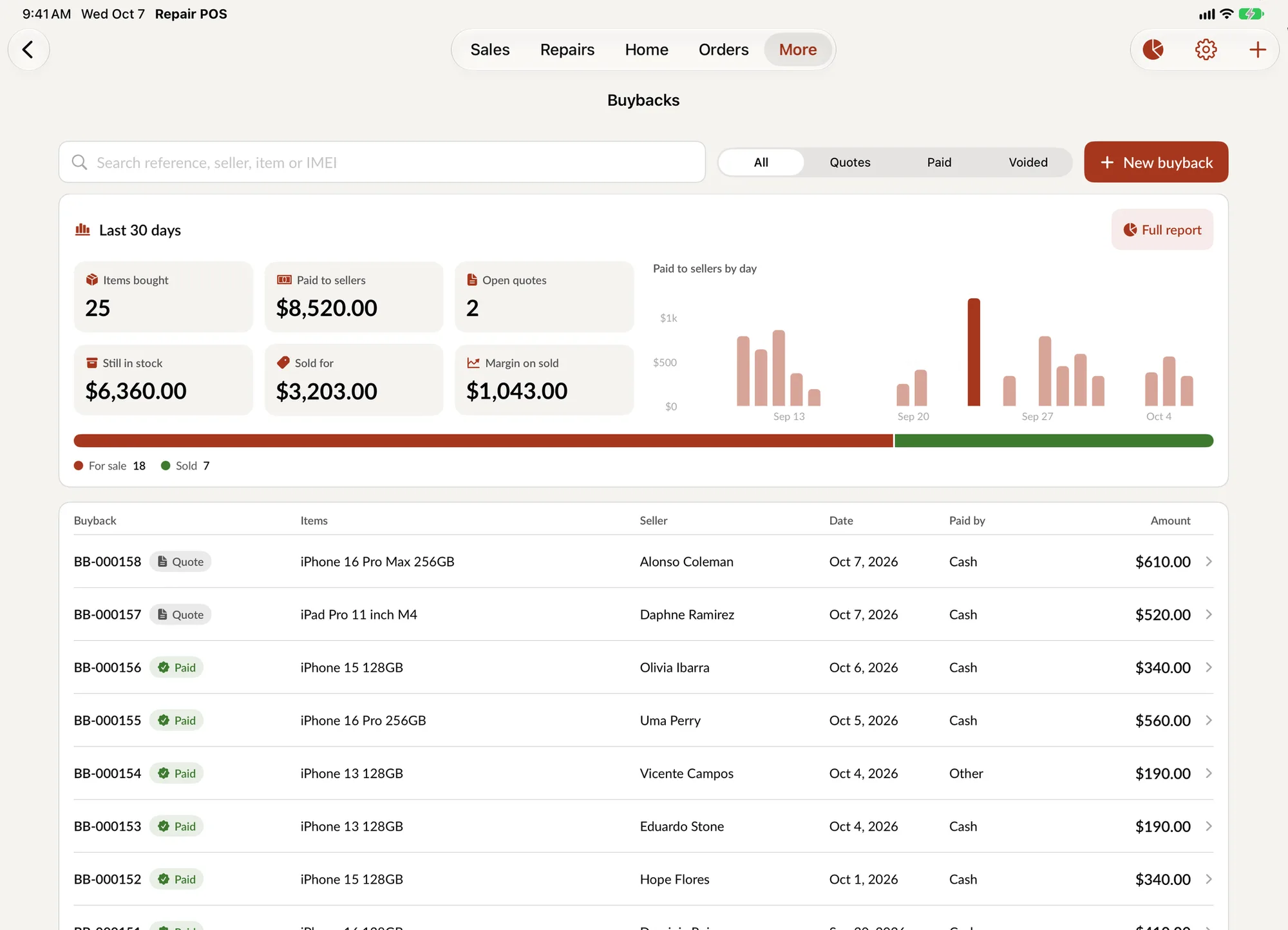
Buy a device from a customer, grade it and put it up for sale in one pass. Every unit is then tracked by IMEI until it sells.
Quotes and payouts
Start with a quote and pay the seller when they accept. Every buyback is marked Quote, Paid or Voided.
What buybacks earn
Items bought, paid to sellers, still for sale and sold, for the last 30 days, with a full report behind it.
Track every device
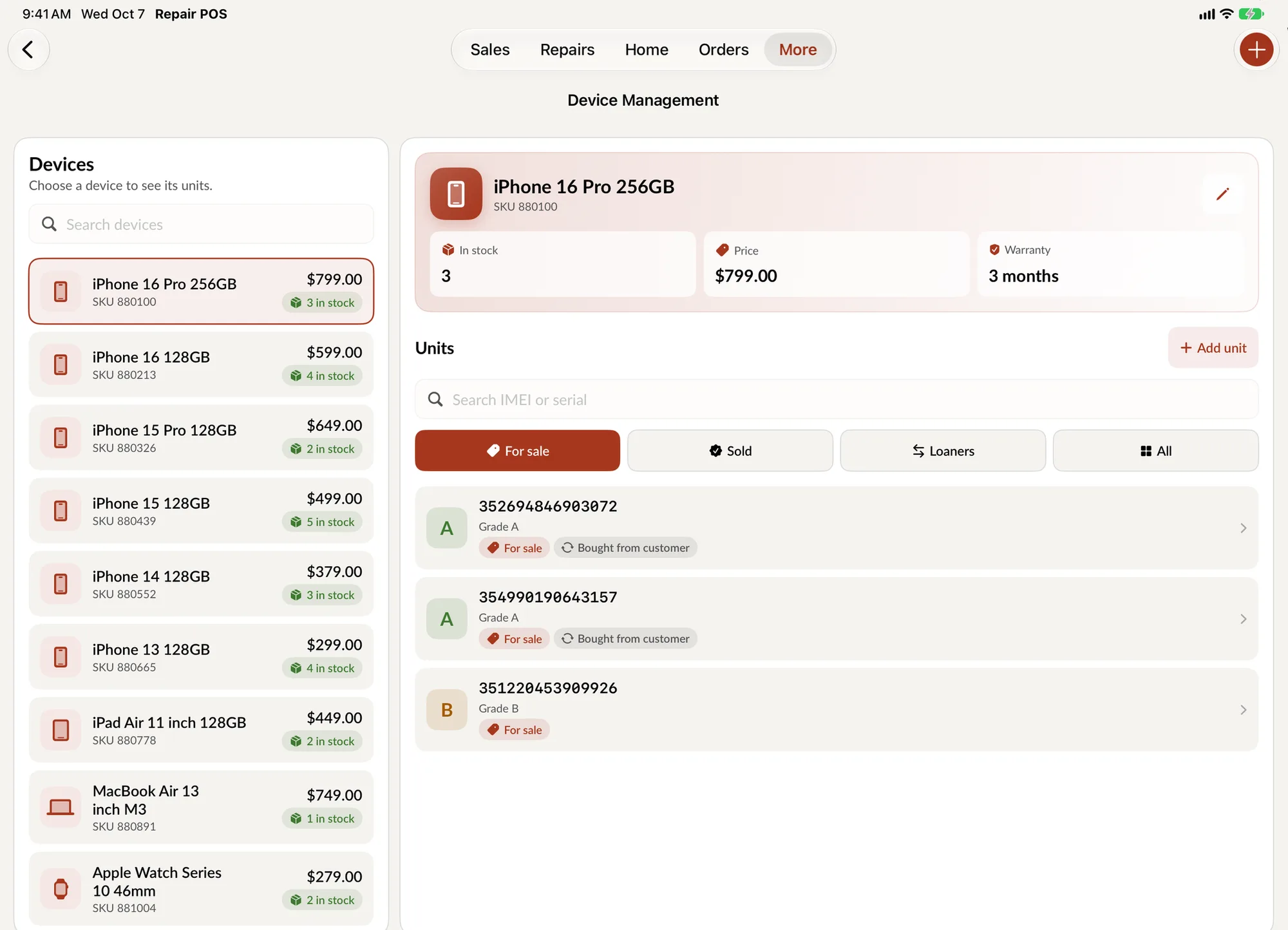
Each model lists its units by IMEI, with grade, price, warranty and where it came from.
For sale, sold or loaner
Filter units by status, and keep loaners to hand out during a repair.
Try the intake flow yourself.
No weeks of training needed. This demo follows the real Create Repair screens. It runs in your browser with sample data.
Open the full-page demo
This demo runs in your browser with sample data. Nothing you enter is saved or sent anywhere.
Everything behind the counter, covered.
The parts of running a repair shop that never make it into a demo, all in the same app.
-
Parts inventory
Parts come off the shelf count when they go on a ticket. Low stock shows up before you run out.
-
Purchase orders
Order parts from your vendors and receive them into inventory without retyping anything.
-
Appointments
Book drop-offs ahead of time and turn an appointment into a repair ticket when the customer arrives.
-
Buybacks
Buy a device from a customer, grade it, and add it to your stock ready to resell.
-
Device management
Track every used and refurbished device by IMEI, with its grade, cost, warranty and sale.
-
Warranties
Set a warranty period on each repair, see what is left on it, and reopen the ticket if the device comes back.
-
Time logs
Technicians log time against the ticket, so you know what a job really took.
-
Receipts and labels
Print receipts and repair diagnostics on Epson and Star printers, and barcode labels for devices and parts.
-
Dashboard and reports
Business goals, trends and highlights on the home screen, plus repairs by month, shop and technician.
-
Multiple shops
See every location from one login, switch between them in a tap, and transfer a repair to another shop.
-
Roles and PINs
Everyone signs in with their own PIN and sees only what their role allows.
-
English and Spanish
The whole app works in both languages, including describing a repair out loud.
The internet drops. Your shop keeps going.
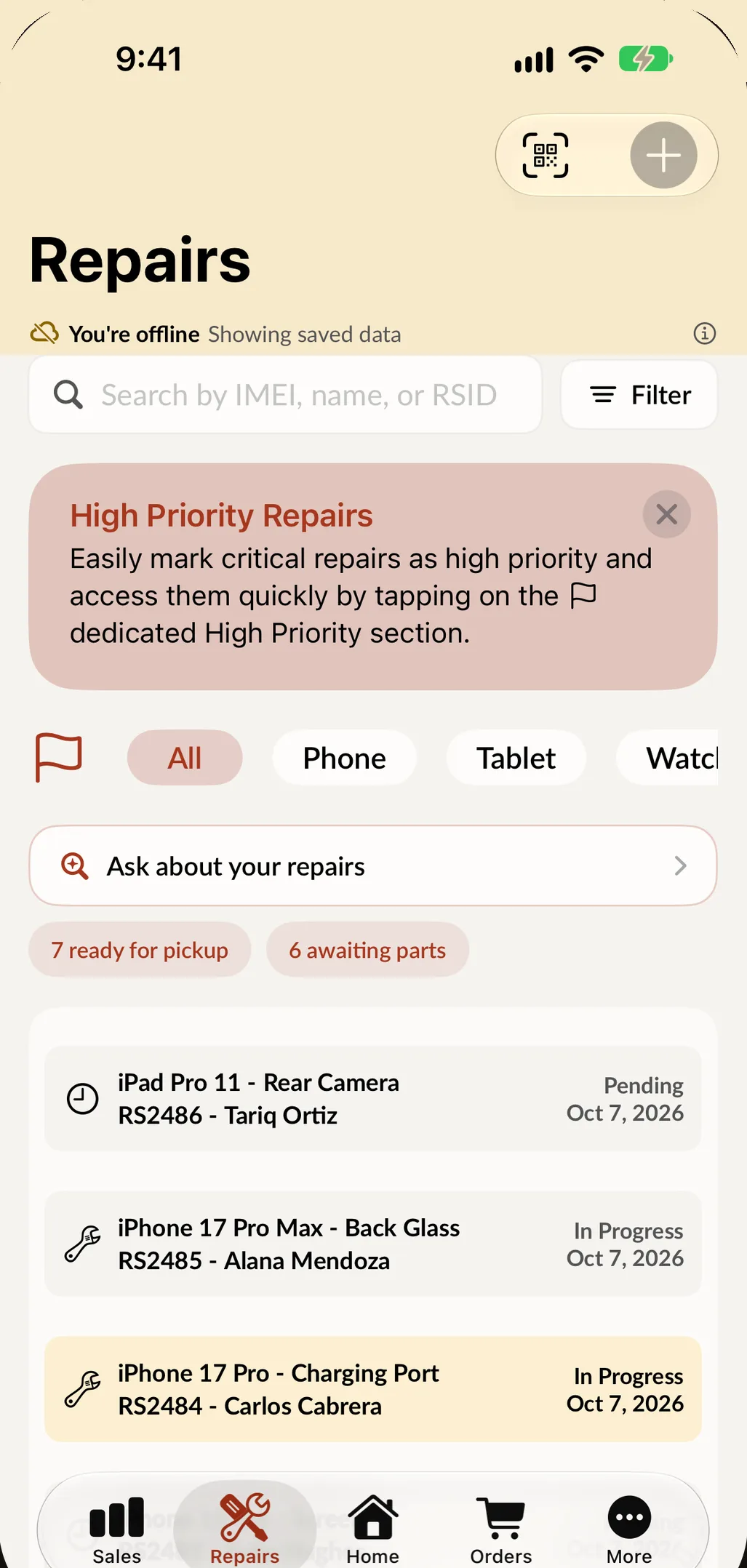
When the connection goes down, SpotsPOS shows what is saved on the device. Look up a repair, a customer, a sale or a price and keep the counter moving. Anything that changes data waits until you are back online, and the app tells you so.
- Repairs, customers, sales, orders and inventory stay readable
- Employees can still switch with their PIN
- Everything catches up when the connection returns
Built for your kind of repair shop.
- Phone and tablet repair IMEI search, passcodes on the ticket, parts suggested by model and a text when it is ready.
- Computer repair Diagnostics, hourly labor, saved passwords, special-order parts and invoices for business clients.
- Drone repair Crash photos at intake, a component checklist, parts on order and rebuilt drones for resale.
- Game console repair One tap tickets for drift and HDMI ports, plus trade-ins and used console sales.
New in SpotsPOS Repair
See everything new-
Buybacks, redesigned
A faster way to buy a device from a customer, with grading, pricing and resale set up in one form, and reports that show what buybacks earn.
-
Device Management, redesigned
Every used and refurbished device you own, organized by model and tracked unit by unit, from the day it comes in to the day it sells.
-
SpotsPOS is ready for iPhone Duo
Closed, it is a wider phone with room for more. Open, your repairs sit beside your numbers. Every app adapts the moment you unfold.
Guides for repair shops
See every guideHow to Manage Mail-In Repairs in Your Repair Shop
How to run mail-in repairs: shipping rules for devices with lithium batteries, an unboxing routine, approvals by text, status updates and the return trip.
How to Buy Used Phones Safely: A Checklist for Shops
Buy used phones safely: check the IMEI for lost or stolen reports, clear account locks, verify the seller, grade it and follow local secondhand laws.
How to Open a Phone Repair Shop in Puerto Rico: A Guide
How to open a phone repair shop in Puerto Rico: Department of State, Permiso Único, the SURI merchant registry, IVU sales tax, municipal patente and setup.
Questions repair shops ask
How long does it take to learn SpotsPOS Repair?
Not long. A lot of shop software is overcomplicated and takes weeks of training. SpotsPOS is built to be simple: the guided flows need no training, a setup checklist on the Home screen walks you through getting started, and a new hire can check in a repair on their first day.
What devices does SpotsPOS Repair run on?
SpotsPOS Repair runs on iPhone and iPad. You can also manage your shop from any computer through the Web Portal.
Can I bring my customers and inventory with me?
Yes. You can import customers and inventory from a spreadsheet when you set up your shop.
How does the free trial work?
The trial is free for 14 days and does not ask for a credit card.
Is Spots Intelligence included?
Spots Intelligence is included from the Essential plan. See pricing for what each plan includes.
Does it work without internet?
You can keep looking things up. Repairs, customers, sales, orders and inventory saved on the device stay readable offline. Creating or changing records needs a connection.
Do I need an iPad?
No. Everything works on iPhone. An iPad adds the Repair Board and side by side layouts. See how shops use an iPad POS at the counter.
Does it work in Spanish?
Yes. The app is fully available in English and Spanish.
Take your next repair on SpotsPOS.
Set up your shop today and build your first ticket in minutes.
Free for 14 days. No credit card needed.