
SpotsPOS Repair
Cell phone repair shop software, built for the bench.
Cracked screens, tired batteries, charging ports full of lint. SpotsPOS Repair is cell phone repair shop software built around the jobs a phone and tablet shop does forty times a day, from the IMEI scan at the counter to the text that says it is ready.
Free for 14 days. No credit card needed.
Made for the way phone repairs actually go.
A phone shop lives on speed and on trust. These are the parts of SpotsPOS Repair that phone and tablet technicians use all day.
-
Find it by IMEI
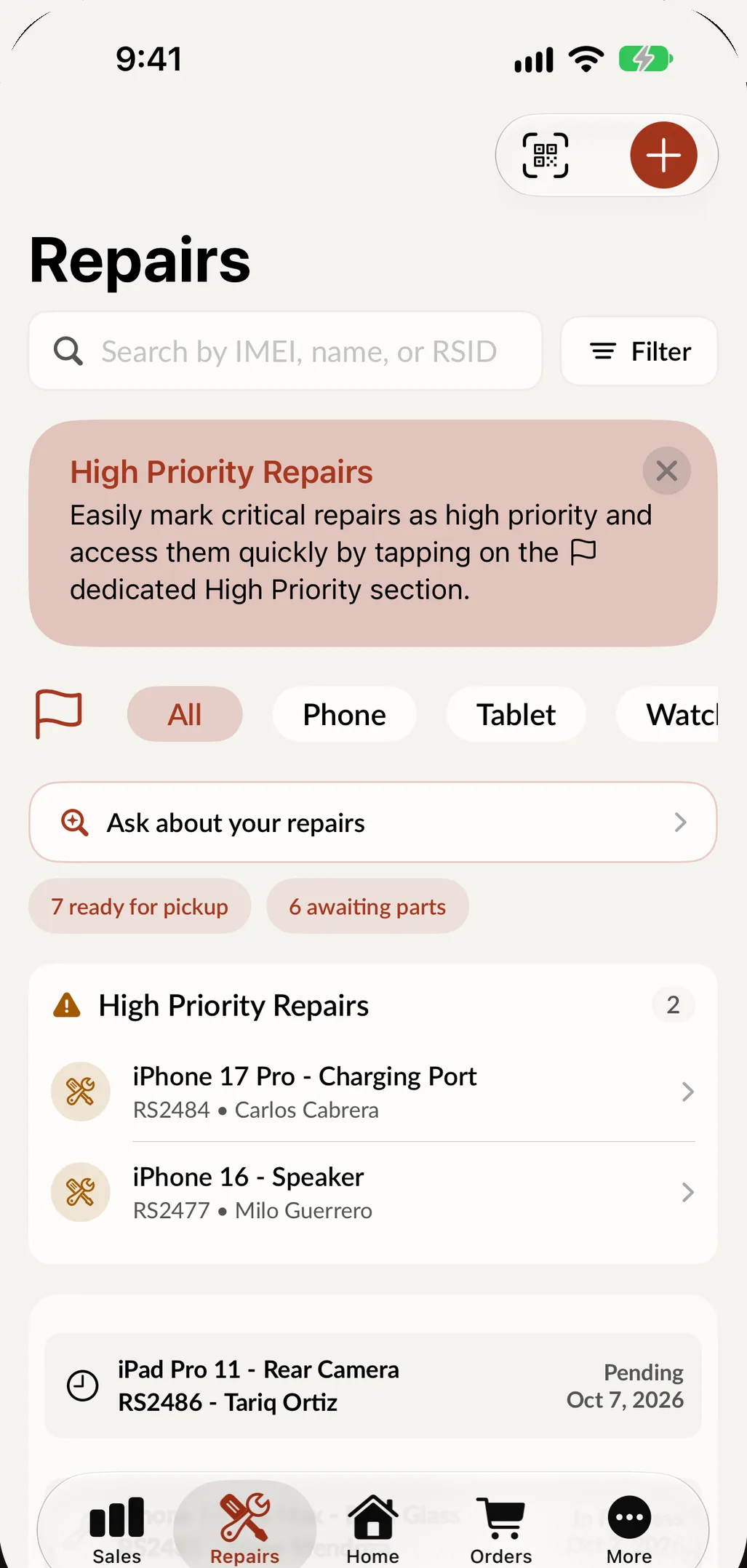
Point the camera at the IMEI or serial barcode and it is read automatically. Search the Repairs list by IMEI, customer name or ticket number to open any device and its past repairs.
-
Passcodes and patterns
Type the passcode or draw the unlock pattern on screen during intake. It prints on the ticket, so the technician is never waiting on a callback to test the phone.
-
Parts by model
Pick iPhone 15 Pro and Screen Replacement, and Spots Intelligence suggests the parts that job usually needs, with the price and how many you have in stock.
-
Quick Repairs
Save screen, battery and charging port jobs as templates with their parts and price. The next one starts in one tap and the parts come off the shelf count.
-
What worked before you opened it
Tick the components that work at check in, or mark the phone not testable when it will not power on. It stays on the ticket, so an old fault is never blamed on your screen job.
-
Ready for pickup
Change the status and notify the customer by text or email. If a balance is still open, a payment reminder is one more tap.
A bench you can read at a glance.
On iPad, Repair Board turns your open phone and tablet repairs into columns you drag across as the work moves: in progress, awaiting parts, waiting on customer, repaired. Filter by technician, keep urgent jobs flagged and see the whole bench without opening a ticket.
- Show, hide and reorder the columns your shop uses
- High priority jobs marked on the card
- If the connection drops, the card moves back and tells you
A screen replacement, start to finish
-
Check it in
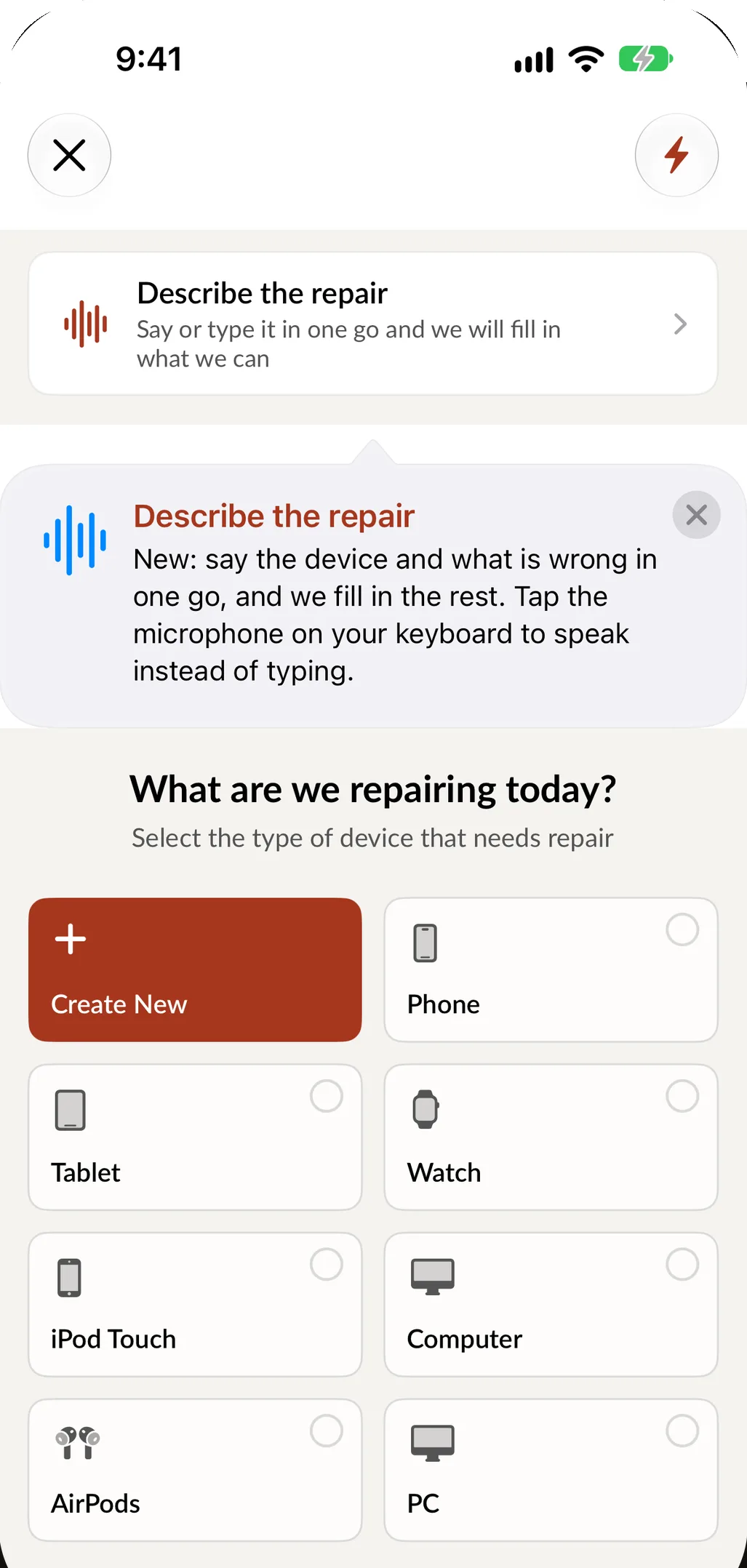
Pick the device type, brand, model and service. Or say it in one sentence, like iPhone 13 Pro, cracked screen, needs it tonight, and SpotsPOS fills in what matches your catalog.
-
Record what matters
Scan the IMEI, save the passcode or pattern, tick the working parts, add up to 10 photos of the damage and let the customer sign your terms on the screen.
-
Price it and take a deposit
Suggested parts and labor build the estimate. Take a deposit at the counter and the balance stays on the ticket until pickup.
-
Repair and update
Assign a technician, log time against the ticket and move the status. If the screen is not in yet, Awaiting Parts tells everyone why the phone is still on the shelf.
-
Hand it back
Notify the customer, take the balance, set the warranty period and print or text the receipt. The parts leave inventory with the job.
Cell phone repair shop software for the problems you see every day
"Is my phone ready yet?"
Most calls to a phone shop are that one question. When a repair moves to Repaired, one tap sends the ready for pickup message by text or email. If the phone turned out not to be repairable, there is a message for that too, so the customer hears it from you first. For phones that sit on the shelf, Ask your shop lists the repairs that have been ready for more than a few days and drafts a pickup reminder that you check before sending. More on this in customer notifications.
Comebacks and warranty
Set a warranty period on every repair, from 3 days to a year, or pick an exact date. When a phone comes back, the ticket shows the warranty remaining, and Submit For Warranty reopens the job with a reason and photos. At check in, SpotsPOS can point out that this device was here before, that the customer is returning, and remind you to check whether the job is covered.
When something breaks on the bench
It happens: a flex cable tears or a frame bends. The Tech Damage status records it honestly instead of hiding it in a note, so you can see where it happens and fix the cause.
Parts, prices and stock
Each repair type can have its parts linked, so the price and the stock count are right the first time. Low stock shows up before you run out, and purchase orders are received straight into inventory, updating your average cost. SpotsPOS also has a Phone LCD Parts integration in its settings.
Buybacks, refurbished phones and loaners
Buy a phone from a customer with a condition checklist (screen, cameras, charging, Face ID or fingerprint, no iCloud or Google account lock) and SpotsPOS suggests the grade from the answers. Track the parts and labor you put into it, then sell it by IMEI with a grade and warranty from Device Management. Keep a few units as loaners for customers who leave a repair overnight.
Protection plans at checkout
With the AKKO integration turned on, checkout offers AKKO coverage when the device is eligible, and the customer's profile lists their coverages.
Check in a phone right now.
Pick a phone, choose the repair and watch the ticket come together. Sample data, nothing saved.
This demo runs in your browser with sample data. Nothing you enter is saved or sent anywhere.
Questions phone repair shops ask
What should cell phone repair shop software do?
It should find a device by IMEI, keep the passcode with the ticket, know which parts each repair uses and tell the customer when the phone is ready. It should also cover warranty comebacks, buybacks and accessory sales so you are not juggling three apps. SpotsPOS Repair does all of this on iPhone and iPad, and every Repair plan starts with a 14 day free trial.
Can I look up a device by IMEI?
Yes. Scan the IMEI or serial barcode with the camera, or type it. The Repairs search accepts an IMEI, a customer name or a ticket number and opens the device with its repair history.
Can I sell accessories and take repairs in the same app?
Yes. Cases, chargers and screen protectors go through the same checkout as repairs and come out of the same inventory. Spots Intelligence can suggest the accessories that usually sell with what is already on the sale.
Is Spots Intelligence included in every plan?
Suggested parts, Smart Quick Repairs and product recommendations are part of Spots Intelligence, which is included from the Essential plan. See pricing for what each plan includes.
Does it work on an iPhone, or do I need an iPad?
Both work. Use an iPad at the counter, an iPhone on the bench, or either one on its own. Repair Board, the drag and drop view of your bench, needs an iPad.
Keep exploring
- Repair tracking Every ticket from check in to pickup, with statuses, notes and time logs.
- Buybacks Buy phones from customers, grade them and put them up for sale.
- Device management Every used and refurbished phone tracked by IMEI until it sells.
- Cell phone stores Prepaid plans, unlocks and trade-ins at the register.
Check in your next phone on SpotsPOS.
Start a 14 day free trial and build your first ticket in minutes.
Free for 14 days. No credit card needed.