
SpotsPOS Retail
An electronics store POS that knows every serial number.
Headphones, speakers, tablets, gaming gear and a wall of cables and chargers. SpotsPOS Retail is an electronics store POS that rings it all up in seconds, tracks the expensive items one serial number at a time and keeps the accessories counted.
Free for 14 days. No credit card needed.
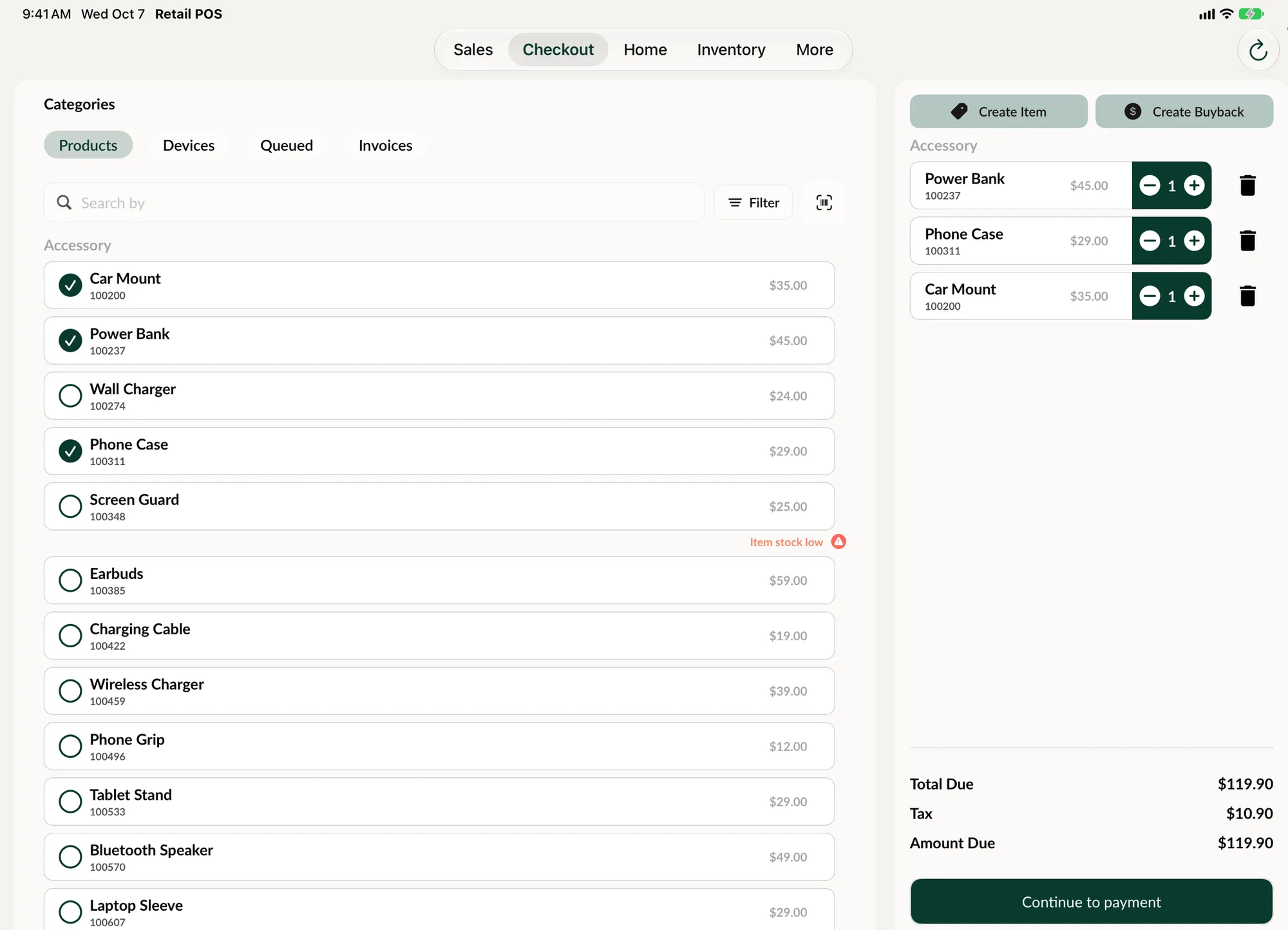
Built for a counter full of gadgets.
An electronics store sells a few high value items and a lot of small ones. Both need to be right, and both need to be fast.
-
Scan to sell
Scan a barcode with the device camera or a Bluetooth scanner and the item is on the sale. Search by name, SKU or barcode when the label is missing.
-
Serialized items
Mark an item as serialized and every unit carries its own serial number. You always know which tablet was sold, to whom and when.
-
The accessory that goes with it
Spots Intelligence suggests the in-stock products that usually sell with what is already on the sale, like a case with a tablet or a cable with a speaker.
-
Layaways for bigger purchases
Let a customer reserve a laptop or a console and pay weekly, every two weeks or monthly. SpotsPOS tracks what is paid and what is owed.
-
Trade-ins at the register
Start a buyback from checkout, grade the customer's old device and take its value off the new purchase as a trade-in.
-
Counts that catch shrink
Count stock by scanning barcodes, with differences highlighted. Managers can turn on blind counts so the system quantity stays hidden while counting.
Inventory you can trust.
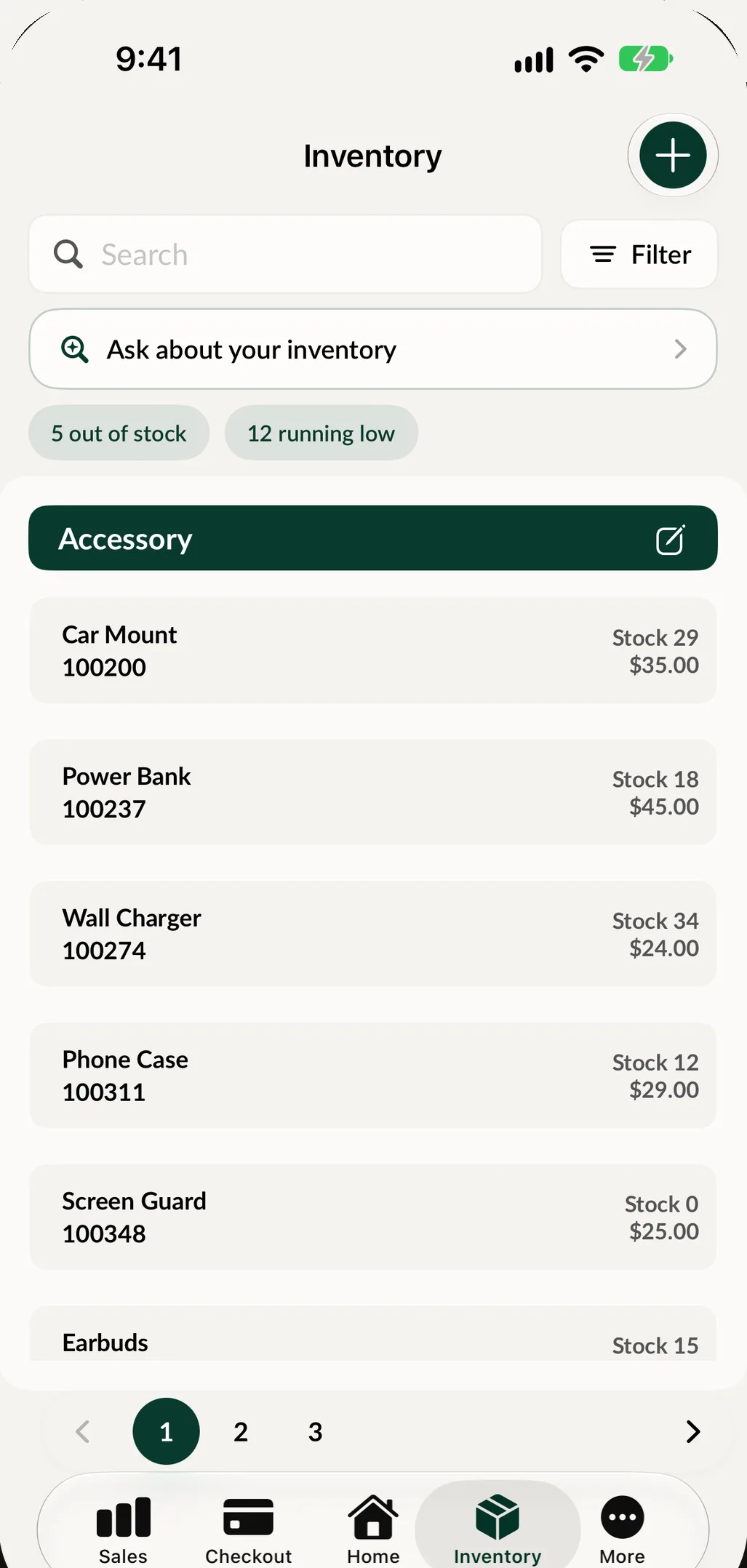
Every sale takes the item out of stock. Every change to a product's name, cost or quantity asks for a reason, and the Item Status Log keeps a full history: who changed what, and when. Low stock shows up before the shelf is empty, and purchase orders bring new stock in without retyping anything. If you sell online, a Shopify sync pulls your latest items into SpotsPOS.
- Item Status Log with a reason for every change
- Low stock alerts and reports
- Barcode labels for anything you sell
A tablet sale with a trade-in, step by step
-
Scan the tablet
Scan the barcode and pick the unit by its serial number. The unit now shows as In cart.
-
Add what goes with it
Spots Intelligence suggests a case and a screen protector you have in stock. One tap adds them.
-
Take the trade-in
Tap Create Buyback, scan the old device, answer the condition checklist and choose Trade-in. Its value lowers what the customer owes.
-
Take payment
Cash, card, split payment or another method. The customer can follow the total on a customer facing display.
-
Hand over the receipt
Print it or send it by text or email. The unit is marked sold, and its warranty starts today.
What an electronics store POS handles every day
Serial numbers and warranties
High value electronics are where mistakes cost the most. Serialized items in SpotsPOS carry a serial number per unit, so returns and warranty claims start from the right record. Used and refurbished devices are tracked in Device Management with a grade, a cost, a price and a warranty period that starts on the day of the sale. You can also set a maximum stock threshold for serialized items in your inventory settings.
Every way your customers pay
The payment screen covers cash and card, split payments, and payment types such as Apple Pay, Google Pay, Zelle, Venmo, Afterpay, Affirm, Klarna, gift cards and checks, so your reports show how each sale was paid. Surcharges can be set by payment method, tax groups handle more than one tax rate, and a customer facing display shows the customer the price breakdown as you ring them up.
Promotions without guesswork
Quick Sales put your best sellers one tap away. Discounts apply to an item or the whole sale and show on the receipt and in your reports. The Items report and Profit Overview show what actually makes money, and Popular Times shows your busiest hours so the right people are on the floor.
More than one store
Run several stores from one login, look at another store's inventory and move stock between locations with transfer requests that the other store approves. See multi-store for how it works.
Repairs under the same roof
Many electronics stores also fix what they sell. SpotsPOS Repair shares your customers and inventory, so a screen repair and a new case end up on the same customer record.
Closing the day
End of Day shows sales, payment types and the expected cash. Count the drawer by denomination, record money in and money out, and leave a note if the register does not match.
Ring up a sale. This one is live.
This is the register, running in your browser with sample products. Add a few items and take it to the receipt.
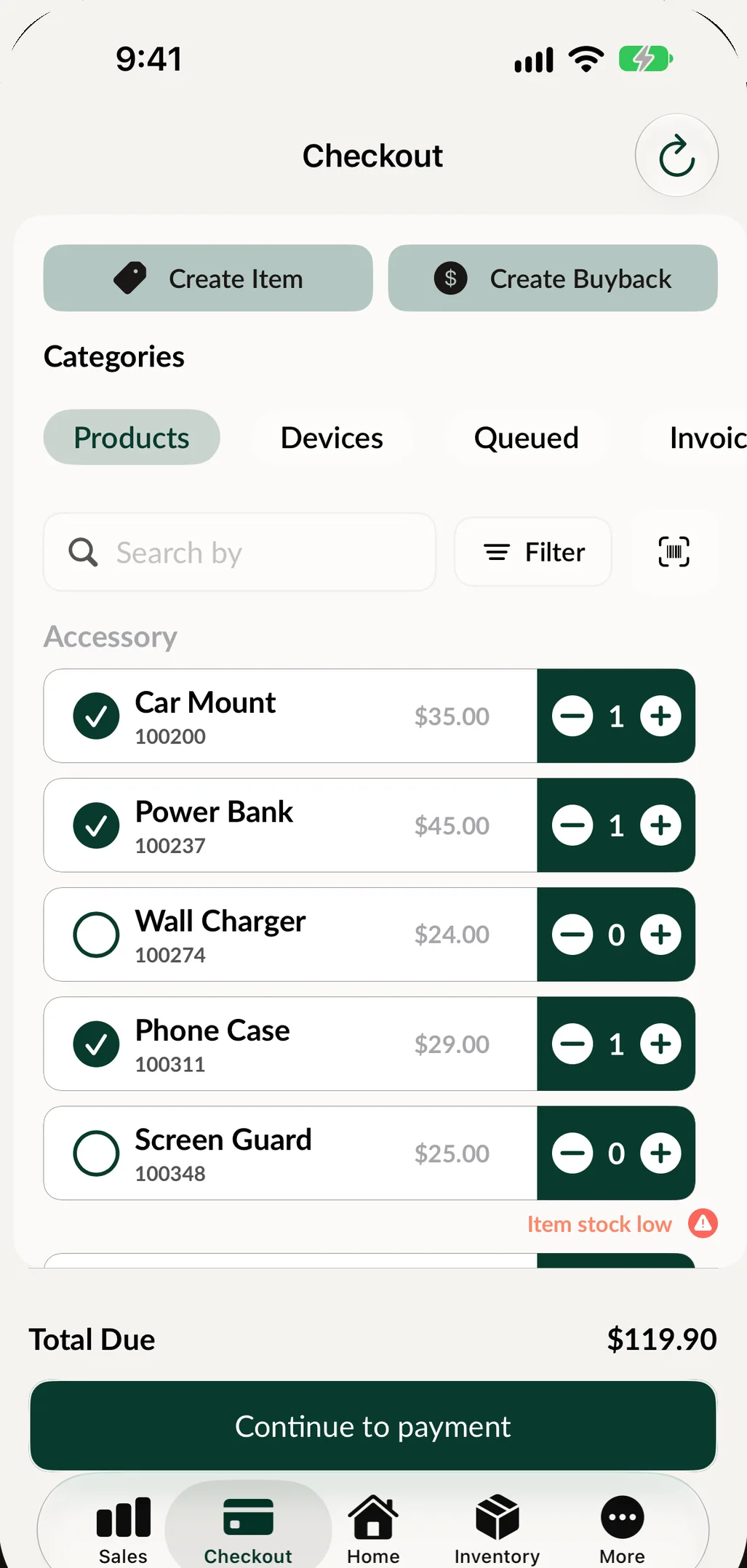
This demo runs in your browser with sample data. Nothing you enter is saved or sent anywhere.
Questions electronics stores ask
What should an electronics store POS do?
It should scan and sell quickly, track high value items by serial number, keep accessory stock accurate and handle trade-ins and layaways. SpotsPOS Retail does all of this on iPhone and iPad, and you can manage the store from any computer through the Web Portal.
Can I track serial numbers on the products I sell?
Yes. Mark an item as serialized and each unit carries its own serial number from the moment it is received until it is sold.
Can customers trade in their old devices?
Yes. Start a buyback from checkout, grade the device with your condition checklist and apply its value to the sale as a trade-in, or pay it out in cash or store credit.
Can I sync inventory with my Shopify store?
Yes. With the Shopify integration turned on, a sync button in Inventory pulls your latest Shopify items and creates or updates them in SpotsPOS. See pricing for which plans include integrations.
Is there a free plan?
Yes. SpotsPOS Retail has a free plan, and no credit card is needed to start. See pricing for what each plan includes.
Make your next sale on SpotsPOS.
Download the app, add a few products and ring up a sale today.
Free for 14 days. No credit card needed.