
Spots Intelligence now runs on your iPhone and iPad
Ask your shop a question, describe a repair out loud, and get a recap of the day. The answers are worked out on your iPhone or iPad, from your own data.
- Available
- October 20, 2026
- Apps
- Repair and Retail
- Needs
- An iPhone or iPad with Apple Intelligence
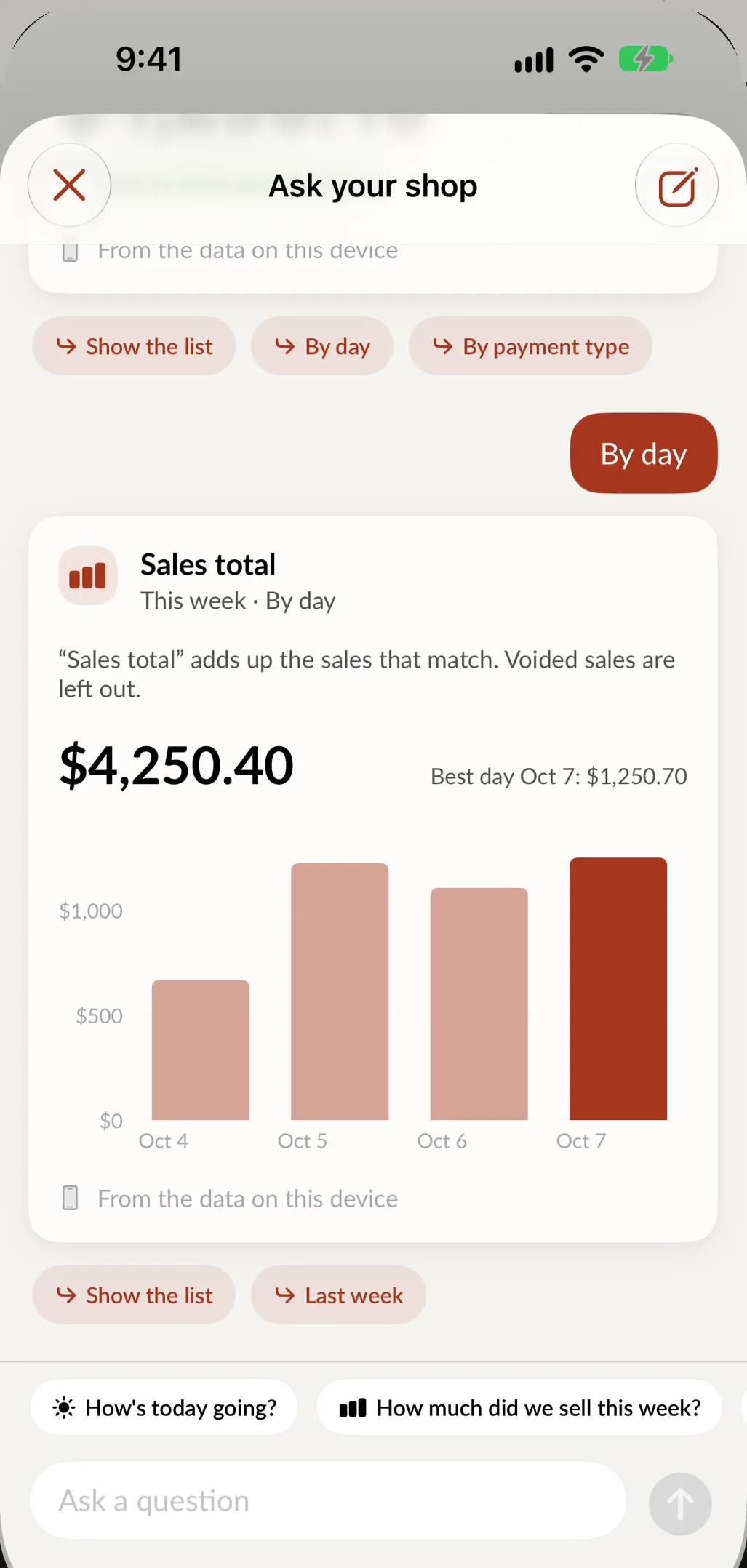
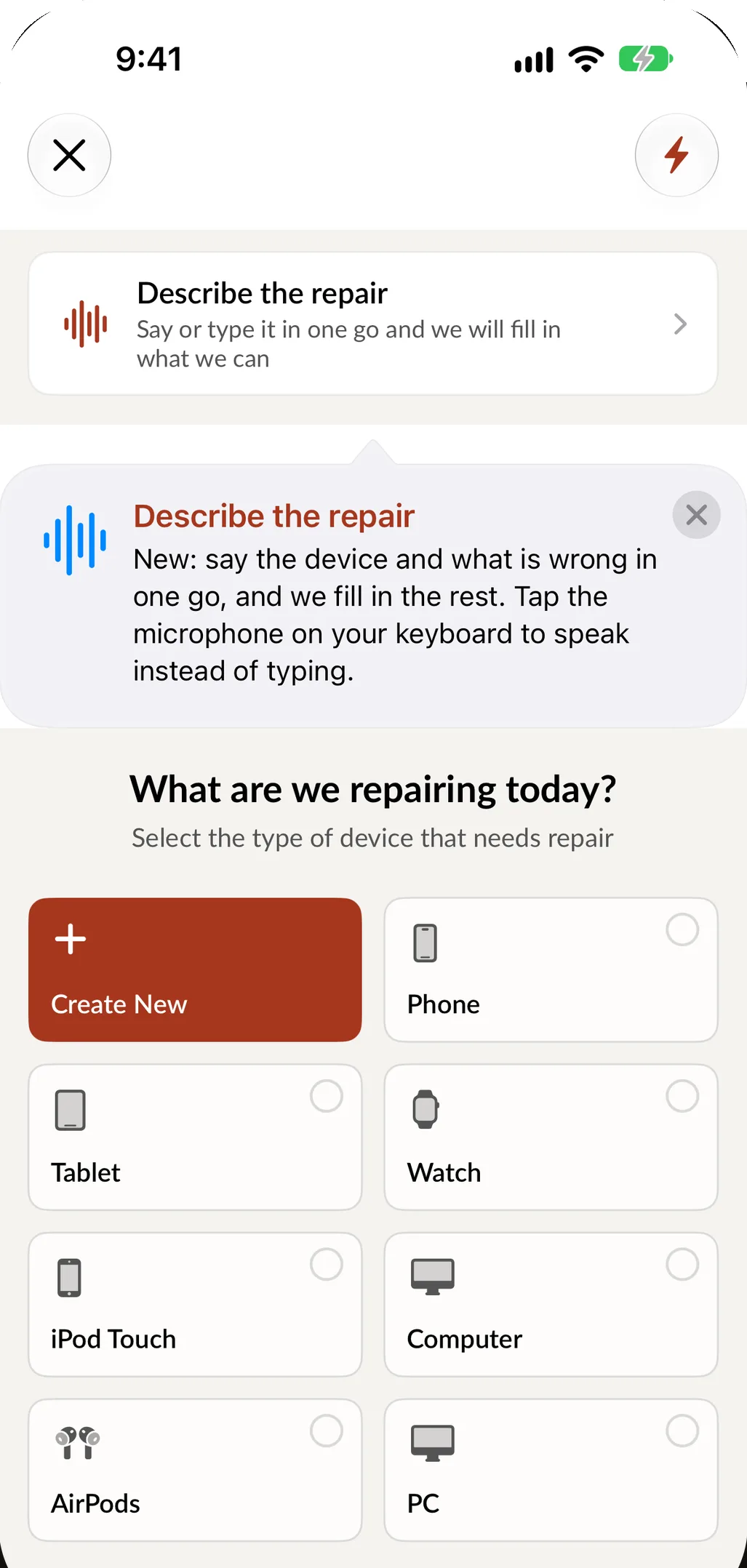
Spots Intelligence has always been part of the screens you already use. In this release it moves onto the device itself. On iPhones and iPads with Apple Intelligence, the new features below work from the data already on your device. Your questions and your numbers are not sent anywhere to be answered.
Ask your shop
Open Ask your shop from Home, Repairs, Sales, Inventory or Customers and type a question the way you would ask a manager.
- How's today going?
- What's running low?
- Which repairs are ready for pickup?
- Repairs closed this month by technician
- This week's sales by payment type
You get the number, a chart when a chart helps, and the list behind it. Follow-up questions are one tap away. Tap any repair, sale or item in an answer to open it.
Answers respect roles. An employee who cannot see sales totals in the app cannot ask for them here either.
Describe the repair
At intake, say or type the job in one sentence, in English or Spanish: "iPhone 13 Pro, cracked screen, needs it tonight." SpotsPOS picks out the device, the service, the priority and the due time, and fills in the form. You check it and continue.
Next to it you will see what your shop usually charges for that repair, the usual price range, and whether this customer or this device has been in before.
Suggestions that save a phone call
- Reorder soon. When items reach their low stock level, Spots Intelligence tells you how many to order and roughly what it will cost.
- Waiting for pickup. When repairs have been ready for more than a couple of days, it lists them and drafts a reminder text for you to review and send.
- Suggested updates. When a repair changes status, it offers the customer message that fits, ready to edit.
Nothing is sent without you. Every draft is yours to check first.
End of Day, recapped
Closing the register now comes with a recap of the day: sales, transactions and average sale, when the sales came in, how customers paid, and your top sellers. On iPad it sits beside the drawer count.
Private by design
These features read the data SpotsPOS already keeps on your device. That is why they answer in seconds, and why they work for the period your device holds rather than your whole history. For older data, the full reports in Sales go back as far as you need.
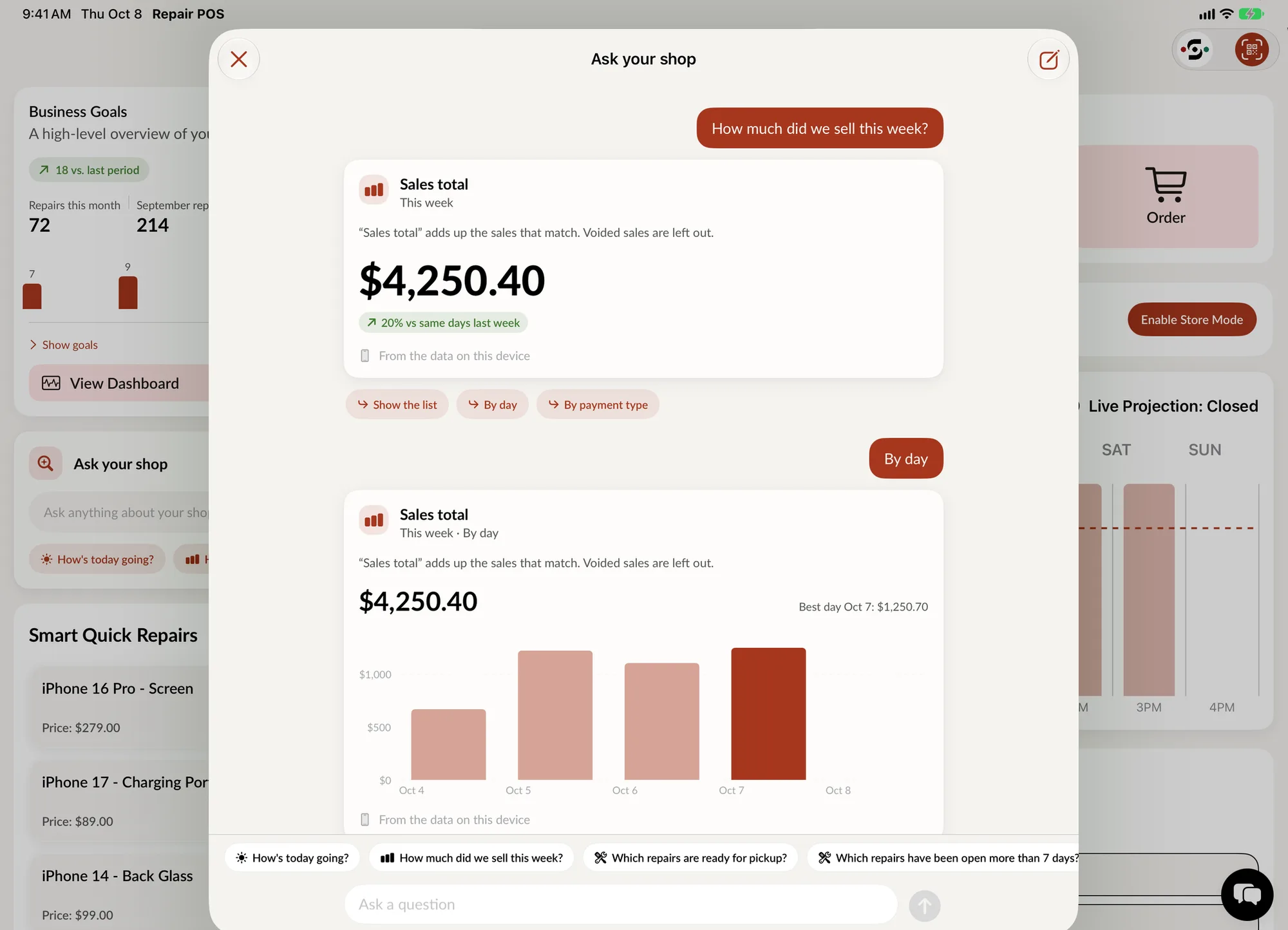
Ask your shop on iPad: the question, the number and the chart.