
Buybacks, redesigned
A faster way to buy a device from a customer, with grading, pricing and resale set up in one form, and reports that show what buybacks earn.
- Available
- October 20, 2026
- Apps
- Repair and Retail
- Works on
- iPhone and iPad
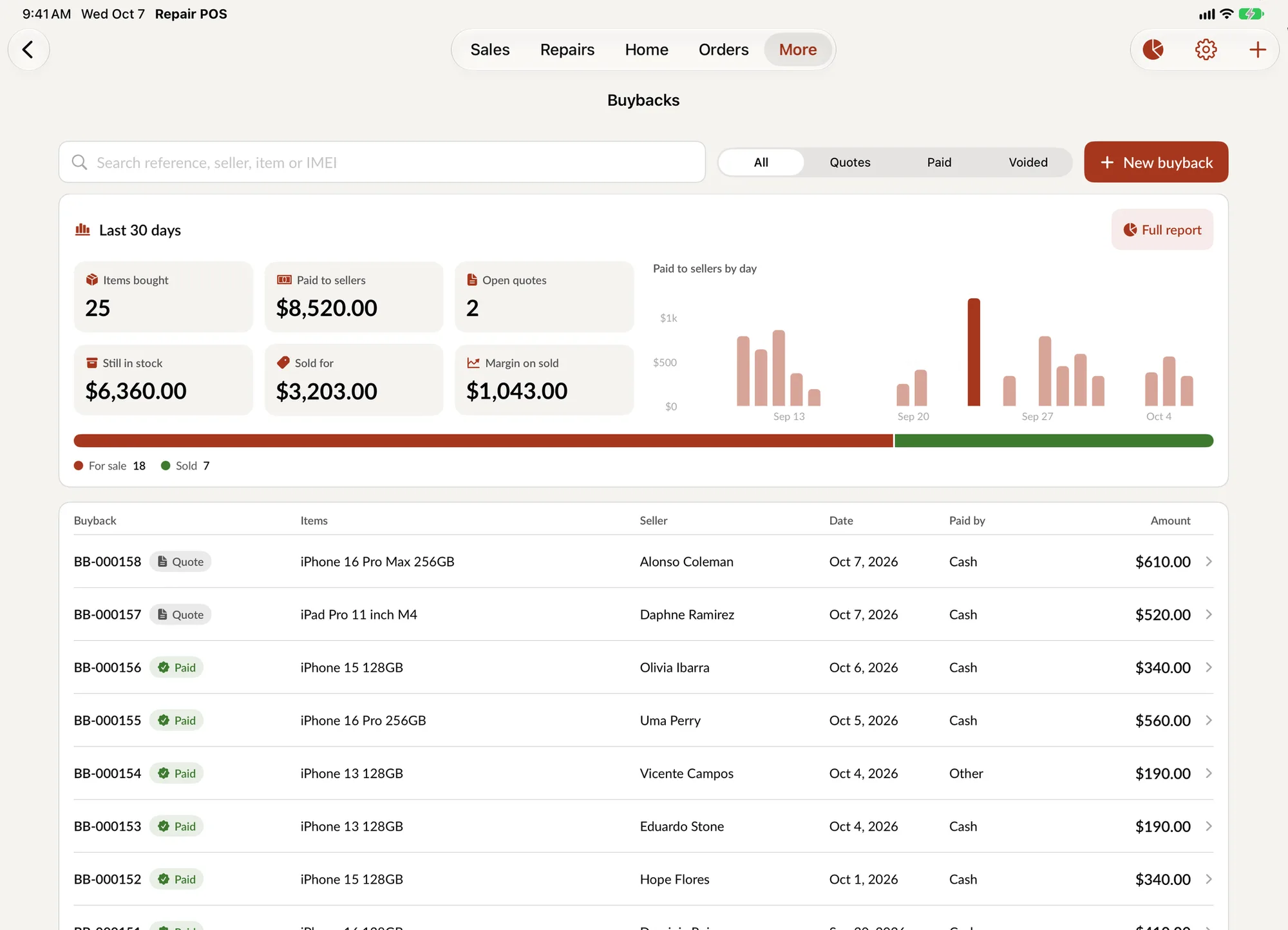
Buying a used device from a customer is one of the best margins in a repair shop, and it used to be one of the slowest screens in SpotsPOS. We rebuilt it.
One form, top to bottom
Everything you decide about a buyback now lives in a single form, in the order you decide it:
- What you are buying. A device, or another kind of item.
- Its grade. New, Grade A, Grade B or Grade C, one tap each.
- The money. What you pay the customer and what you plan to sell it for.
- Its identity. The IMEI or serial number, so the unit can be tracked from here on.
- What happens next. Put it up for sale, keep it as a loaner, set its warranty period and tax.
Submit, and the device is in your stock, linked to the customer who sold it.
Room to work on iPad
On iPad the form no longer stretches across the whole screen. Your recent buybacks stay on one side and the form sits on the other, so you can check what you paid for the last iPhone 14 while you price this one.
See what buybacks earn
Buybacks now have their own numbers for the last 30 days: items bought, what you paid to sellers, what is still in stock, what you sold it for and the margin you made. A full report is one tap away. It is the first time you can answer "are buybacks worth it for us" without a spreadsheet.
Quote first, pay when they say yes
A buyback can start as a quote. Give the customer a price, let them think about it, and mark it paid when they accept. The list shows every buyback as Quote, Paid or Voided, with its reference number, the seller, the date and how it was paid.
Start one from anywhere
Create a buyback from Customer Buybacks, or straight from checkout when a customer wants to put an old phone toward a new one.
Buybacks feed straight into the redesigned Device Management, where each unit you buy is tracked until it is sold.
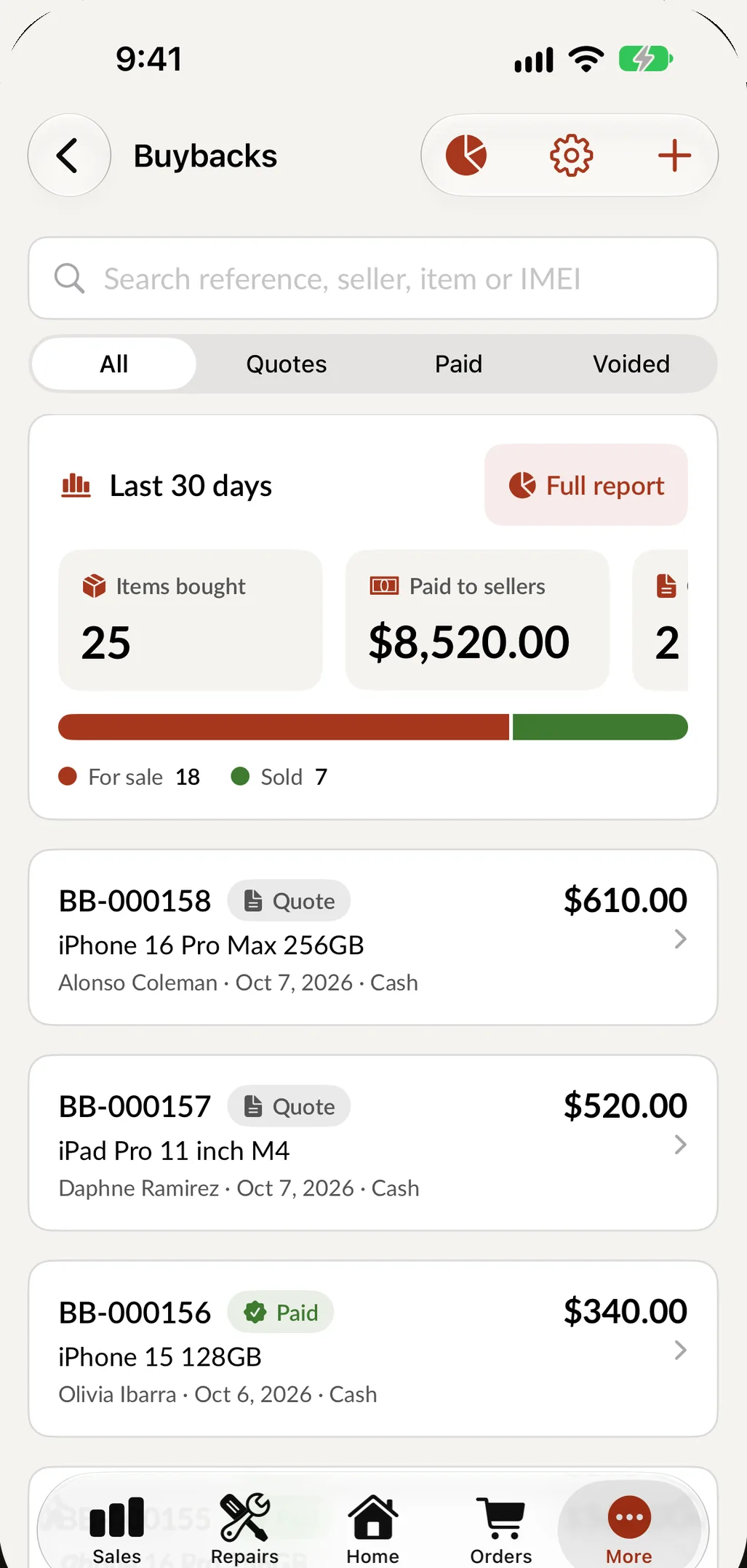
Buybacks on iPhone: the last 30 days at the top, every buyback below.