
Device Management, redesigned
Every used and refurbished device you own, organized by model and tracked unit by unit, from the day it comes in to the day it sells.
- Available
- October 20, 2026
- Apps
- Repair and Retail
- Works on
- iPhone and iPad
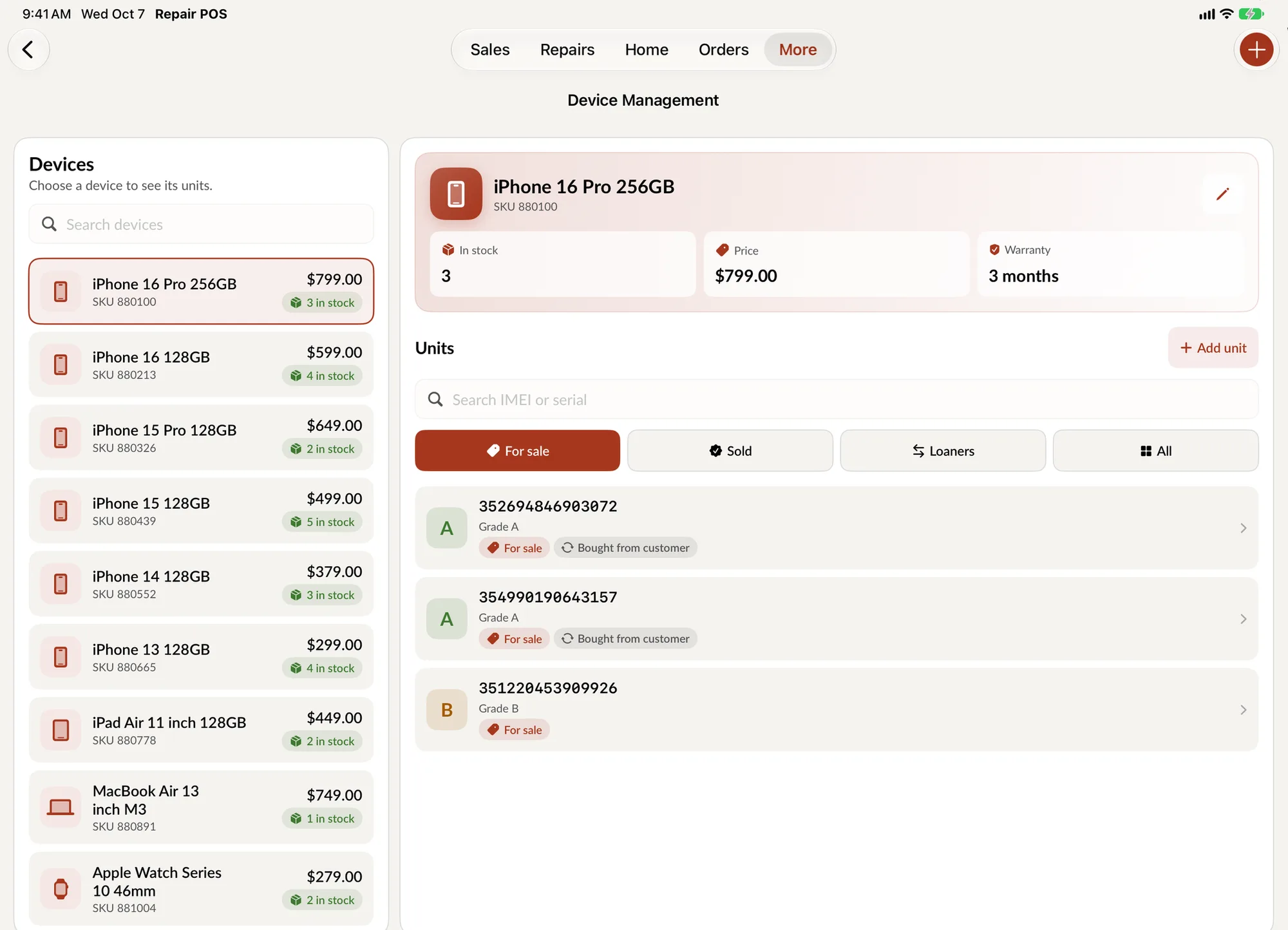
If you sell used phones, tablets or consoles, every one of them is different. Two iPhone 14s can have different grades, different costs and different warranties. Device Management was built for that, and in this release it gets a complete redesign.
Nothing about your data changes. The same devices are there. They are just far easier to find and work with.
Models on one side, units on the other
Device Management has always had two levels: the model, such as iPhone 14, and the individual units you own. The new layout puts them side by side on iPad. Pick a model and its units appear next to it, each with its grade, IMEI, price and where it came from.
On iPhone the same two levels are one tap apart.
Find the unit you need
Units are sorted the way you ask about them at the counter:
- For Sale. What you can sell right now.
- Sold. What has gone, and when.
- Loaners. Devices you hand to a customer during a repair.
- All. Everything, when you are searching by IMEI.
Everything about one device
Open a unit and its details are organized into three tabs:
- Information. Grade, price, cost, SKU, IMEI, warranty remaining and the customer it is linked to. Store cost stays hidden from roles that should not see it.
- Notes. The history of the device, including internal notes.
- Payments. The sale it was part of, one tap away.
If a device has not been paid for yet, you can take it to checkout straight from its details.
Add devices faster
Creating a model, adding a unit to it and editing either one now use the same clean form, with the fields in the order you fill them in. Devices you buy from customers arrive here automatically from the redesigned buyback flow.
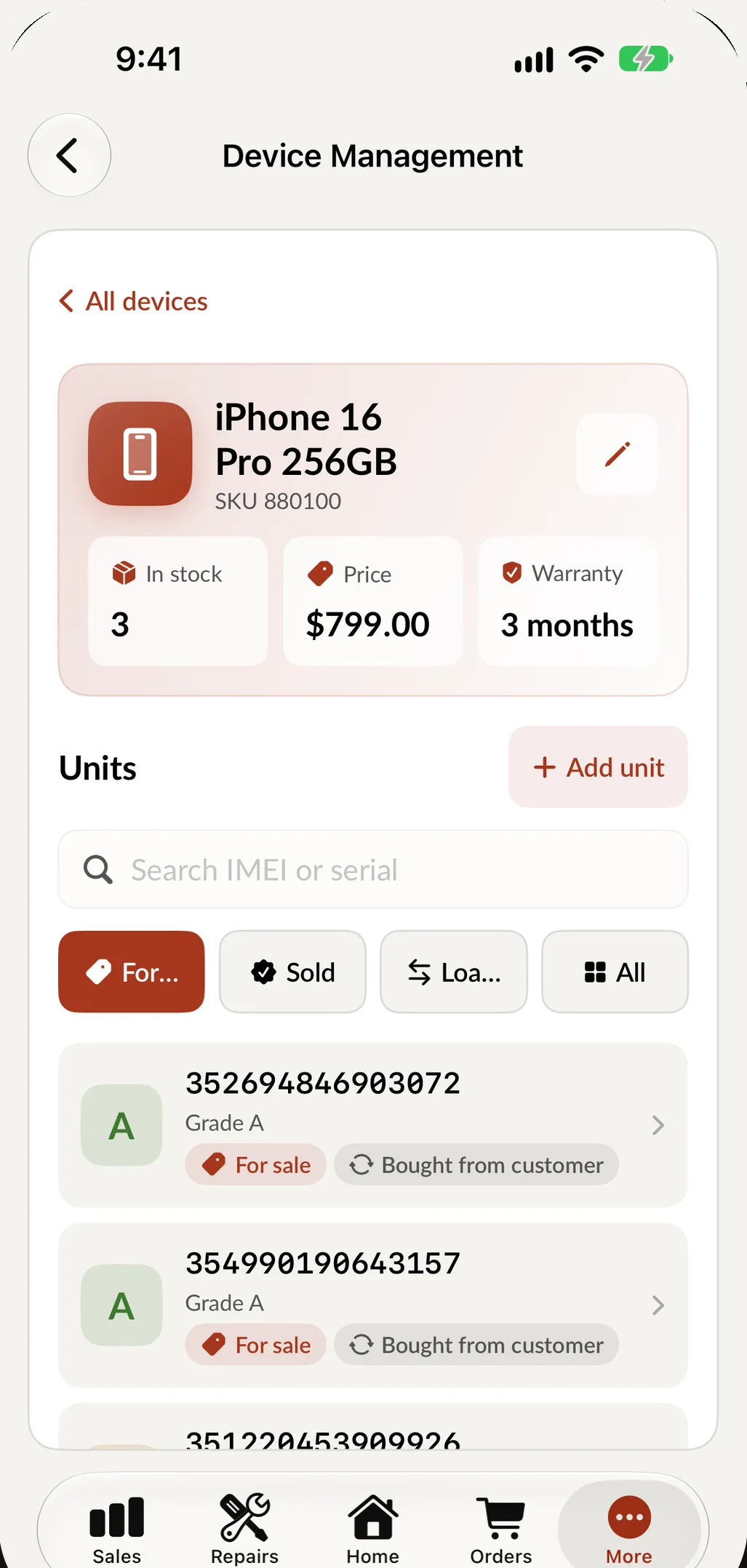
On iPhone: the model at the top, its units below.