
SpotsPOS Retail
A cell phone store POS for phones, prepaid plans and trade-ins.
New and used phones, a wall of cases and chargers, customers paying their prepaid plan, an unlock waiting on the carrier and a trade-in at the counter. SpotsPOS is a cell phone store POS that keeps all of it in one checkout.
Free for 14 days. No credit card needed.
Everything a phone store sells, in one checkout.
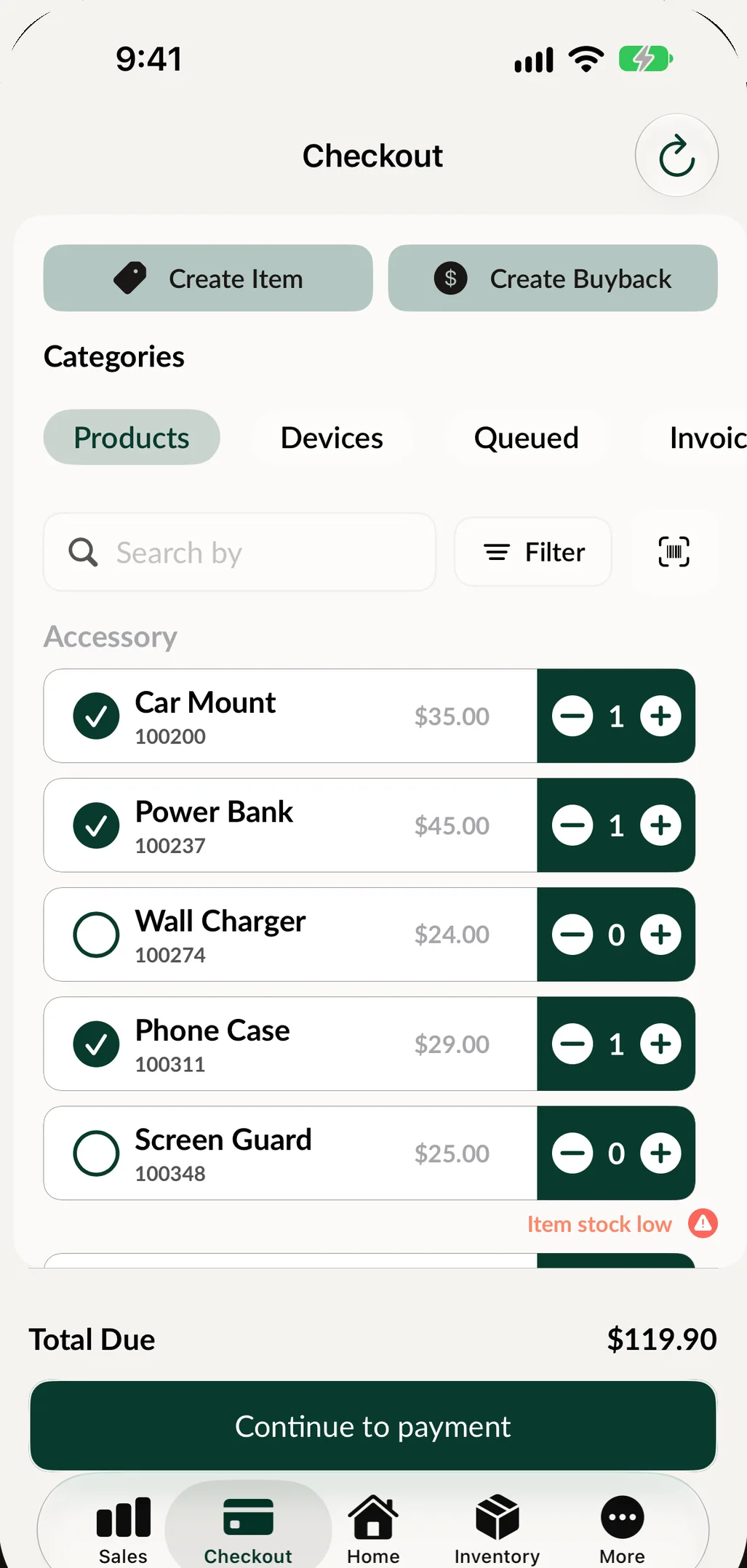
Checkout has tabs for Products, Devices, Unlocks and Prepaid, so a phone, a case, an unlock and a plan payment can go on the same sale.
-
Phones by IMEI
Every used or refurbished phone is a unit with its IMEI, grade, price and warranty. Filter by for sale, sold or on hold, and scan a unit's label to open it.
-
Prepaid plan payments
Set up your carriers and plans with the customer price and your store cost. Each prepay records the phone number and the next due date.
-
Unlock tracking
Record the device, carrier, IMEI, price and your cost. Update the status, add notes and send the customer a reminder about their unlock.
-
Trade-ins that lower the price
Buy the customer's old phone from checkout and take its value off the new one. Or pay it out in cash or store credit.
-
The case that goes with it
Spots Intelligence suggests the in-stock accessories that usually sell with what is on the sale, like a case and a screen protector with a phone.
-
English and Spanish
The whole app works in English and Spanish, and receipts and reports can be printed in the language your customers read.
Check a trade-in before you pay for it.
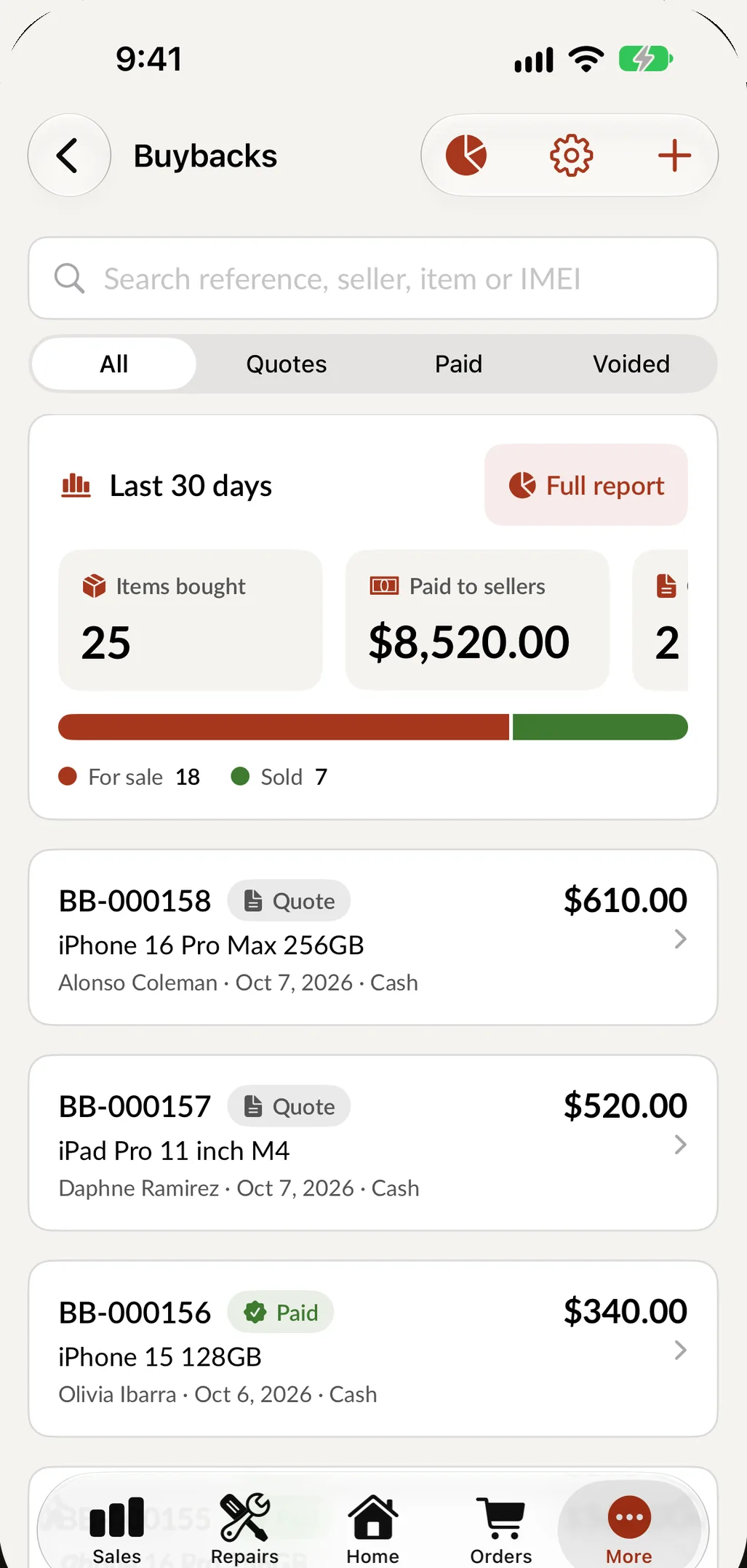
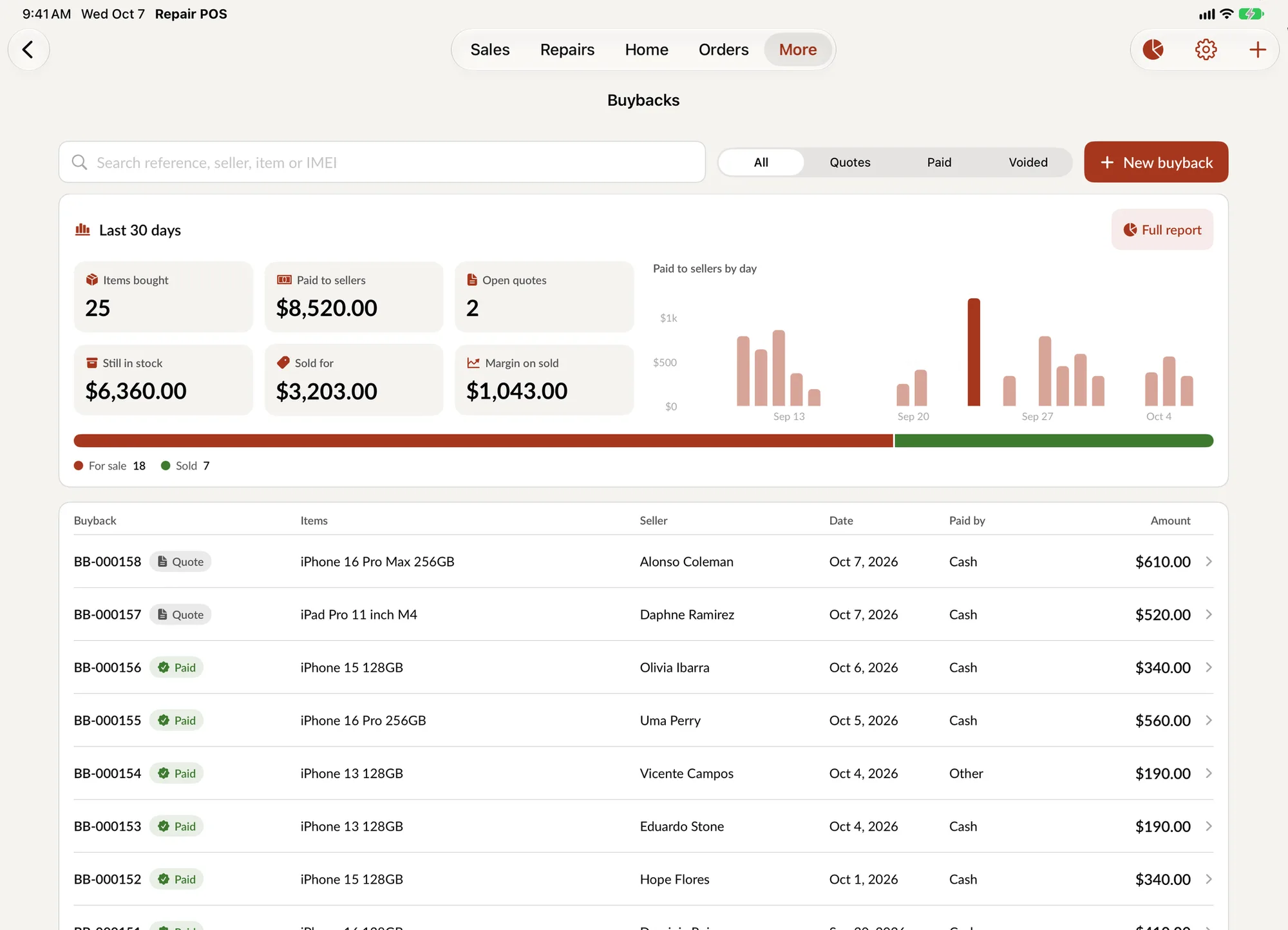
A trade-in is only a good deal if the phone is what it looks like. SpotsPOS checks that every IMEI has a valid format and is not already in your inventory, and tells you if your shop sold that phone before. Staff answer a condition checklist line by line, and the grade is suggested from the answers. Read more about buybacks.
- No iCloud or Google account lock, confirmed on the checklist
- Screen, battery health, cameras, Face ID or fingerprint, charging
- A failed critical line suggests DOA, whatever else passes
An upgrade with a trade-in, step by step
-
Start the trade-in
At checkout, tap Create Buyback, choose the customer and scan the IMEI of the old phone. The format and duplicate checks run right away.
-
Inspect and grade
Tap pass or fail on each checklist line. SpotsPOS suggests a grade and pulls the offer from your price list for that model and grade.
-
Confirm the seller
Record the seller's ID and photos, get their signature on your agreement and confirm with an employee PIN, as your shop requires.
-
Sell the new phone
Add the phone from Devices, accept the suggested case and screen protector, and choose Trade-in. The old phone's value lowers what the customer owes.
-
Pay and finish
Take the balance, print or text the receipt and set up the customer's prepaid plan with its next due date.
What a cell phone store POS handles every day
Prepaid customers who come back every month
Prepaid customers are your most regular visitors. Create each carrier once and add its plans with the customer price and your store cost, so you see what every plan earns you. A prepay links the customer, the plan, the phone number and the next due date. When they come back, search by name or phone number, take the payment from the Prepaid tab in checkout, and create a duplicate for next month in one tap. The activation or refill itself still happens in the carrier's own system; SpotsPOS keeps the record and the money straight.
Unlocks
An unlock can take days. Each one records the device, the carrier, the IMEI, your price and your cost, with a status you update and notes for your team. Send the customer a reminder about their unlock with one tap, and charge for it from the Unlocks tab in checkout.
Used phones, by IMEI
A bought phone can be held for a set number of days before it can be sold, if your local rules for secondhand goods ask for it. Track refurbishing parts and labor so the cost and margin stay true, then sell each phone from Device Management with a grade and a warranty that starts on the day of the sale. Keep a few as loaners for customers whose phone is in for repair. The buyback report shows what you paid sellers, what is still in stock, what sold and the average time to sell.
Accessories that run the margin
Cases, chargers, cables and screen protectors sell from inventory with barcode labels you print yourself. Low stock alerts tell you what to reorder, and blind counts keep the accessory wall honest.
Protection plans
With the AKKO integration turned on, checkout offers AKKO device coverage when the phone is eligible.
If you also fix phones
Many phone stores do screens and batteries too. Read how phone and tablet repair works in SpotsPOS Repair, which shares your customers and inventory.
What to look for in a cell phone store POS
A general POS rings up items. A cell phone store also takes plan payments, follows unlocks and buys used phones. Use this list to compare systems, including ours.
| Ask | Why it matters | In SpotsPOS |
|---|---|---|
| Does it sell phones by IMEI and accessories by barcode in one sale? | An upgrade almost always comes with a case and a screen protector | Checkout has tabs for Products, Devices, Unlocks and Prepaid |
| Does it record prepaid payments with the next due date? | They are your most regular customers | Carriers and plans with your price and cost, and a prepaid record per customer with their number and next payment date |
| Does it follow unlocks until they are done? | An unlock can take days | Device, carrier, IMEI, price, cost, status, notes and a customer reminder |
| Does it check a trade-in before you pay for it? | A locked or duplicate phone is lost money | IMEI format and duplicate checks, a warning if you sold it before, a condition checklist and a suggested grade |
| Does it protect the accessory wall? | It carries much of your margin | Barcode labels, low stock alerts and blind counts |
| Does it control who does what at the register? | Several employees share the counter | Everyone signs in with their own PIN and sees only what their role allows |
| Does it work fully in Spanish? | Many customers and employees read Spanish first | The whole app in English and Spanish, with receipts and reports in your customers' language |
| What does it run on? | You should not need a terminal to start | iPhone and iPad, with a Web Portal for the office |
Before you choose, also ask what a month costs for your team and locations, how your customers and inventory come over from your current system, and what happens when the internet drops. In SpotsPOS, records saved on the device stay readable offline; see pricing or book a demo.
Questions cell phone stores ask
Can I track prepaid plan payments in my POS?
Yes. Set up your carriers and plans with the customer price and your cost, then create a prepay for each customer with their phone number and next due date. Payments go through the Prepaid tab in checkout.
Does SpotsPOS activate lines or process refills with the carrier?
SpotsPOS keeps the record: carrier, plan, phone number, price, your cost and the next due date. The activation or refill itself is done in the carrier's own system, the way you do it today.
How do I check a trade-in phone before buying it?
Scan the IMEI. SpotsPOS checks the format and duplicates in your inventory, then staff go through your condition checklist, including the iCloud or Google account lock. The grade is suggested from the answers, and you can require the seller's ID and signature.
Can I track phone unlocks?
Yes. Each unlock records the device, carrier, IMEI, price and cost, with a status, notes and a reminder you can send the customer. You charge for it at checkout.
What should a cell phone store POS include?
Phones sold by IMEI and accessories by barcode in the same checkout, prepaid payments with the next due date, unlock tracking, trade-in checks before you pay, low stock alerts, permissions by employee and the whole system in Spanish too. SpotsPOS does all of this on iPhone and iPad.
Which plan includes prepaid, unlocks and buybacks?
Prepay, unlock tracking and buybacks are included in every SpotsPOS Repair plan, along with layaway and customer credit. See pricing, or book a demo and we will help you choose.
Run your phone store on SpotsPOS.
Set up your carriers, plans and accessories and make your first sale today.
Free for 14 days. No credit card needed.