
SpotsPOS Retail
A layaway system that keeps the balance for you.
Let a customer reserve what they want and pay over time. The SpotsPOS layaway system keeps the items, the schedule, every payment and what is still owed in one place, in SpotsPOS Retail and SpotsPOS Repair.
Free for 14 days. No credit card needed.
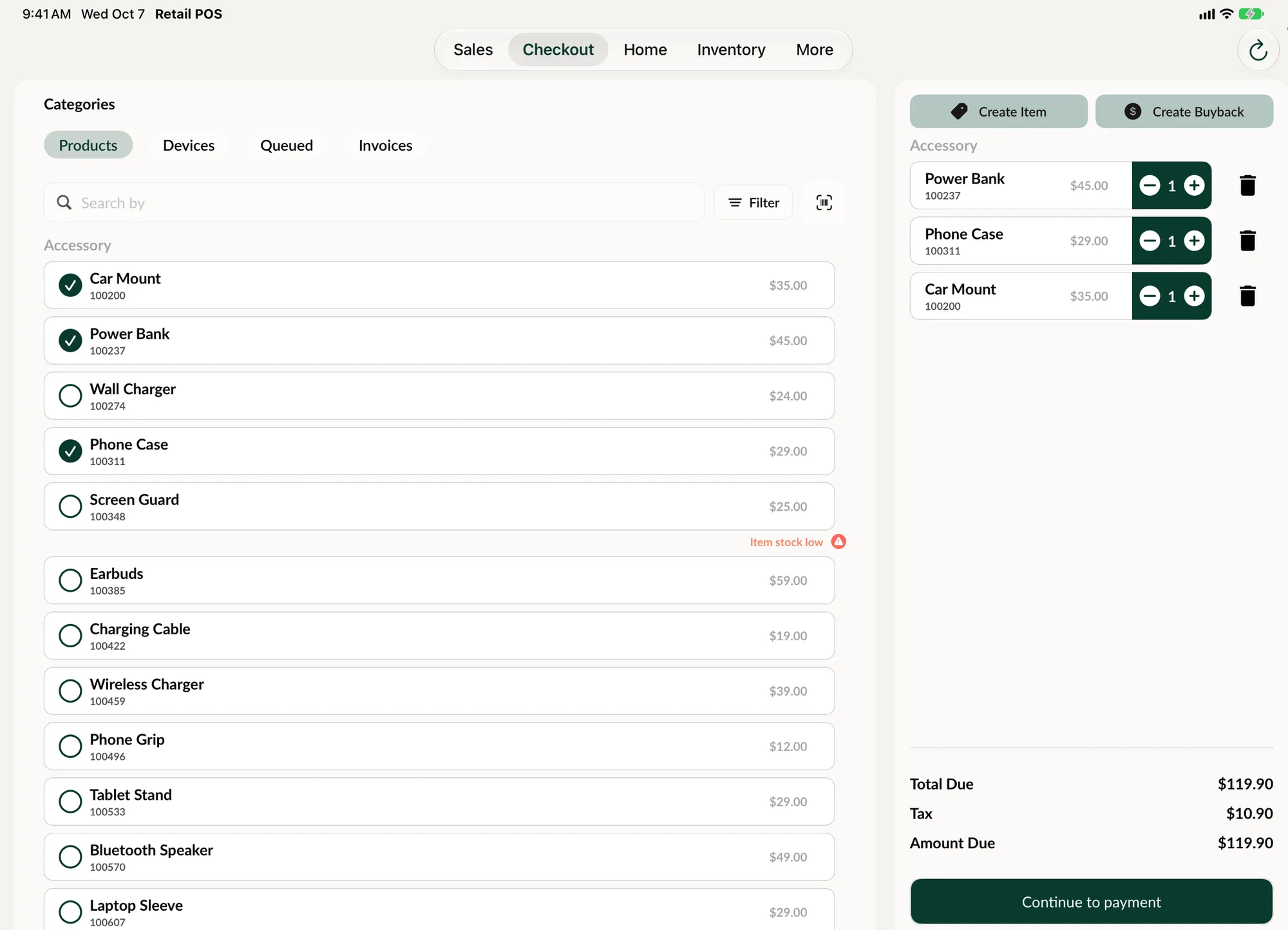
Everything a layaway needs, on one screen.
No index cards behind the register and no guessing what a customer has paid. Each layaway has its own record from the day it is created to the day it is closed.
-
Linked to the customer
Every layaway belongs to a customer. View their profile or change the linked customer from the layaway.
-
Items from your inventory
Pick the products from your inventory, and add or remove items later with Manage Items.
-
A payment schedule
Choose weekly, bi-weekly or monthly payments and set the date the layaway is due.
-
Your terms, accepted
Write your own layaway terms once in settings. The customer accepts them when the layaway is created.
-
Payment reminders
Remind Payment lets the customer know about the open balance on their layaway, in a tap.
-
Paid and owed
The history shows every payment, the total paid and the balance, along with notes and photos.
How layaway works in SpotsPOS
-
Create the layaway
Link the customer, select the products, choose the payment frequency and pick the due date. The customer accepts your layaway terms and you tap Create Layaway.
-
Take the first payment
Open the layaway and tap Checkout to take a payment toward the balance. It is recorded like any other sale, with the payment type in your end of day report.
-
Keep the customer on schedule
When a payment is coming due, tap Remind Payment to let the customer know about the open balance. Add notes along the way, such as a promise to pay on Friday.
-
Close it when it is paid
Once every product on the layaway has been paid for, close it. Closed layaways leave the open list and stay one tap away under View Closed.
Paperwork your customer can keep.
Print or email the layaway for the customer to take home. Every layaway also has its own QR code and barcode, and its history keeps payments and notes in separate tabs, so the whole story is there when the customer comes back.
- Print, email, QR code or barcode for every layaway
- Sales and notes tabs in the layaway history
- Internal notes your customer never sees
Why a layaway system pays off in a small store
Layaway lets a customer commit to a purchase they cannot pay for all at once. For a store selling phones, consoles, electronics or anything with a bigger price tag, that is a sale you would otherwise lose to "I will come back when I get paid." The customer gets a plan, and you get a deposit and a reason for them to return.
The hard part has always been the bookkeeping: who paid what, when the next payment is due, and what is still owed. That is the part SpotsPOS takes off your hands.
A typical layaway, start to finish
A customer wants a $600 tablet and can pay $150 today. You create a layaway, link their customer record, add the tablet from inventory, set payments to bi-weekly and pick a due date. They accept your terms and you take the first payment at checkout.
Two weeks later the history shows $150 paid and $450 balance. You tap Remind Payment and the customer hears about the open balance. They come in, you open the layaway and take the next payment. When the balance reaches zero, you close the layaway and the customer leaves with their tablet.
Your terms, your rules
Every shop runs layaway a little differently: how long you hold items, what happens if a payment is missed, whether deposits are refundable. Write those rules in the Layaway Terms setting and the customer accepts them every time a layaway is created. Repairs, sales and customer orders each have their own terms setting too, so each kind of paper says the right thing.
When plans change
Customers change their minds. Use Manage Items to add or remove products, change the customer if the layaway was linked to the wrong person, or cancel the layaway. Deleting a layaway asks for confirmation, because it cannot be undone.
Layaway in a repair shop
Layaway is part of SpotsPOS Repair as well as SpotsPOS Retail. Repair shops can use it for refurbished phones and accessories, right next to buybacks and repair tickets. Layaway payments go through the same checkout as everything else, so your payment types, reports and end of day all stay in one place.
Layaway questions
How does layaway work in SpotsPOS?
You create a layaway for a customer with the products they want, a payment frequency and a due date. Each payment is taken at checkout and added to the layaway history, which shows the total paid and the balance. When everything is paid for, you close the layaway.
Can customers pay weekly, every two weeks or monthly?
Yes. Each layaway has a payment frequency of weekly, bi-weekly or monthly, plus a due date you choose.
How do I remind a customer about a layaway payment?
Open the layaway and tap Remind Payment. The customer is notified about the open balance on their layaway.
Can I use my own layaway terms and conditions?
Yes. Write your terms in the Layaway Terms setting. The customer accepts them when the layaway is created, so everyone starts with the same rules.
Is layaway included in every plan?
Every SpotsPOS Repair plan includes layaway, with no add-on to buy. SpotsPOS Retail has a free plan, and you can compare what each plan includes on the pricing page.
What happens to a layaway once it is paid off?
Close it. Closed layaways leave your open list and you can still find them with the View Closed toggle, along with their full payment history.
Offer layaway this week.
Write your layaway terms, link a customer and create your first layaway in a few minutes.
Free for 14 days. No credit card needed.