
SpotsPOS Repair
POS offline mode that tells you the truth.
When the internet drops, SpotsPOS keeps showing what is saved on your iPhone or iPad. Look up a repair, a customer, a sale or a price and keep talking to the person at the counter.
Free for 14 days. No credit card needed.
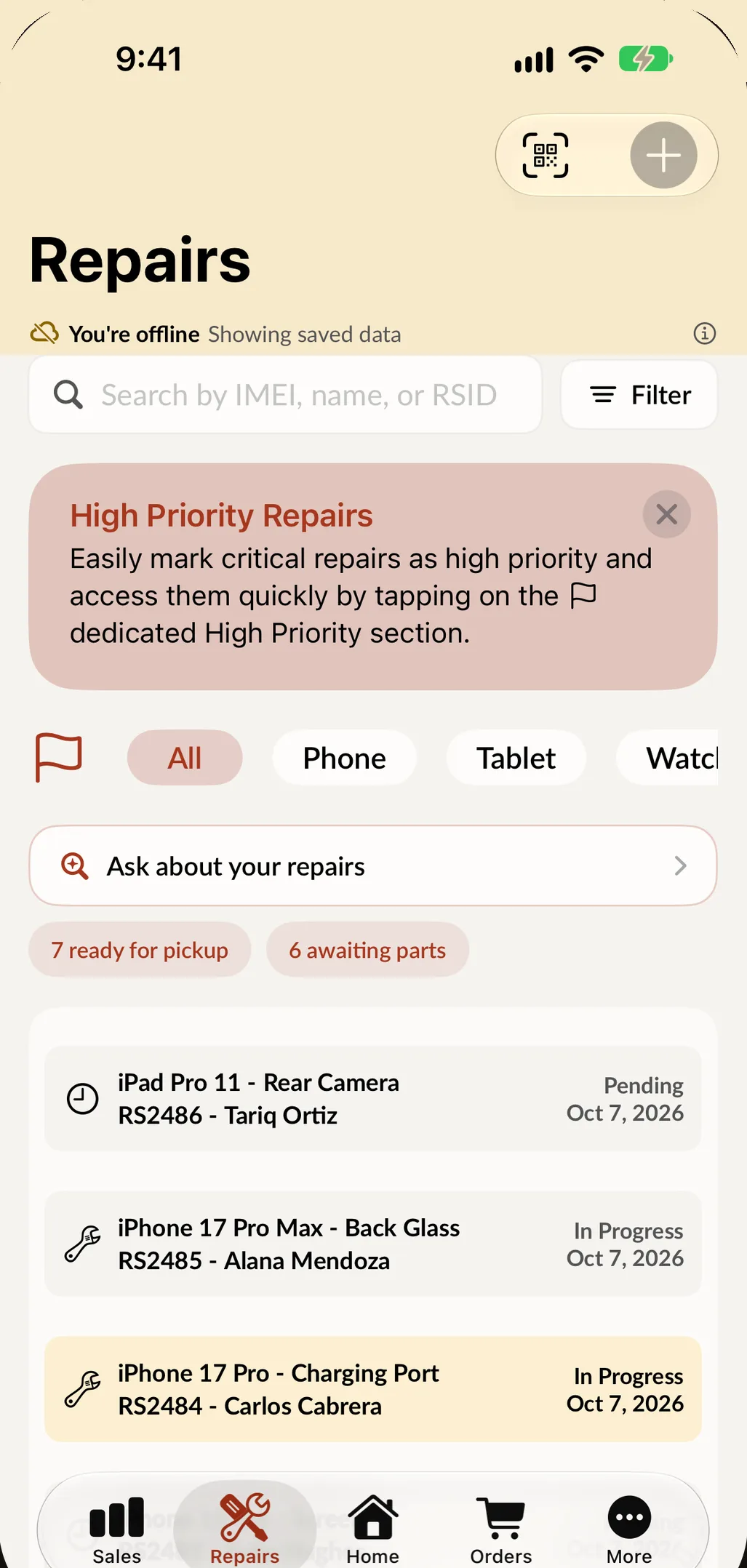
What still works without internet
-
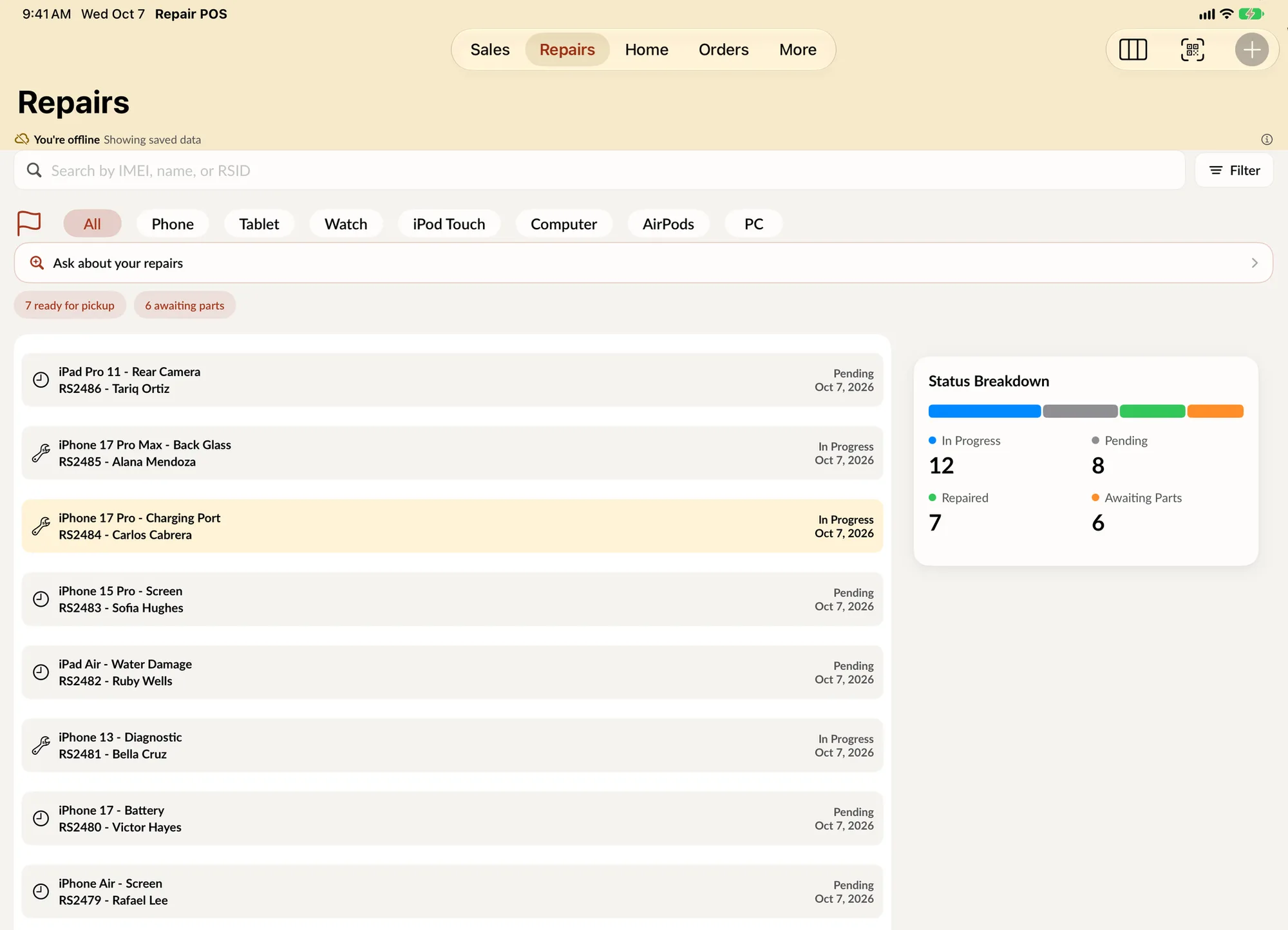
Repairs
Find a repair and read its details, so you can tell a customer where their device stands.
-
Customers
Pull up a customer's details to answer a question at the counter or call them back.
-
Sales
Open a past sale and see a summary: date, total, tax, payment, employee and customer.
-
Inventory and prices
Look up items and prices in Inventory, so you can quote a part or an accessory.
-
Orders
Orders saved on the device stay readable, so you can check what is on order for a customer.
-
Employee PINs
Employees can still switch with their own PIN, so the right person is signed in.
What POS offline mode means in SpotsPOS
Every shop loses its internet at some point: the provider has an outage, the router restarts, the storm takes the line down. The question is what your point of sale does in that moment. Many apps freeze or show a spinner. SpotsPOS keeps working from what is saved on the device and is clear about what has to wait.
Offline mode in SpotsPOS is for looking things up. Repairs, customers, sales, orders and inventory saved on your iPhone or iPad stay readable. Anything that creates or changes a record (a new sale, a new repair, a status change) needs a connection. The app tells you so, instead of letting you think something was saved when it was not.
What needs a connection, and why
Taking a payment
Taking a payment needs an internet connection. If you open Checkout while offline, SpotsPOS says that sales need a connection and points you to Inventory, where you can still look up items and prices. That way you can quote a price while you wait, and take the payment as soon as the line is back.
Closing the register
End of Day reads the register's totals from the server, so the close needs a connection too. The app shows a clear message and you close once you are back online. Nothing about the day is lost; the close just waits. See sales reports for how the end of day close works.
Creating and changing records
New repairs, status changes, notes and edits are saved to your account, so they need a connection. If a change cannot go through, SpotsPOS says so plainly: "We could not complete this request. Check your connection and try again." On the Repair Board, a card you dragged while the connection dropped moves back to where it was, so the board always shows the real status.
Card payments when the connection is shaky
A weak connection is riskier than no connection, because a payment can start and not finish. SpotsPOS separates the two cases. If a card payment did not go through, it says the card was not charged. If it could not confirm the payment, it asks you to check your connection and make sure the card was not already charged before you try again. That one message saves you from charging a customer twice. More on card payments in payment processing.
When the connection comes back
Once you are online again, everything catches up and you carry on where you left off: take the payments you had to hold, create the repairs you noted down, and close the register. Keep in mind that what you looked up offline was the copy saved on the device, so a change made on another device during the outage shows up once you are connected.
A practical plan for internet outages
- Keep a phone hotspot as a backup. SpotsPOS runs on iPhone and iPad, so a hotspot gets you back to taking payments in minutes.
- When the line drops, use the time to answer questions: repair status, prices, what a customer bought last time.
- Note down any new jobs on paper and enter them when you reconnect.
- Close the register once you are back online, not before.
Spots Intelligence also works from the data on the device, which is why its answers come back in seconds.
What happens when the internet drops
-
The app notices
SpotsPOS switches to what is saved on the device. Repairs, customers, sales, orders and inventory stay readable.
-
Keep answering questions
Look up a repair status, a past sale or a price, and keep the customer informed.
-
Writes wait, clearly
Payments, the register close and any change to a record show a clear message instead of failing silently.
-
Back online, catch up
When the connection returns, take the payments you held, enter new jobs and close the register as usual.
A sale you can still read
Offline, a past sale opens as a short summary instead of the receipt preview. You still see when it happened, what was paid, the tax, who rang it up and for which customer.
- Date, total and tax
- Payment type and employee
- The customer on the sale
Questions about working offline
Does SpotsPOS work without internet?
Partly, and it is clear about which part. Repairs, customers, sales, orders and inventory saved on the device stay readable offline. Taking payments, closing the register and creating or changing records need a connection.
Can I take a payment when the internet is down?
No. Taking a payment needs an internet connection, and SpotsPOS tells you so at checkout. You can still look up items and prices in Inventory, and a phone hotspot is a quick way to get back online.
What happens to a card payment if the connection drops halfway?
If SpotsPOS cannot confirm the payment, it asks you to check your connection and make sure the card was not already charged before trying again. If the payment clearly failed, it tells you the card was not charged.
Can I close the register offline?
No. End of Day reads the register's totals from the server, so it needs a connection. Close the register once you are back online.
Will I lose data if the internet goes out?
No. Records you looked up are already saved in your account, and changes are only made when there is a connection. If a change could not be saved, the app tells you so you can try again.
A point of sale that is honest with you.
Try SpotsPOS Repair free for 14 days and see how it handles a bad connection.
Free for 14 days. No credit card needed.