
SpotsPOS Employee Manager
An employee time clock app that lives on their phone.
SpotsPOS Employee Manager is an employee time clock app for iPhone and Android. Your team clocks in, takes breaks and goes to lunch from their own phone, and every punch lands on a timesheet you can check.
Free for 14 days. No credit card needed.
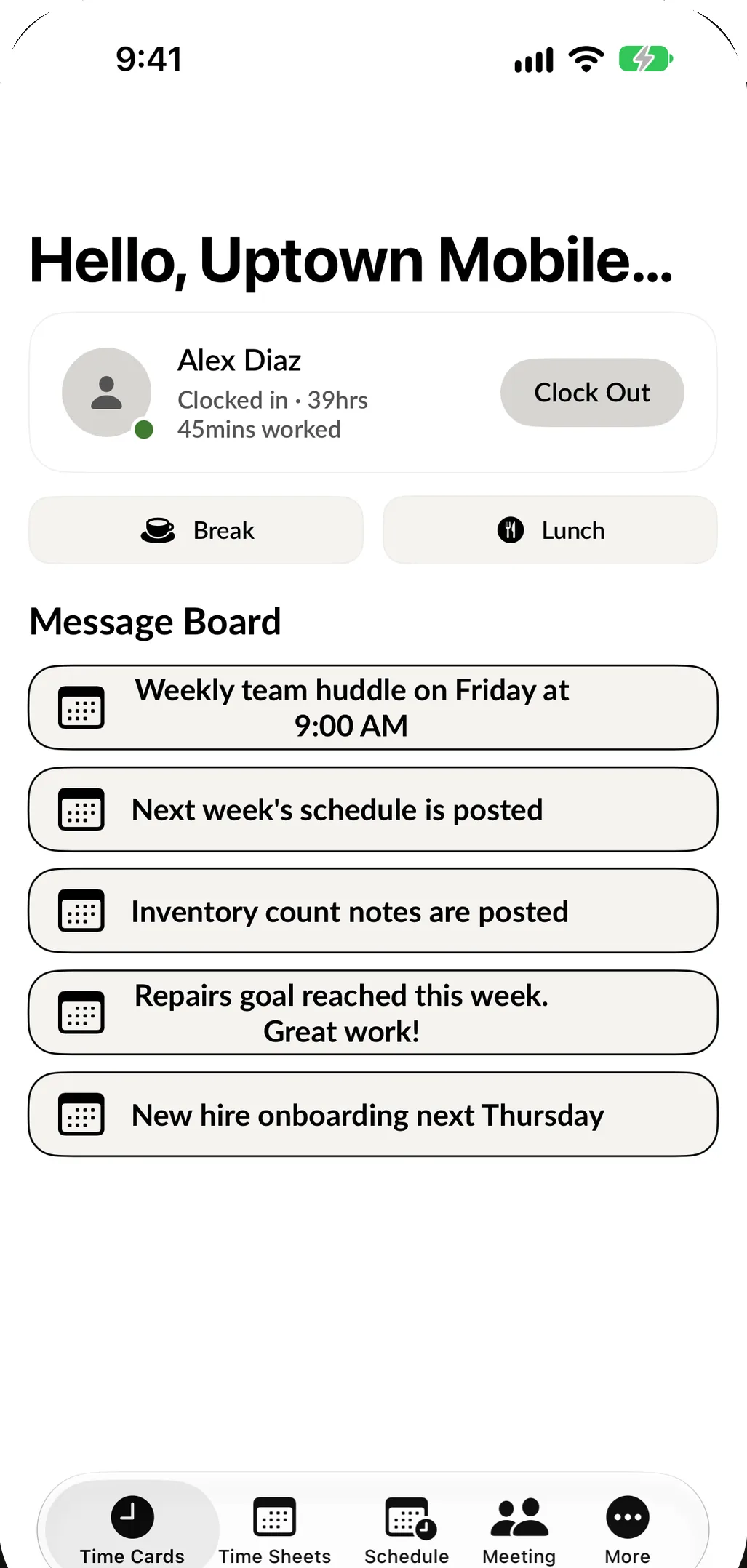
What the employee time clock does
No punch cards, no paper sheet by the back door and no extra hardware to buy. The time clock is one screen your team already knows how to use.
-
Clock in and out with a tap
Clock In and Clock Out sit at the top of the Time Card screen. One tap starts the shift, one tap ends it, and the time is saved right away.
-
Breaks and lunch, kept apart
Break and Lunch are their own buttons, each with a matching Return button. A lunch never disappears inside a shift, and you can see exactly when it started and ended.
-
A PIN for every person
Each employee has their own PIN. If someone forgets it, they request a reset by email from the PIN screen, and you never have to look it up for them.
-
iPhone and Android
Employee Manager is free to download from the App Store and Google Play, so it works on the phone your employee already carries.
-
Or at the counter iPad
Turn on Store Mode on the shop's iPad and employees can clock in right there with their PIN. Useful for anyone who would rather not use a personal phone.
-
Location only at the punch
A location is recorded when someone clocks in or out or starts a break, and at no other time. The app never tracks anyone in the background.
Make buddy punching easy to spot.
When everyone shares one code or one punch card, clocking in for a friend takes two seconds and leaves no trace. With SpotsPOS, every punch belongs to one person and carries the details you need to check it.
- Every employee clocks in with their own PIN or their own phone
- Open any clock-in to see where it happened on a map
- Turn on an email to yourself after each employee login
- Fix or delete an entry that should not be there
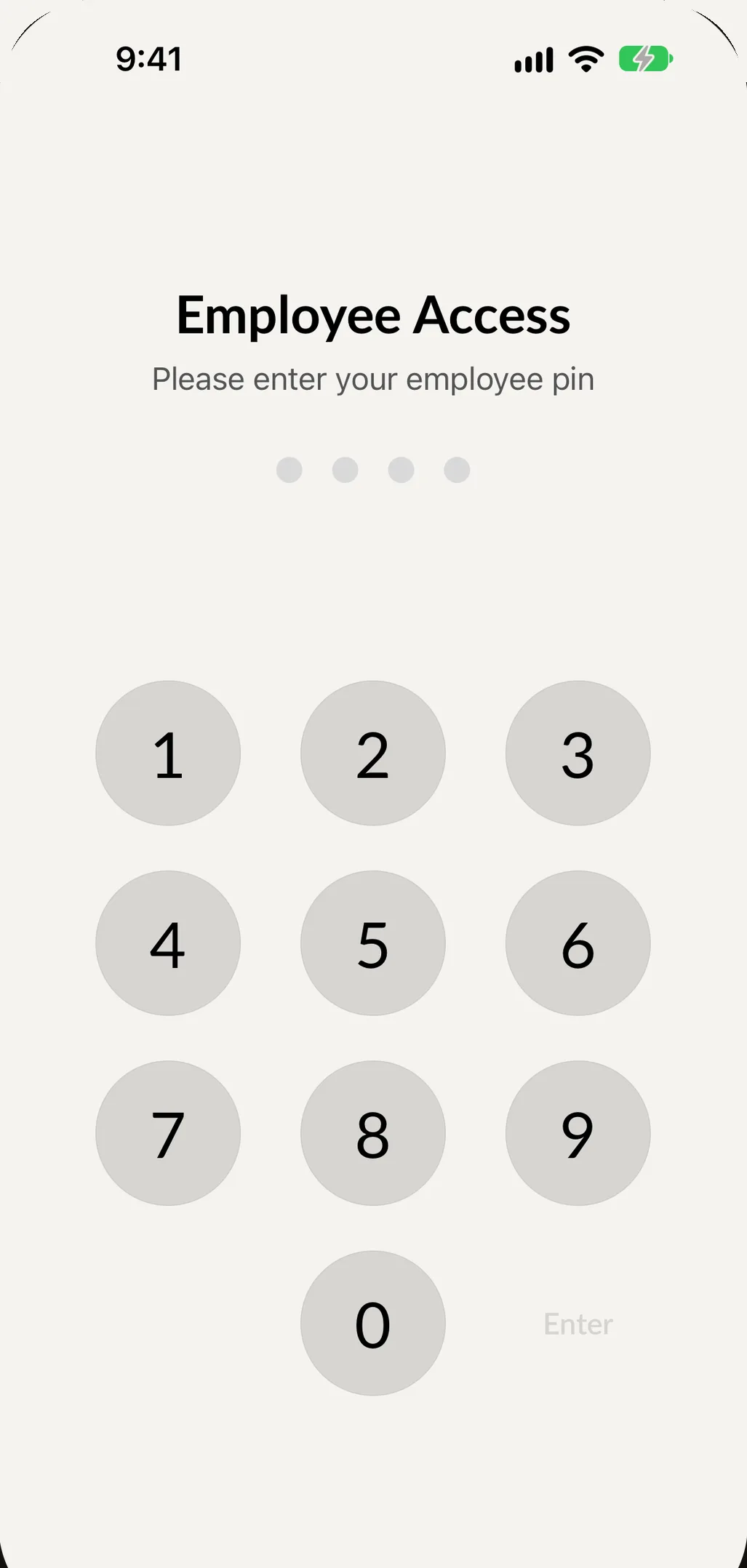
Try the time clock in your browser.
Enter a PIN, clock in, take a break and clock out. This is the same flow your team would use, with sample data.
See all demos
This demo runs in your browser with sample data. Nothing you enter is saved or sent anywhere.
Set up your time clock in an afternoon
-
Add your team
Create each employee with their name, email, phone, job title and employee type.
-
Hand out the app and a PIN
Employees download Employee Manager on their iPhone or Android phone and sign in. Each person gets their own PIN, and you can send a new one to their email at any time with Reset Employee Code.
-
Choose how fast the PIN locks
Set a default PIN timeout for the whole shop, or a different timeout for one employee. On a shared iPad, that keeps the next person from working under someone else's name.
-
Watch the hours add up
Every clock-in, break and lunch goes straight to that employee's timesheet. Review the week, fix a missed punch and see estimated pay before payroll.
A typical day with the employee time clock
Your first technician gets to the shop at 9:55. Before she puts her bag down, she opens Employee Manager on her phone and taps Clock In. At 1:00 she taps Lunch, and at 1:30 Return from lunch. Your part-timer forgot his phone, so he clocks in on the counter iPad with his PIN. At close, both tap Clock Out.
You were not in the shop all day, and you did not need to be. From your own phone you can open the timesheets, see who worked how long, and tap any clock-in to see the time and the location it came from. If someone forgot to clock out, you can clock them out yourself or edit the out time, and the hours are right before the week closes.
Why a time clock app beats paper and punch cards
Paper sheets get filled in from memory. Punch cards need a machine on the wall, and anyone can punch a card that is not theirs.
An employee time clock app removes those steps. The time is recorded when it happens, by the person who worked it, and it lands on a timesheet without anyone copying it over.
Built for small teams, not call centers
Employee Manager is made for repair shops and retail stores with a handful of people, often one location and sometimes a few. There is no hardware to install and no separate system to learn. The app comes in English and Spanish, so your whole team can use it in the language they prefer.
Part of the rest of your shop
Employee Manager uses the same team list as your point of sale. The person who clocks in is the same person who rings up sales in SpotsPOS Retail or takes repairs in SpotsPOS Repair. In Repair, each job also keeps its own time log with in and out times, so you can see how long a repair took at the bench, separate from the shift itself.
Want to control what each person can open once they are signed in? That is covered in employee permissions.
Time clock questions owners ask
How much does the employee time clock app cost?
The time clock is part of SpotsPOS Employee Manager, which is included with the SpotsPOS Pro plan at $89.99 a month for up to 10 employees. You can try it free for 14 days, and the app itself is a free download. See pricing for everything Pro includes.
Does the time clock app work on Android?
Yes. Employee Manager is on Google Play and the App Store, so iPhone and Android users on the same team share one schedule and one set of timesheets.
Can employees clock in from their own phone?
Yes. That is the main way to use it. Each employee signs in to Employee Manager on their own phone and clocks in, starts breaks and goes to lunch from there. Anyone without a phone can clock in on the shop's iPad with Store Mode on.
How do I stop buddy punching?
Give every employee their own PIN and have them clock in from their own phone, so no one shares a code. Each punch saves a location when the employee allows it, which you can view on a map, and you can turn on an email after each employee login. If an entry looks wrong, you can edit or delete it.
Does the app track where my employees are?
No. A location is recorded only at the moment someone clocks in or out or starts or ends a break. Employees can decline location permission and their time is still saved.
What happens when someone forgets to clock out?
Their timesheet shows that they have not clocked out. You can clock them out from the timesheet or edit the in and out times, and the hours update right away.
Put the time clock in everyone's pocket.
Start a trial of SpotsPOS Pro and invite your team today.
Included with SpotsPOS Pro. Free for 14 days.