
SpotsPOS Repair
Drone repair shop software that keeps up with every crash.
Snapped arms, a gimbal that will not level, a motor that will not spin, a drone that landed in a pool. SpotsPOS Repair is drone repair shop software that documents the damage at the counter, follows the parts you are waiting on and sells the drones you rebuild.
Free for 14 days. No credit card needed.
What comes in after a crash, handled.
Drone repairs are part forensics, part parts hunting. These are the pieces of SpotsPOS Repair a drone shop leans on.
-
Photos of the damage
Add up to 10 photos when you check in a drone. Broken props, a cracked shell, a bent gimbal: it is all on the ticket before anyone touches it.
-
A checklist at the counter
Set up the components for each repair type, like motors, gimbal, camera, GPS and remote, and tick what works. If it will not power on, mark it not testable.
-
Drone and remote serials
Scan the serial barcode with the camera so the right aircraft goes back to the right pilot. Search any repair by serial, customer name or ticket number.
-
Parts you have to order
Create an order for the arm or gimbal you do not stock, add the tracking number and follow it from Ordered to Received, or Delayed when it slips.
-
Estimates and sign-off
Print a repair estimate the customer can keep for their records, take a deposit and get a signature on your terms before the work starts.
-
Rebuilt drones for sale
Buy crashed drones for parts or repair, record what you spend fixing them, then sell them by serial number with a grade and a warranty.
Every drone comes with a kit.
A drone rarely arrives alone. There is a remote, two or three batteries, spare props and a case. Note what came in, photograph it, and keep it on the ticket with the serial number, so pickup is not an argument about a missing battery. Notes can be internal, for your team only, or part of the repair record.
- Repair notes and up to 10 photos per ticket
- Internal notes the customer never sees
- The customer signs on the screen
A crashed drone, from the counter to the test flight
-
Check it in
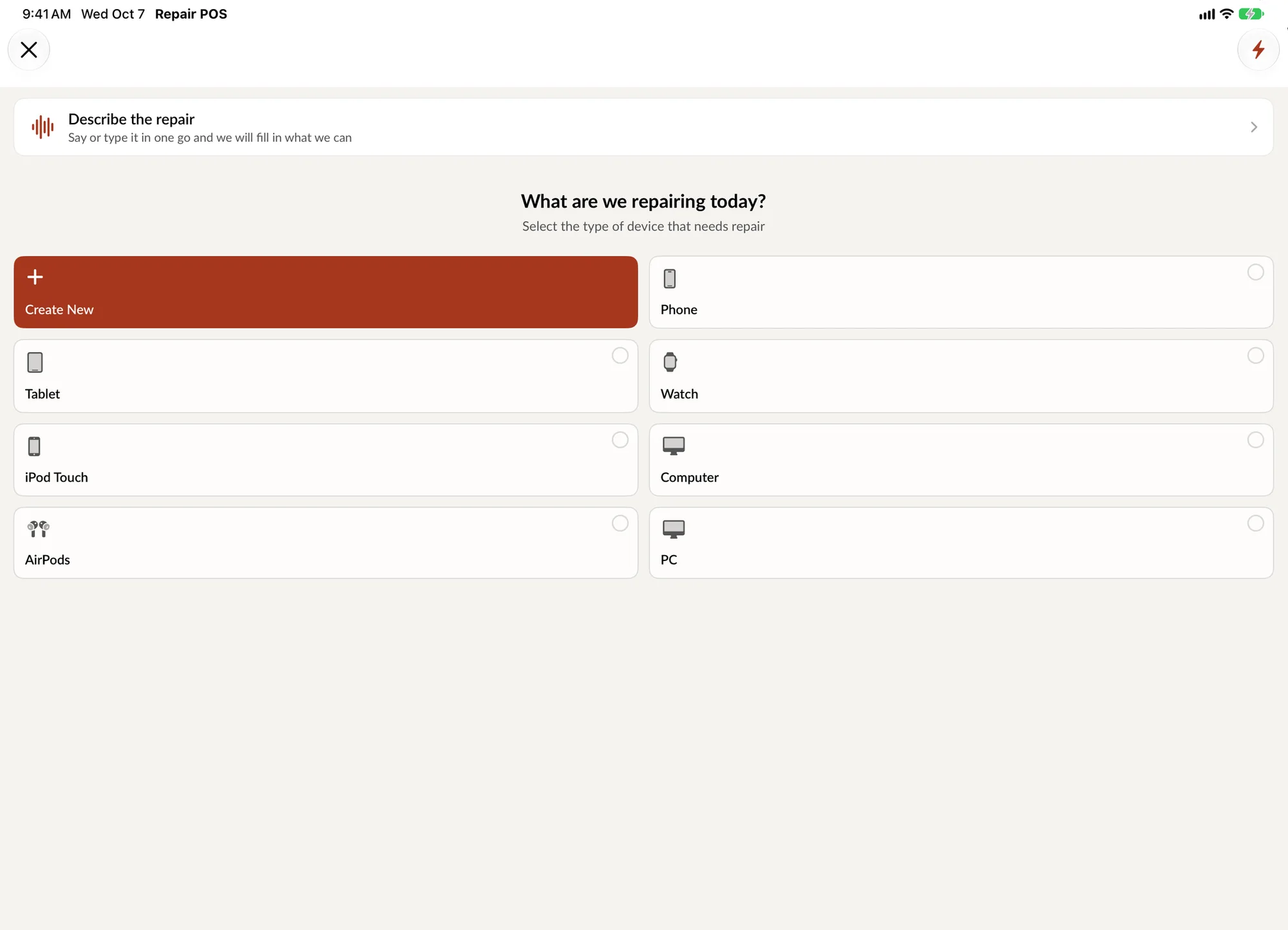
Pick Drone, the brand, the model and the service. Or say it the way a pilot would: Mavic 3, gimbal not moving after a crash, needs it Friday. SpotsPOS fills in what matches your catalog.
-
Document it
Scan the serial, take photos, tick the working components, note the batteries and remote, and have the customer sign your terms.
-
Diagnose and quote
Write a diagnostic, add the parts and labor, print the estimate and take a deposit. The status reads Waiting on customer until they approve.
-
Order and repair
Order what you do not stock and move the repair to Awaiting Parts. When the part arrives, the technician logs time on the ticket.
-
Test and hand back
Move it to Repaired after your own checks, notify the customer and set a warranty period. If it cannot be saved, mark it Non Repairable and tell them first.
Drone repair shop software, from your catalog to the resale
Your catalog, not a phone catalog
You decide what a device is. Create a Drone device type, add the brands and models you see, and name your services the way your bench does: arm replacement, gimbal repair, motor replacement, crash assessment, water damage. Link the parts each repair type uses, so the price and stock are right on every ticket. Prop and arm jobs you do every week become Quick Repairs that start in one tap.
The long wait for parts
Drone parts are often ordered one at a time. Each special order records the part, the customer's price, your cost, whether it is taxable and whether the drone was left in the shop. Add tracking and the order shows its delivery updates. Meanwhile the repair sits in Awaiting Parts, and Ask your shop can list every repair waiting on parts in one answer. Keep customers informed with customer notifications by text or email.
Pilots who need it back
Commercial pilots lose work while a drone is on your shelf. Mark the job high priority and it sits at the top of the Repairs list and on the Repair Board. Flag business customers as B2B, give them a special discount and send an invoice when the job is done.
Drones you send back by mail
Not every pilot lives nearby. The repair statuses include Shipped and Delivered, so a mailed repair is tracked to the end like any other. Our guide to managing mail-in repairs covers packing instructions, the shipping rules for devices with lithium batteries and the return trip.
Buying, rebuilding and reselling
A crashed drone is often worth buying. Record the buyback with the seller, the condition and a grade, including DOA for units that do not work and are bought for parts or repair. Add each part and each hour of labor you put into it, and SpotsPOS keeps its true cost and margin. Then sell it as a unit with its serial number from Device Management. Props, batteries and filters sell from regular inventory at the same checkout.
What to look for in drone repair shop software
Most repair software is built around phones. Before you choose, check that it handles the parts of a drone job that a phone never has. Use this list when you compare tools, including ours.
| Ask | Why it matters for drones | In SpotsPOS Repair |
|---|---|---|
| Can I build my own drone catalog? | Consumer, commercial and FPV drones are not in a phone database | You create the device type, brands, models and services, and link parts to each repair type |
| How is the condition recorded at intake? | Crash damage is the first thing a customer disputes | Up to 10 photos, a component checklist per repair type and a not testable option |
| Does it track the aircraft and the remote by serial? | The right drone has to go back to the right pilot | Scan serial barcodes with the camera and search repairs by serial |
| Can I list the kit that came in? | Batteries, remote, props and case go missing at pickup | Repair notes and photos on the ticket, plus internal notes for your team |
| How are special-order parts followed? | Drone parts are often ordered one at a time | Orders with the customer's price, your cost, tracking and an Awaiting Parts status |
| Does it handle mail-in repairs? | Many pilots do not live near a drone shop | Shipped and Delivered statuses, with text or email updates |
| Can a commercial customer jump the line? | A grounded drone costs a commercial pilot work | High priority jobs stay at the top, and B2B customers get invoices |
| Can I buy, rebuild and resell drones? | Crashed drones are a source of parts and stock | Buybacks with grades, refurbishing costs and sale by serial with a warranty |
| Does it run at the bench? | Technicians update jobs where they work | Native iPhone and iPad apps, in English and Spanish, with a Web Portal for the office |
Questions worth asking any vendor: how long setup takes for a catalog that is not phones, whether every plan includes the features above, how parts and repairs come in from your current system, and what a month costs for your team size. SpotsPOS Repair plans start at $45 a month; see pricing.
Questions drone repair shops ask
Can I set up drone models that are not in the app?
Yes. You create the device type, the brands, the models and the services yourself, and link the parts each repair type uses. The catalog is yours, so it covers consumer, commercial and FPV drones alike.
How do I document crash damage when a drone is dropped off?
Add up to 10 photos and repair notes to the ticket, tick which components work, scan the serial number and have the customer sign your terms on screen. All of it stays on the ticket and in its history.
Can I track parts I special order for a drone repair?
Yes. Create an order with the part, the customer's price and your cost, add the tracking number, and update its status as Pending, Ordered, Received, Delayed or Canceled. You can create the repair from the order or link the two.
Can I buy and resell used drones?
Yes. Buybacks record the seller, condition, grade and payout, refurbishing costs track what you spend, and each drone is sold as a unit by serial number with a warranty that starts on the day of the sale.
Does it handle mail-in drone repairs?
Yes. Repairs have Shipped and Delivered statuses, and the customer can be notified by text or email at each step.
What should I look for in drone repair shop software?
A catalog you build yourself, photos and a component checklist at intake, serial numbers for the aircraft and the remote, special-order parts with tracking, mail-in statuses, priority for commercial customers, and buybacks for drones you rebuild and resell. SpotsPOS Repair covers each of these on iPhone and iPad.
How much does SpotsPOS Repair cost for a drone shop?
Plans start at $45 a month for one location, and every plan comes with a 14 day free trial that does not ask for a credit card. See pricing for what each plan includes.
Check in your next drone on SpotsPOS.
Start a 14 day free trial and build your drone catalog in minutes.
Free for 14 days. No credit card needed.