
SpotsPOS Repair
Camera repair shop software for bodies and lenses.
A shutter that sticks, a lens that hunts and never focuses, sand in the zoom, a cracked rear screen. SpotsPOS Repair is camera repair shop software that keeps each body and lens on its own ticket, with its serial number, its photos and an estimate the customer approved.
Free for 14 days. No credit card needed.
Made for gear that costs more than the repair.
Camera customers care about two things: that their gear comes back in the condition it left, and that they know when. SpotsPOS Repair covers both.
-
Every body and lens, tracked
Scan the serial barcode on a body or a lens with the device camera. Each item can have its own ticket, so a lens waiting on a part does not hold up the body.
-
Condition at drop-off
Add up to 10 photos and tick the components that work, from shutter and autofocus to the rear screen. If it will not power on, mark it not testable.
-
Estimates before you open it
Print or email a repair estimate, keep the job on Waiting on customer until they approve, take a deposit and get their signature on your terms.
-
Parts from the manufacturer
Order a part for a specific repair, add the tracking number and follow it from Ordered to Received, or Delayed when the supplier slips.
-
Service work by the hour
Bill cleanings and overhauls through labor groups with an hourly rate. Technicians log time on the ticket, so long jobs are billed for the time they took.
-
Used gear trade-ins
Buy bodies and lenses with your own condition checklist, a price list per model and grade, and a store credit bonus for customers trading up.
Keep photographers in the loop.
Camera repairs wait on parts and approvals more than most. Move the status to Awaiting Parts or Waiting on customer and the customer can hear it by text or email. Spots Intelligence suggests a status note in plain words, like waiting on a part, work resumes when it arrives, which you review before saving because the customer can see it. See customer notifications.
- Ready for pickup message in one tap
- Payment reminders for open balances
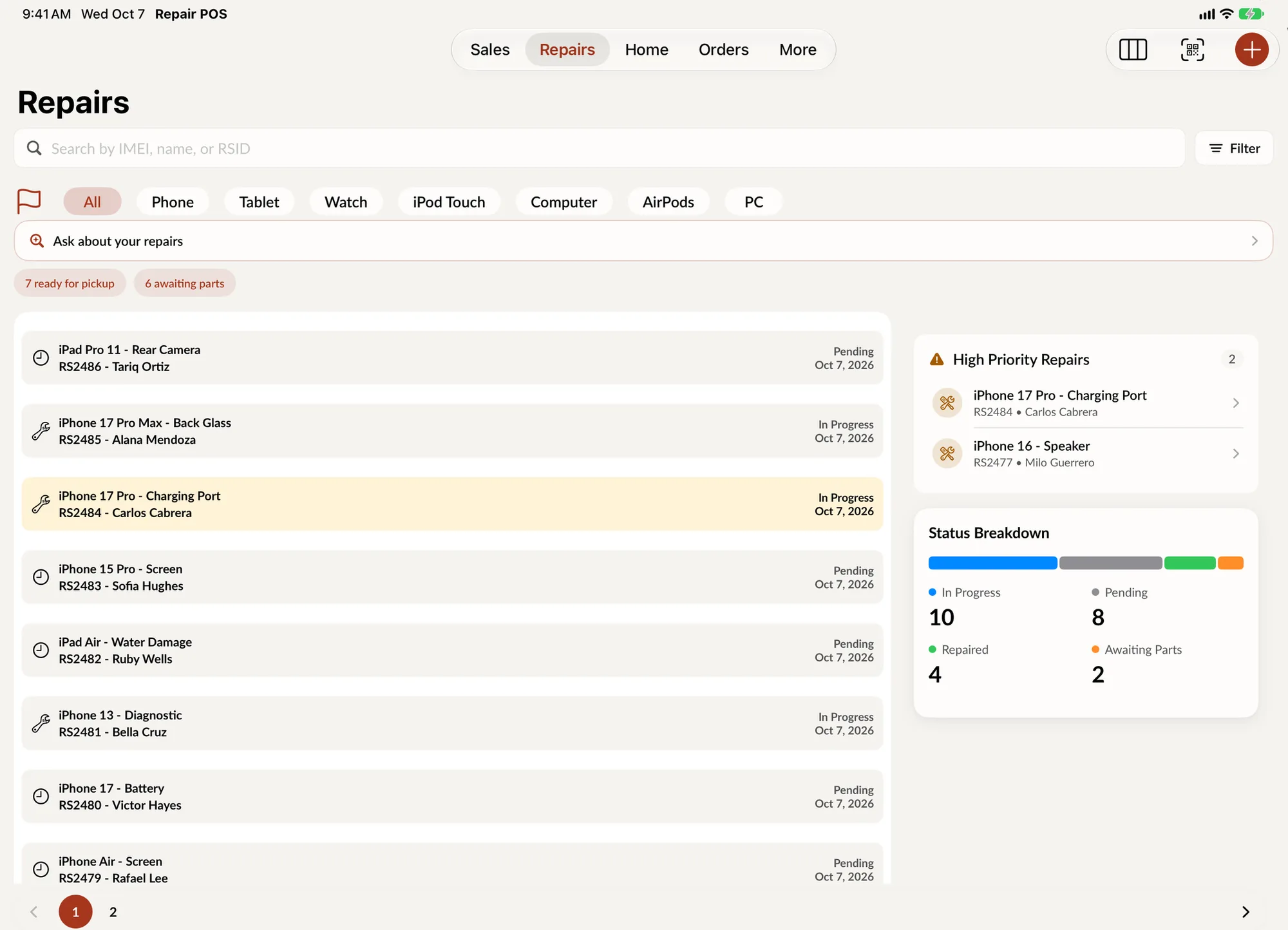
- High priority jobs pinned to the top
A lens that will not focus, step by step
-
Take it in
Choose Lens, the brand, the model and the service. Scan the serial number and add photos of the front element, the mount and any dents.
-
Record the condition
Tick what works, write the customer's description in the notes and have them sign your terms on the screen.
-
Diagnose and quote
The technician writes a diagnostic and adds parts and labor. Send the estimate and take a deposit once the customer approves.
-
Order and repair
Order the focus motor or the board from your supplier, track it, and move the job to Awaiting Parts until it arrives.
-
Return it
Mark it Repaired, notify the customer, collect the balance and set a warranty period, from 3 days up to a year.
Camera repair shop software for the daily work
Two serial numbers per customer, sometimes five
A photographer often brings a body and two lenses at once. Give each item its own ticket with its own serial number, service and status, and link all of them to the same customer. The customer's profile then shows every repair, sale and order in one place, and any ticket is a search away by serial number, name or ticket number.
Flat prices and bench time
Sensor cleaning has a price you quote every day. Save it as a Quick Repair. Overhauls, film camera servicing and drop damage do not have a fixed price, so bill them through a labor group with an hourly rate and let the time logs add up. Both can sit on the same ticket.
Quotes that wait, repairs that ship
Some customers take a week to approve an estimate. Ask your shop can list the repairs that have been open more than 7 days, and the Waiting on customer status makes it clear why. For gear that arrives by mail, the repair statuses include Shipped and Delivered.
Selling used bodies and lenses
Bodies and lenses with serial numbers are tracked as units in Device Management, each with a grade (from New down to DOA, for gear sold for parts), a price, a cost and a warranty that starts on the day it sells. Straps, filters and bags without a serial number go into regular inventory. If your area requires it, a hold period keeps bought items from being sold too soon, and the seller's ID and signature stay with the buyback.
The counter sale
Memory cards, batteries and lens caps go through the same checkout as the repair. With Spots Intelligence on, checkout suggests the items that usually sell with what is already on the sale.
Questions camera repair shops ask
Can I track camera bodies and lenses by serial number?
Yes. Scan or type the serial number on each repair ticket, and search the Repairs list by it later. Used bodies and lenses you sell are tracked as units by serial number in Device Management.
How do I give a customer an estimate before repairing a camera?
Add the parts and labor to the ticket, then print or email the repair estimate. Set the status to Waiting on customer, and take a deposit at the counter when they approve.
Can I charge a flat price for sensor cleaning and hourly for overhauls?
Yes. Save flat priced jobs as Quick Repairs, and bill longer work through labor groups with an hourly rate. Technicians log their time on each ticket.
Can I take used cameras and lenses as trade-ins?
Yes. Write your own condition checklist, set offers per model and grade, and pay in cash, store credit or as a trade-in that lowers the price of what the customer is buying.
Does it work for mail-in camera repairs?
Yes. Repairs have Shipped and Delivered statuses, and the customer is notified by text or email as the repair moves.
Keep exploring
- Device management Used bodies and lenses tracked by serial number, grade and warranty.
- Buybacks Trade-ins with your checklist, your price list and a signed bill of sale.
- Drone repair Gimbals, cameras and crash damage on the same kind of ticket.
- Appointments Book drop-offs ahead and turn them into tickets on arrival.
Check in your next camera on SpotsPOS.
Start a 14 day free trial and set up your services today.
Free for 14 days. No credit card needed.