
SpotsPOS Repair
Electronics repair shop software for TVs, amps and anything with a board.
A TV with sound but no picture, a receiver that clicks and shuts off, a speaker that will not pair. SpotsPOS Repair is electronics repair shop software that keeps the diagnosis, the bench hours, the parts on order and the pickup on one ticket.
Free for 14 days. No credit card needed.
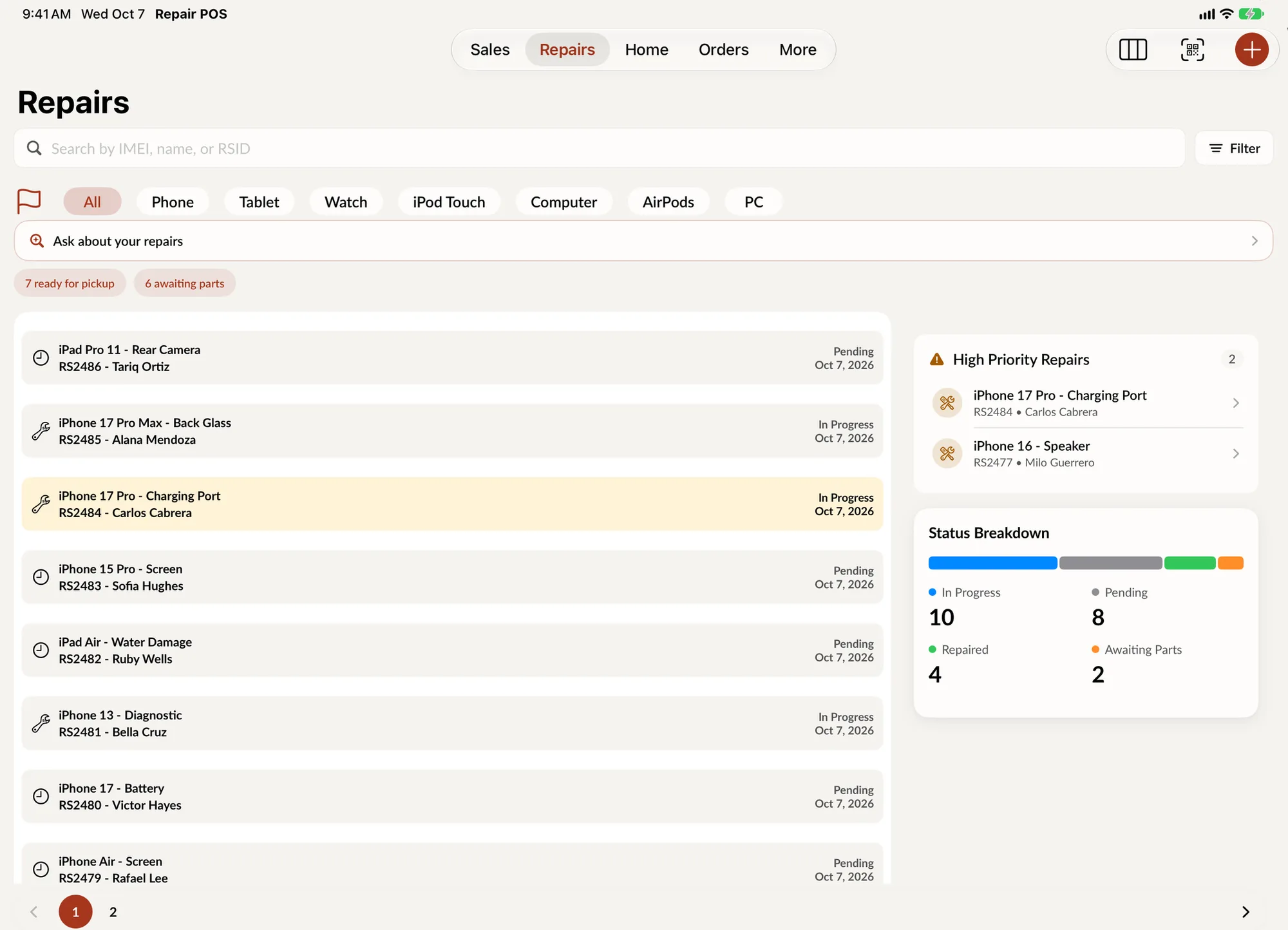
Board-level work, tracked like it deserves.
A general electronics bench sees a different device every hour and a lot of jobs that start with a diagnosis. SpotsPOS Repair is set up for that kind of shop.
-
Any device, your catalog
Create the device types you repair, like TV, Receiver, Amplifier, Turntable, Speaker and Headphones, with their brands, models and services.
-
Diagnose before you quote
Write a diagnostic on the ticket, mark the device testable or not, and print the diagnostic for the customer before they decide.
-
Bench fees and hourly labor
Charge a diagnostic as its own service, then bill the repair through labor groups with an hourly rate. Time logs show what each job really took.
-
Boards and parts on order
Order a power board or a backlight kit for a specific repair, add the tracking number and follow it until it arrives.
-
Not repairable, said clearly
When a board is beyond saving, mark the repair Non Repairable. The customer gets a message that the device is ready for pickup and could not be repaired.
-
Reminders for unclaimed items
Ask your shop lists the repairs ready for more than a set number of days and drafts a pickup reminder for each one, which you review before sending.
Every set on the shelf, accounted for.
Large items take shelf space, and space costs money. Ask your shop answers in seconds: which repairs are awaiting parts, which have been open more than 7 days, which are ready for pickup. Each answer comes with the list behind it, so you can act on it. Read more about Spots Intelligence.
- Open repairs by status in one answer
- Repairs by device type, technician or repair type
- Answers worked out on the device, from your own data
A TV with no picture, step by step
-
Check it in
Choose TV, the brand, the model and the service. Record the serial number if it has one, add photos of the screen and the case, and note the remote and stand if they came in.
-
Charge the diagnostic
Take payment or a deposit for the diagnostic at the counter, and have the customer sign your terms on the screen.
-
Diagnose and quote
The technician logs time, writes a diagnostic and adds the parts. Send the estimate and set the status to Waiting on customer.
-
Order and repair
Order the backlight strips or the board, move the job to Awaiting Parts and log bench time when the work resumes.
-
Hand it back
Mark it Repaired, notify the customer, collect the balance and set a warranty period on the work.
Electronics repair shop software for a general bench
A different device on every ticket
Phone shops repeat the same twenty jobs. An electronics shop does not. SpotsPOS lets you build your own catalog of device types, brands, models and services, and link the parts each repair type uses. Older gear without a serial number is fine: the field is optional and the ticket shows Not provided. The Repairs list filters by device type, so the TVs are easy to find when a customer calls.
Damage that was already there
Large items arrive with scratches, cracked bezels and missing feet. Add up to 10 photos and repair notes at check in, and the customer signs your terms before you begin. If something does go wrong on the bench, the Tech Damage status records it openly instead of in a note no one reads.
Parts from many suppliers
Electronics parts come from everywhere. Keep your vendors in SpotsPOS with their email, phone and website, and build a purchase order for each one, with shipping and tax added. Receiving the order updates stock and adjusts the average cost. For a single part for a single customer, a special order is faster: it records your cost, the customer's price and whether the device was left in the shop.
Business and property customers
Rental properties, offices and venues bring several devices at a time. Flag them as B2B customers, give them a special discount at checkout, and send an invoice when the work is done. Each customer's profile shows their repairs, sales and orders, with repair and sales reports for that customer.
Selling what you repair
Refurbished amplifiers, turntables and TVs can be sold as units with a serial number, a grade and a warranty that starts the day of the sale. Cables, remotes, fuses and batteries sell from regular inventory through the same checkout as repairs.
Questions electronics repair shops ask
What is the best way to track TV and audio repairs in a shop?
Give every device its own ticket with photos, a diagnostic and a clear status such as Awaiting Parts or Waiting on customer. SpotsPOS Repair does this on iPhone and iPad, and on iPad the Repair Board shows every job as a card you drag across columns.
Can I charge a diagnostic fee?
Yes. Create a diagnostic service with its own price, or take a deposit when you check the device in. The deposit comes off the final balance if the customer goes ahead.
What happens when a device cannot be repaired?
Mark the repair Non Repairable and notify the customer. The message tells them the device is ready for pickup and could not be repaired, and you charge only what your terms allow.
Can I order parts from my suppliers in SpotsPOS?
Yes. Purchase orders are included from the Essential plan and are created on iPad or Mac. Special orders for one customer's repair work on every plan. See pricing.
Does it work in Spanish?
Yes. The whole app works in English and Spanish, including describing a repair out loud, and receipts and reports can be printed in either language.
Put your next repair on a SpotsPOS ticket.
Start a 14 day free trial and build your device catalog today.
Free for 14 days. No credit card needed.