
How to Choose a Time Clock App for a Small Business
How to choose an employee time clock app for a small shop: the features to compare, how pricing works, questions to ask and a checklist to test it.
The right time clock app for a small business is the one your team will actually use every shift, that records each punch under the right person, and that turns those punches into timesheets you can check before payroll. Compare apps on six things: how people clock in, how breaks are kept, how you fix mistakes, what the timesheet shows, whether scheduling is in the same app, and what it really costs for your headcount. Then test it for a full pay period before you commit.
What the law expects from your time records
Start with what the records have to do. Under the federal Fair Labor Standards Act, you must record the hours worked each day and the total hours worked each workweek for non-exempt employees, and the Department of Labor says any timekeeping plan is acceptable as long as it is complete and accurate. Time cards must be kept for two years and payroll records for three.
That means the app is not just a convenience. It is your record if an employee disputes their pay. State laws can add break and overtime rules on top. Our guide to employee time clock rules covers breaks, rounding and editing punches in detail.
The six things to compare
1. How people clock in
The best time clock is the one nobody has to walk to. Look for:
- Their own phone. No hardware on the wall, and nothing to share.
- A shared device as a backup. For the person who forgot their phone or would rather not use it for work.
- A personal PIN for every person. Shared codes make buddy punching easy and leave no trace.
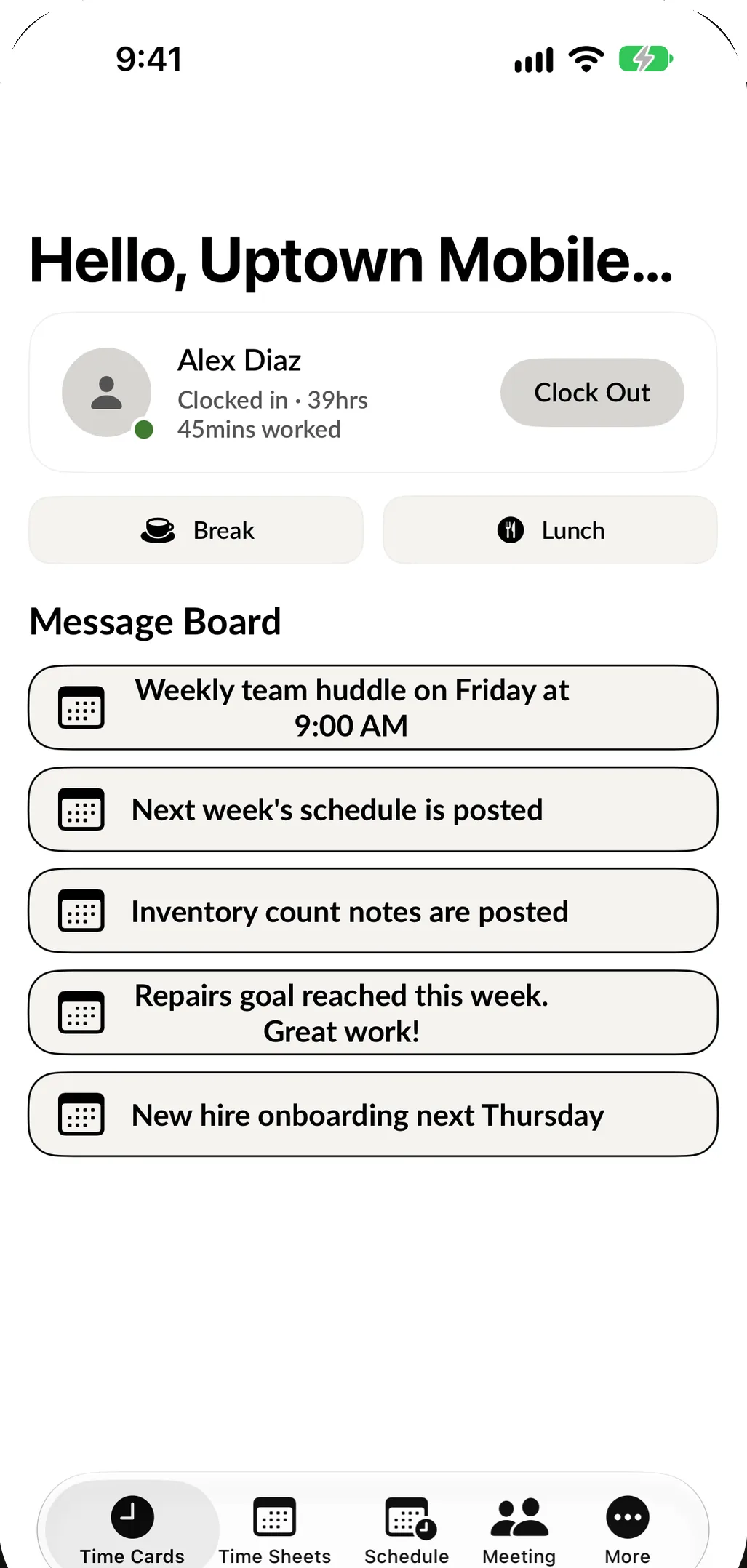
In SpotsPOS Employee Manager, each person clocks in from the app on their own iPhone with their own PIN. Anyone without a phone clocks in on the shop's iPad with Store Mode on. If someone forgets their PIN, they request a reset by email from the PIN screen. See the employee time clock.
2. Breaks and lunch
Short rest breaks are usually paid time, and true meal breaks usually are not, so the app has to keep them apart. A single "pause" button is not enough. Check that breaks and lunch are separate, that each has its own start and end, and that you can choose whether each counts as paid time.
Employee Manager has its own Break and Lunch buttons, each with a matching Return button, and you choose whether breaks and lunch are paid.
3. Location, and how much of it
Some apps track where employees are all day. For a shop with a counter, that is more than you need and more than most employees want. A location saved at the moment of the punch is enough to check that someone clocked in at the shop.
In Employee Manager, a location is recorded only when someone clocks in or out or starts or ends a break, and employees can decline location permission and their time is still saved. You can open any clock-in and see where it happened on a map.
4. Fixing mistakes
Someone will forget to clock out. Look at how the app handles it:
- Can you clock someone out yourself, or edit the out time?
- Can you delete an entry that should not be there?
- Is it clear when a timesheet has an open punch?
In Employee Manager, a timesheet shows when someone has not clocked out. You can clock them out from the timesheet, edit the in and out times, or fix or delete an entry, and the hours update right away. Have the employee confirm any change you make, as our time clock rules guide explains.
5. What the timesheet shows
Punches are only useful once they add up. A good timesheet shows each person's hours by day and week, their breaks, and an estimate of pay before you run payroll.
SpotsPOS timesheets fill themselves in from every clock-in. Set an hourly rate or a salary for each employee and see estimated pay for the period. Turn on an email to yourself after each employee login if you want to know when people start.
6. Scheduling in the same app
A time clock and a schedule in two different apps means two logins and a schedule nobody checks. When they live together, your team sees their shifts where they clock in.
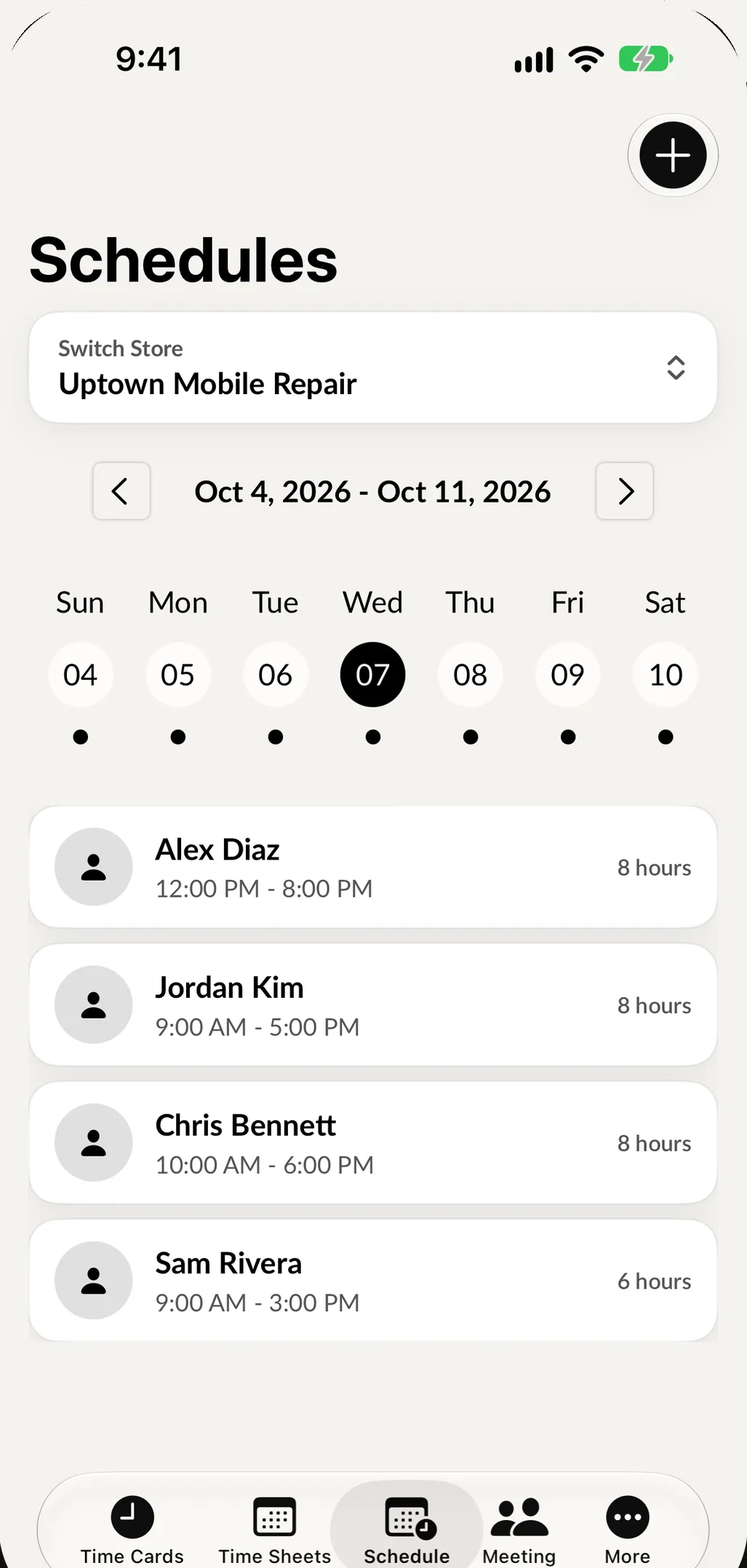
Employee Manager includes employee scheduling: build each person's week, tap Use Previous Week Schedule when nothing changed, and your team sees their shifts on their own phone. Meetings and a message board are in the same app (team communication).
How time clock apps are priced
Pricing usually follows one of three shapes. Work out the real number for your team, not the advertised starting price.
| Pricing model | How it works | What to check |
|---|---|---|
| Per user, per month | A price for every employee on the account | The cost when you add your seasonal staff |
| Flat, by team size | One price up to a set number of employees | What happens when you pass that number |
| Free tier plus paid features | Basic clock-in free, timesheets or scheduling paid | Which features you lose on the free tier |
SpotsPOS Employee Manager is included with the SpotsPOS Pro plan, $89.99 a month for up to 10 employees. The app is a free download, and you can try it free for 14 days. See pricing.
Questions to ask before you choose
- Can every employee clock in from their own phone, with their own PIN?
- Is there a shared device option for people who will not use their phone?
- Are breaks and lunch separate, and can I choose which ones are paid?
- Does it track location only at the punch, or all day?
- How do I fix a missed punch, and is the change recorded?
- Does the timesheet show estimated pay before payroll?
- Is scheduling in the same app?
- Does it work in the languages my team speaks? Employee Manager works in English and Spanish.
- Does it share the same team list as my point of sale, so I set people up once?
- What will it cost with my full team, including next summer's hires?
Test it for one pay period
A demo shows the best case. A pay period shows the real one.
- Set up every employee with their own PIN.
- Ask everyone to clock in from their phone for two weeks, with the shared device as the backup.
- Fix at least one missed punch, so you know how it works before it matters.
- Compare the app's estimated pay against your payroll for the period.
- Ask your team what they think. If they do not like it, they will not use it.
You can try clock-in in your browser first: the time clock demo runs the same flow with sample data.
Frequently asked questions
What is the best time clock app for a small business?
The one your team will use every shift. Look for clock-in from each employee's own phone with a personal PIN, separate breaks and lunch, location saved only at the punch, easy fixes for missed punches, timesheets with estimated pay and scheduling in the same app.
Do I need a time clock for employees?
You need complete and accurate records of hours worked each day and each workweek for non-exempt employees. Any method is allowed if it is complete and accurate. A time clock app is the easiest way to get there.
Can employees clock in from their own phone?
Yes, with most modern apps. In SpotsPOS Employee Manager, each person clocks in on their own iPhone with their own PIN, and anyone without a phone uses the shop iPad in Store Mode.
How much does a time clock app cost?
It depends on the pricing model and your team size. SpotsPOS Employee Manager is included with the Pro plan at $89.99 a month for up to 10 employees.
How long do I have to keep time records?
Under the FLSA, keep time cards for two years and payroll records for three. Your state may require longer.
Looking for the rules behind the records? Read our guide to employee time clock rules, or see how Employee Manager works.