
SpotsPOS Repair
Point of sale software for repair shops, with the repair already on the sale.
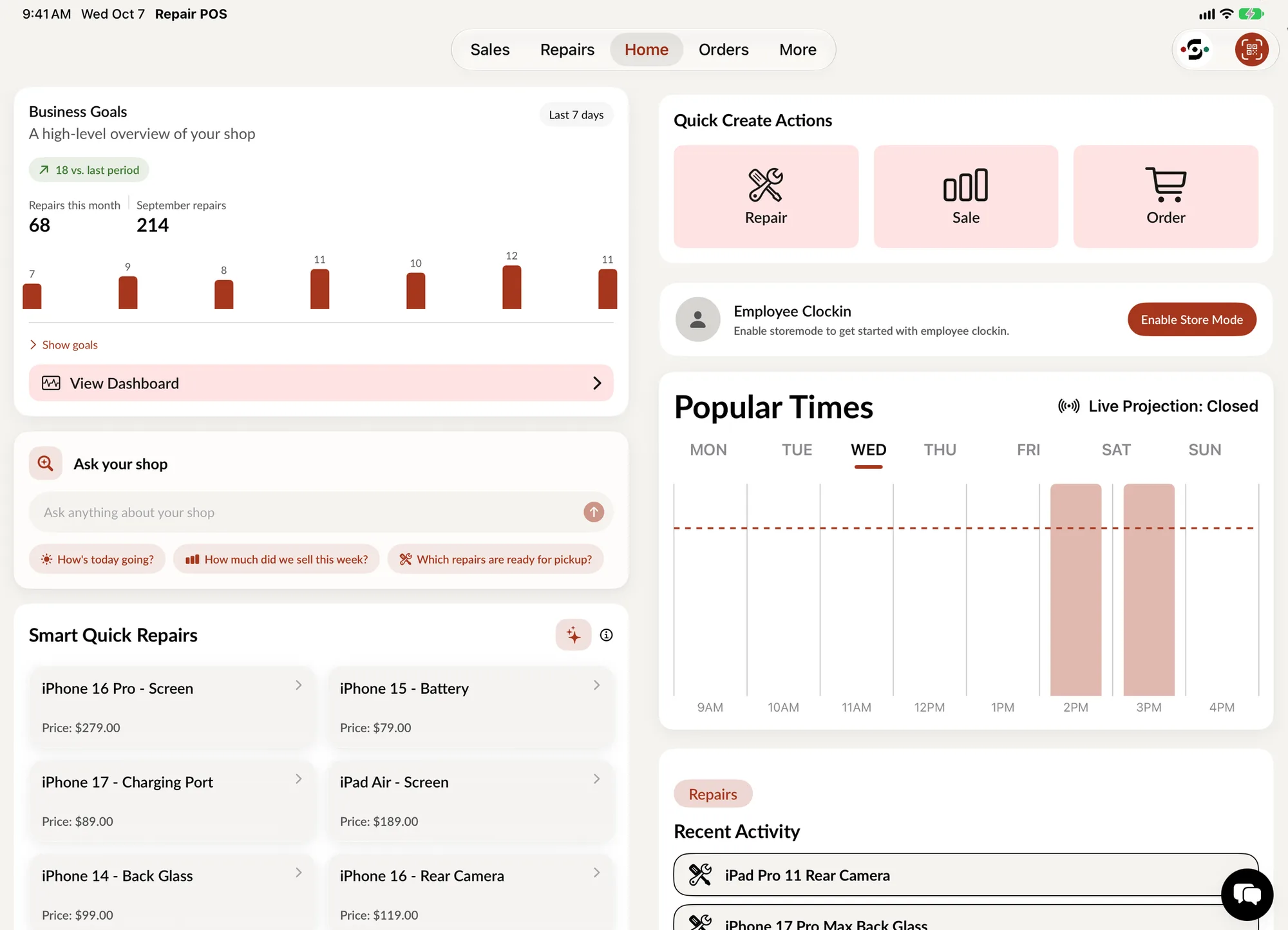
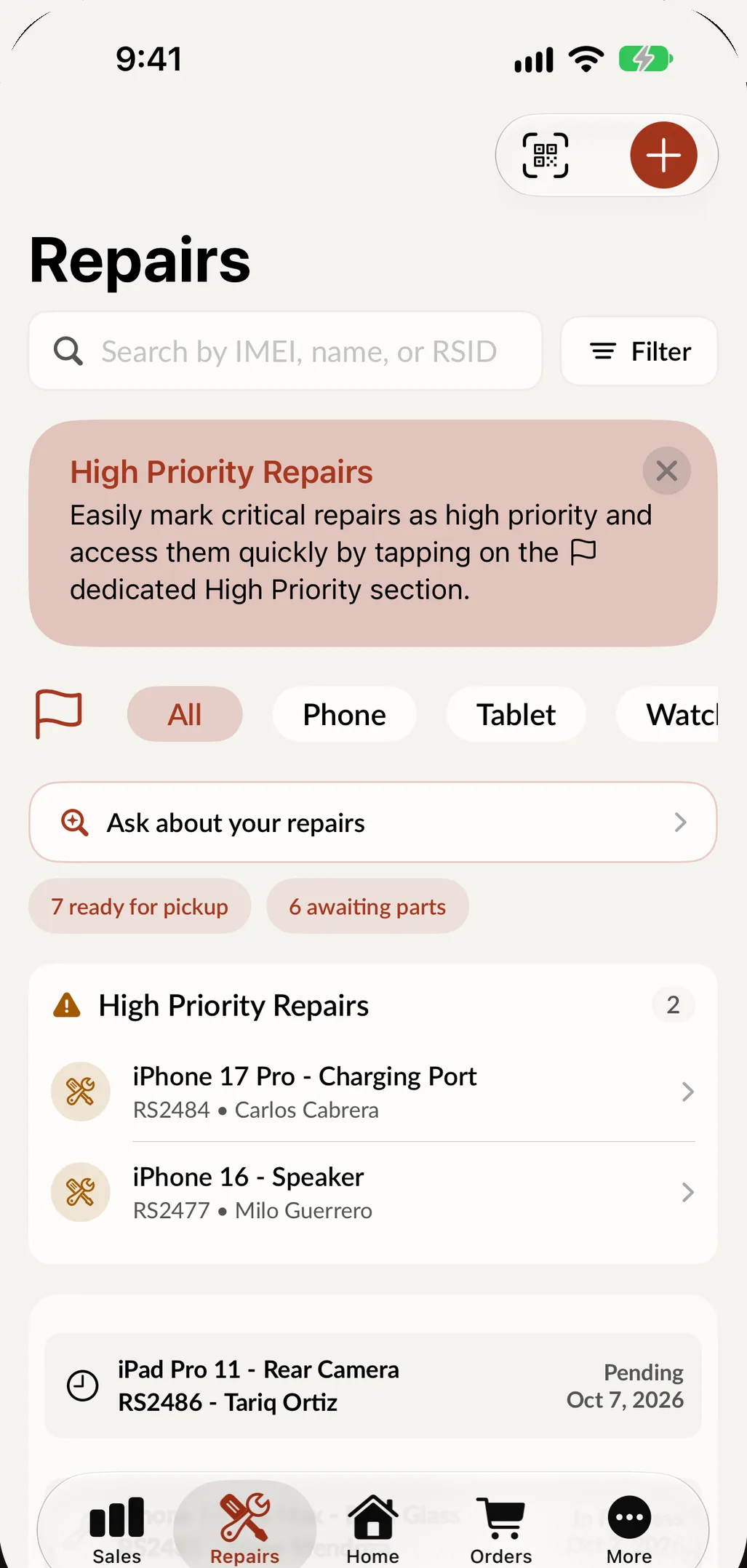
SpotsPOS Repair is point of sale software for repair shops that runs on iPhone and iPad, with a web portal for the office. The repair ticket and the register are the same app: parts and labor are already on the ticket when the customer picks up, the deposit comes off the balance, and the parts leave inventory with the job. Plans start at $45 a month, with a 14 day free trial and no credit card.
Free for 14 days. No credit card needed.
What a repair shop POS has to do at the counter
A repair shop sells two things: work on a device that belongs to someone else, and the parts and accessories on your shelves. These are the pieces of SpotsPOS that make both one checkout.
-
The ticket is the sale
Parts and labor go on the ticket when you quote the job. At pickup they are already there, so nobody types the repair in a second time.
-
Deposits and estimates
Suggested parts and labor build the estimate. Take a deposit at the counter and the balance stays on the ticket until pickup.
-
Receipts your way
Send the receipt by text or email, or print it on an Epson or Star printer. Print repair tickets and barcode labels for devices and parts too.
-
Scan instead of typing
Scan an IMEI or serial with the camera, or pair a Bluetooth barcode scanner that works like a keyboard to ring up parts and accessories.
-
End of day without the math
Close the register, count the drawer with the Count Helper and note any difference. Sales, tax and end of day reports have every payment in them.
-
Every sale has a name on it
Each employee signs in with their own PIN and sees only what their role allows, so you always know who sold what and who changed a price.
One checkout for repairs, parts and accessories.
A customer picking up a phone often buys a case and a screen protector on the way out. In SpotsPOS they are on the same sale as the repair, and Spots Intelligence suggests them for you: at checkout it shows in-stock products that have sold well with what is already on the sale, each with an add button. Mark items taxable or not with tax groups, apply a discount to an item or the whole sale, and if the customer has store credit from a trade-in, use it at checkout. When the sale is done, the warranty is set on the ticket and the parts and products leave your stock count.
- Repairs, parts and accessories on one sale
- Recommended products at checkout, from your own sales
- Tax groups so the total is right without math
- Warranty from 3 days to 1 year, or a date you pick
What to look for in a repair shop POS
Most point of sale systems are built to sell a product and print a receipt. A repair shop POS also has to hold a device for days, carry a deposit, and stand behind the work with a warranty. Use this table to check any system you are comparing, including ours.
| What your counter needs | Why it matters | In SpotsPOS Repair |
|---|---|---|
| Repair ticket and sale in one place | Nothing is typed twice at pickup | Parts and labor ride on the ticket into checkout |
| Deposits on a repair | Special-order parts are paid for up front | Deposit at check in, balance at pickup |
| Parts tied to inventory | Stock is right without a recount | Parts leave inventory with the job |
| Devices by IMEI or serial | Find any phone or laptop in seconds | Camera scan or search by IMEI, name or ticket |
| Add-on sales at checkout | A case or charger on every repair adds up | Spots Intelligence recommends in-stock products that sell well with what is on the sale |
| Trade-ins at checkout | A buyback lowers what the customer owes | Create Buyback from Checkout, as cash or store credit |
| Receipts and printing | Customers expect a copy | Text, email, Epson or Star printers |
| Cash drawer and end of day | Drawer counts match the register | Close Register with the Count Helper |
| Employee PINs and roles | You know who did what | Every sale shows the employee |
| More than one location | One login for every shop | Multi-shop in one account |
| When the internet drops | The counter keeps answering questions | Repairs, customers, sales and inventory stay readable; payments and closing the register need a connection |
Sell a little more on every repair, automatically
Every repair at your counter is a chance to sell a case, a screen protector or a charger, but nobody remembers to offer them when the line is long. SpotsPOS does it for you. At checkout, Spots Intelligence looks at your own shop's past sales and shows in-stock products that have a pattern of selling well with the items on the sale, with the price and an add button. Your team taps once, and the customer leaves with what they needed anyway.
The suggestions come from your shop's own sales, update as you sell, and only show items you have in stock, so nobody offers something that is not on the shelf. Recommended products are part of Spots Intelligence, included from the Essential plan. See pricing.
iPhone and iPad, not a terminal
SpotsPOS Repair is a native iPhone and iPad app. An iPad on the counter is big enough for the customer to read and sign, and every technician can carry the same shop on an iPhone. You do not need special hardware to start: receipts can go out by text or email until you add a printer, a cash drawer and a stand. See the iPad POS for repair shops and the hardware we recommend.
Built for your kind of repair
The same POS works for every trade, with the details each one needs: IMEIs and passcodes for cell phone repair (and our cell phone repair POS page for the counter side), hourly labor and saved passwords for computer repair, bench diagnostics for electronics repair, and phones, prepaid plans and trade-ins for a cell phone store.
How much does a repair shop POS cost?
SpotsPOS Repair plans are set by team size. Starter is $45 a month for 1 employee, Essential is $74.99 for up to 3 and Pro is $89.99 for up to 10, with Enterprise for chains of 4 or more locations. Point of sale, repair tickets, inventory and customer messages are in every plan. See pricing.
Comparing systems? We put SpotsPOS side by side with RepairDesk, RepairShopr and Square, with prices as each company lists them, and our guide to the best repair shop software explains how to choose.
A repair at the counter, from quote to receipt
-
Check it in
Pick the device, model and problem in four taps, or describe the job in one sentence. Scan the IMEI and the customer signs on the screen.
-
Quote it
Add parts from inventory and the labor. Suggested parts show what the job usually needs, with price and stock.
-
Take a deposit
Take the deposit at the counter. The balance stays on the ticket while the device is on the bench.
-
Ring it up at pickup
Parts and labor are already on the ticket. Recommended products suggest a case or a charger, take off the deposit and take the balance.
-
Send the receipt
Text, email or print it. The warranty is on the ticket and the sale is in your end of day report.
Questions about point of sale software for repair shops
What is point of sale software for repair shops?
It is a POS that also runs your repairs. Besides selling products, it checks devices in, holds a repair ticket with the parts and labor, takes deposits and turns the ticket into a sale at pickup. SpotsPOS Repair does all of that on iPhone and iPad.
How much does SpotsPOS Repair cost?
Plans start at $45 a month for one location and one employee. Essential is $74.99 for up to 3 employees and Pro is $89.99 for up to 10. The free trial is 14 days and does not ask for a credit card. See pricing.
Can the POS suggest add-on products at checkout?
Yes. Spots Intelligence recommends in-stock products that have sold well with the items on the sale, based on your shop's own sales, and your team adds them with one tap. It is included from the Essential plan.
Can I take deposits on repairs?
Yes. Take a deposit when you check the device in. The balance stays on the ticket and comes off at pickup.
Can I sell accessories and parts too?
Yes. Ring up parts and accessories on their own or on the same sale as a repair. Inventory updates with every sale.
What hardware do I need?
An iPhone or iPad is enough to start, and receipts can go by text or email. Add an Epson or Star receipt printer, a Bluetooth barcode scanner, a cash drawer that opens from the printer and a stand when you are ready. See hardware.
Does the POS work without internet?
Repairs, customers, sales, orders and inventory saved on the device stay readable offline. Taking payments and closing the register need a connection. See offline mode.
Can I use it in more than one location?
Yes. Run every shop from one login, move repairs and stock between locations, and see reports by shop. Chains of 4 or more locations use Enterprise.
Does it work in Spanish?
Yes. The whole app works in English and Spanish, including describing a repair out loud.
Ring up your next repair on SpotsPOS.
Try it free for 14 days. No credit card.
Free for 14 days. No credit card needed.