
SpotsPOS Repair
A RepairQ alternative that runs as a real app on iPhone and iPad.
If you are looking for a RepairQ alternative, this page puts both products side by side, with prices as RepairQ lists them. SpotsPOS Repair runs your counter and your bench from an iPhone or iPad, in English or Spanish, from $45 a month with inventory included.
Free for 14 days. No credit card needed.
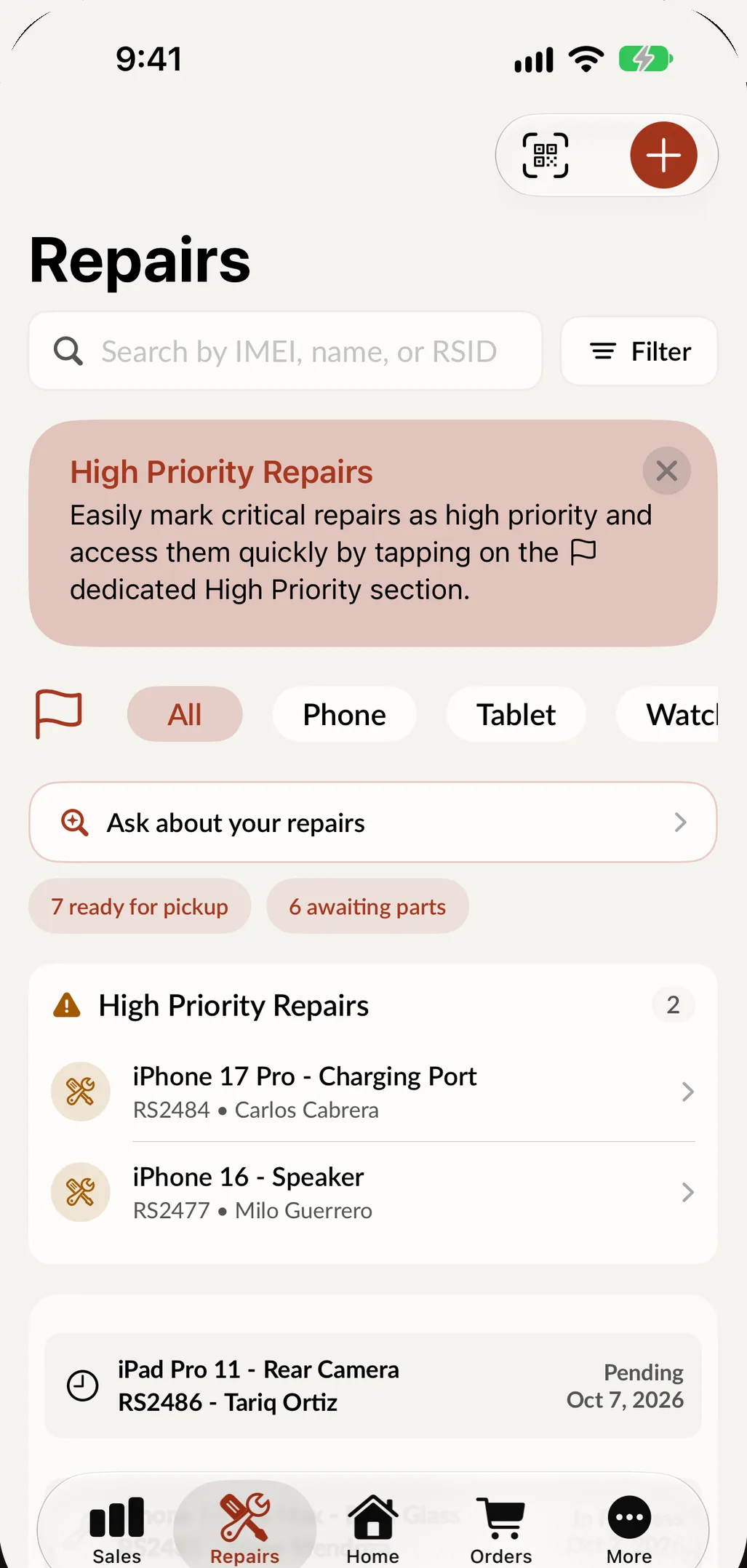
What you get when you choose SpotsPOS as your RepairQ alternative
SpotsPOS is built for the walk-in counter and the bench, on the devices your team already carries, with Spots Intelligence in the screens you use every day.
-
Native on iPhone and iPad
A real iPhone and iPad app from day one, with a web portal for the office. Scan an IMEI with the camera, have the customer sign on the screen and update the job from the bench.
-
Inventory in every plan
Parts and products, inventory counts and parts ordering are part of every Repair plan, Starter included. Nothing to add on before you can track a screen.
-
Spots Intelligence built in
Describe a repair in one sentence and the ticket fills itself in. Get suggested parts for each job, and ask your shop how today is going.
-
Buybacks and devices by IMEI
Quote, grade and pay for a trade-in, then track every unit by IMEI with its grade, cost, warranty and sale.
-
The whole app in Spanish
Every screen works in English and Spanish, including describing a repair out loud.
-
Simple from day one
A setup checklist walks you through getting started, and the guided flows need no training. A new hire can check in a repair on day one.
SpotsPOS vs RepairQ: plans and prices side by side
Prices below are as listed on the RepairQ pricing page on October 26, 2026, billed monthly, and on the SpotsPOS pricing page. RepairQ prices its paid plans per location, and says annual billing costs less.
| SpotsPOS Repair | RepairQ | |
|---|---|---|
| One person | Starter, $45/month, inventory and parts ordering included | Starter, $20/month, 1 user, 75 tickets a month after the first 90 days; inventory management is a $15/month add-on |
| Small team, one store | Essential, $74.99/month, up to 3 employees | Essential, $90/month per location, 5 users per location |
| Team of up to 10 | Pro, $89.99/month | Advanced, $150/month per location, 10 users per location |
| Chains | Enterprise for 4 or more locations, custom price | Professional, $180/month per location |
| Buybacks and trade-ins | Built into the Repair app | From Essential |
| How it runs | Native iPhone and iPad apps, plus a web portal | Web-based, in a browser on a computer or mobile device |
| Onboarding | Setup checklist in the app, onboarding support in every plan | Optional packages at $299 or $399, or $120 an hour |
| Free trial | 14 days, no credit card | 14 days |
For a solo shop that tracks parts, the two land close: RepairQ Starter with its inventory add-on is $35 a month, against $45 for SpotsPOS Starter with no ticket cap listed. For a team of three to ten at one store, SpotsPOS costs less: $74.99 or $89.99 a month, against $90 or $150 per location on RepairQ.
About RepairQ
RepairQ is web-based point of sale and repair management software for mobile device repair, as described on its product page. If you are comparing, try both and see which one fits the way your team works.
Where SpotsPOS shines
Built for iPhone and iPad, not a browser tab
SpotsPOS Repair was built as a native iPhone and iPad app, with a web portal for the office. Your whole shop fits in your hand: scan an IMEI or serial with the camera, add up to 10 photos at check-in, have the customer sign on the screen and start your everyday jobs from Quick Repairs. On iPad, Repair Board shows every open repair as a card you drag from status to status. If the internet drops, your repairs, customers, sales and inventory stay on screen (offline mode). See the iPad POS page for the counter setup.
Spots Intelligence in every screen
Describe a repair in one sentence, out loud or typed, in English or Spanish, and SpotsPOS fills in the device, the problem and the priority. Pick a model and a repair and it suggests the parts that job usually needs. At checkout it recommends in-stock products that sell well with what is in the cart. And you can ask your shop a question, like "How's today going?", and get the answer. Read more about Spots Intelligence.
Inventory you do not pay extra for
Every Repair plan includes inventory and parts ordering. From Essential you add purchase orders, low stock reports and advanced inventory, and from Pro you move stock between your shops with inventory transfers.
Used devices are part of the business
Buybacks and device management are built into the repair app, so a trade-in becomes stock you can sell, tracked by IMEI with its grade, cost and warranty.
Automations that work while you fix
Webhooks send each new repair, each new sale and your end of day summary to Zapier, Make or your own server. New customers can go straight to Mailchimp or Constant Contact, and with Twilio connected, one tap on Notify Customer texts them that the device is ready. See all integrations.
Spanish all the way through
For shops in Puerto Rico, Latin America and bilingual neighborhoods in the US, your technicians and front desk can work in English or Spanish.
Spots Intelligence and integrations are included from the Essential plan, webhooks and Employee Manager with Pro. See pricing.
How to switch from RepairQ to SpotsPOS
-
Export from RepairQ
Export your customers and inventory as spreadsheet (CSV) files so you can bring them with you.
-
Start your free trial
Create your shop and pick a plan. The trial runs 14 days and does not ask for a credit card.
-
Import into SpotsPOS
Use the Import tool and its sample CSV to bring in customers and inventory. Repairs and devices can be imported through the web portal.
-
Set up PINs, roles and Quick Repairs
Add each employee with their own PIN and role, then save your most common jobs as Quick Repairs.
-
Finish old tickets, start new ones in SpotsPOS
Close out what is open in RepairQ while every new walk-in goes into SpotsPOS. When the old queue is empty, you are done.
RepairQ alternative questions
What is a good RepairQ alternative for a phone repair shop?
Look for fast intake on a touch screen, IMEI search, buybacks and parts by model. SpotsPOS Repair is built around those jobs as a native iPhone and iPad app, from $45 a month with inventory included. Spots Intelligence suggests parts and fills in tickets.
Is SpotsPOS cheaper than RepairQ?
It depends on your team. RepairQ Starter is $20 a month for one user, or $35 with its inventory add-on, against $45 for SpotsPOS Starter with inventory included. For a team at one store, SpotsPOS Essential is $74.99 and Pro is $89.99, against $90 and $150 per location for RepairQ Essential and Advanced, at the monthly prices both companies list.
Does SpotsPOS run in a web browser like RepairQ?
SpotsPOS Repair is a native app for iPhone and iPad, and the web portal covers the office: reports, imports and settings from a computer. Your counter and bench work in the app, with the camera, signatures and offline mode.
Can I import my RepairQ customers into SpotsPOS?
Yes. Export customers and inventory as CSV files and bring them in with the SpotsPOS Import tool, which comes with a sample file to follow. The web portal also imports repairs and devices.
Does SpotsPOS limit how many tickets I can create?
SpotsPOS plans are set by number of employees and locations, as shown on the pricing page. RepairQ's Starter plan lists 75 tickets a month after the first 90 days, with more at $5 a month per 50 tickets.
See SpotsPOS Repair on your own iPhone or iPad.
Start a 14 day free trial. No credit card needed.
Free for 14 days. No credit card needed.