
Repair Shop Commission and Staff Discount Rules That Protect Margins
How to set commission and staff discount rules in a repair shop: pay on profit, cap discounts, put every sale under a PIN and review the numbers each week.
To pay commission without hurting your margins, pay it on profit or labor instead of total sales, set a written cap on discounts, put every sale and repair under the employee's own PIN, and review sales, profit and comebacks by employee every week. Staff discounts follow the same logic: a written policy, a fixed percentage, a short list of excluded items, and a manager who rings it up. Below are the commission models that work in repair shops, the rules that keep discounts honest, and a policy you can copy.
Why commission and discounts go wrong in repair shops
Commission is a good way to reward the people who sell your accessories and close your repair quotes. It goes wrong in predictable ways:
- Paying on sales, not profit. A tech who discounts a screen repair by 25% to close it still earns commission on the sale, while your margin on that job is gone.
- Discounts with no limit. "Take 20% off" becomes the easiest way to make a sale, and nobody notices until the month's profit is down.
- Sales under the wrong name. If two people share one login, commission becomes an argument.
- Comebacks that cost nothing. A rushed repair earns the same commission as a careful one, and the warranty work lands on someone else.
- Staff discounts nobody wrote down. One employee's family gets 40% off, another's pays full price, and everyone notices.
Each of these is fixed by a written rule and a number you can check.
Step 1: Choose what you pay commission on
There are four common models. Pick one and write it down.
| Model | How it works | Good for | Watch out for |
|---|---|---|---|
| Percent of sales | A percentage of what the employee sells | Accessories with steady margins | Rewards discounting; pays the same on a low profit sale |
| Percent of gross profit | A percentage of sale price minus the cost of what was sold | Repairs and devices where margins vary | Needs accurate costs in your inventory |
| Flat amount per job | A fixed amount per repair or per add-on sold | Simple, easy to explain | Does not reward bigger or harder jobs |
| Bonus on a goal | A bonus when the shop or person hits a monthly target | Team effort, shared goals | A target that is out of reach motivates nobody |
For most repair shops, percent of gross profit on parts and accessories plus a team bonus on a monthly goal works best. It rewards selling at the right price, and the bonus keeps the bench and the counter on the same side.
Commission is part of pay, so check your state's wage rules and talk to your accountant or payroll provider before you start, especially about minimum wage and overtime for employees paid partly on commission.
Step 2: Make every sale belong to one person
Commission only works if you know who sold what. That means no shared logins and no "I'll ring it up under my name."
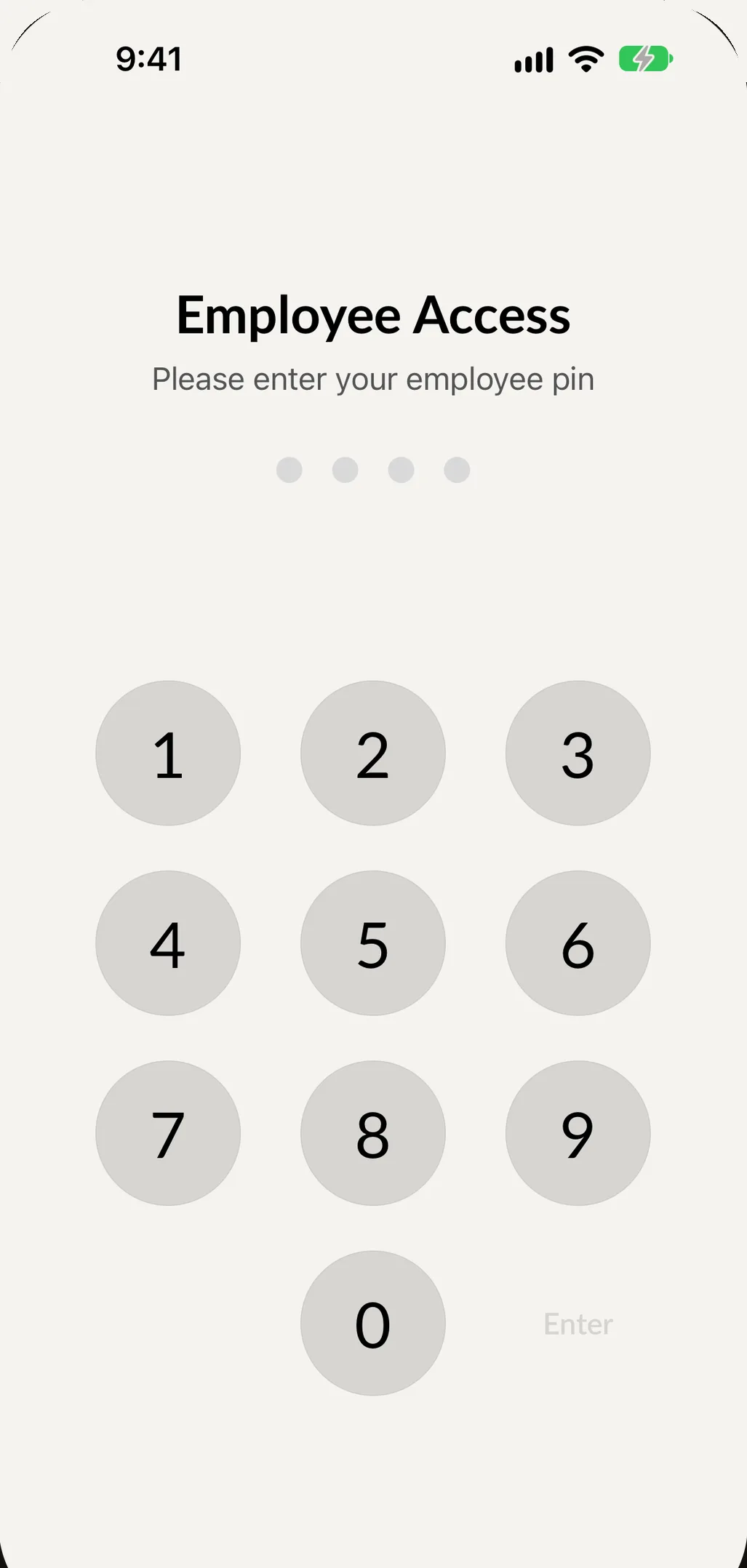
In SpotsPOS, every employee signs in with their own PIN, and the employee is recorded on every sale and receipt. On a shared counter iPad, turn on Store Mode so the iPad asks for an employee code when someone creates a sale, a repair or an inventory count, and use Switch Employee at checkout when the person at the register changes. Set a PIN timeout so the next person does not sell under the last person's name. See employee permissions.
Step 3: Put a cap on discounts
Write down who can discount, how much, and why:
- A maximum percentage for staff. For example, up to 10% for a returning customer or a price match. Anything more needs a manager.
- A reason for every discount. Price match, returning customer, warranty goodwill, bundle. "Just because" is not a reason.
- No discounts on items already at a thin margin. Phones and devices often fall here.
- No stacking. One discount per sale.
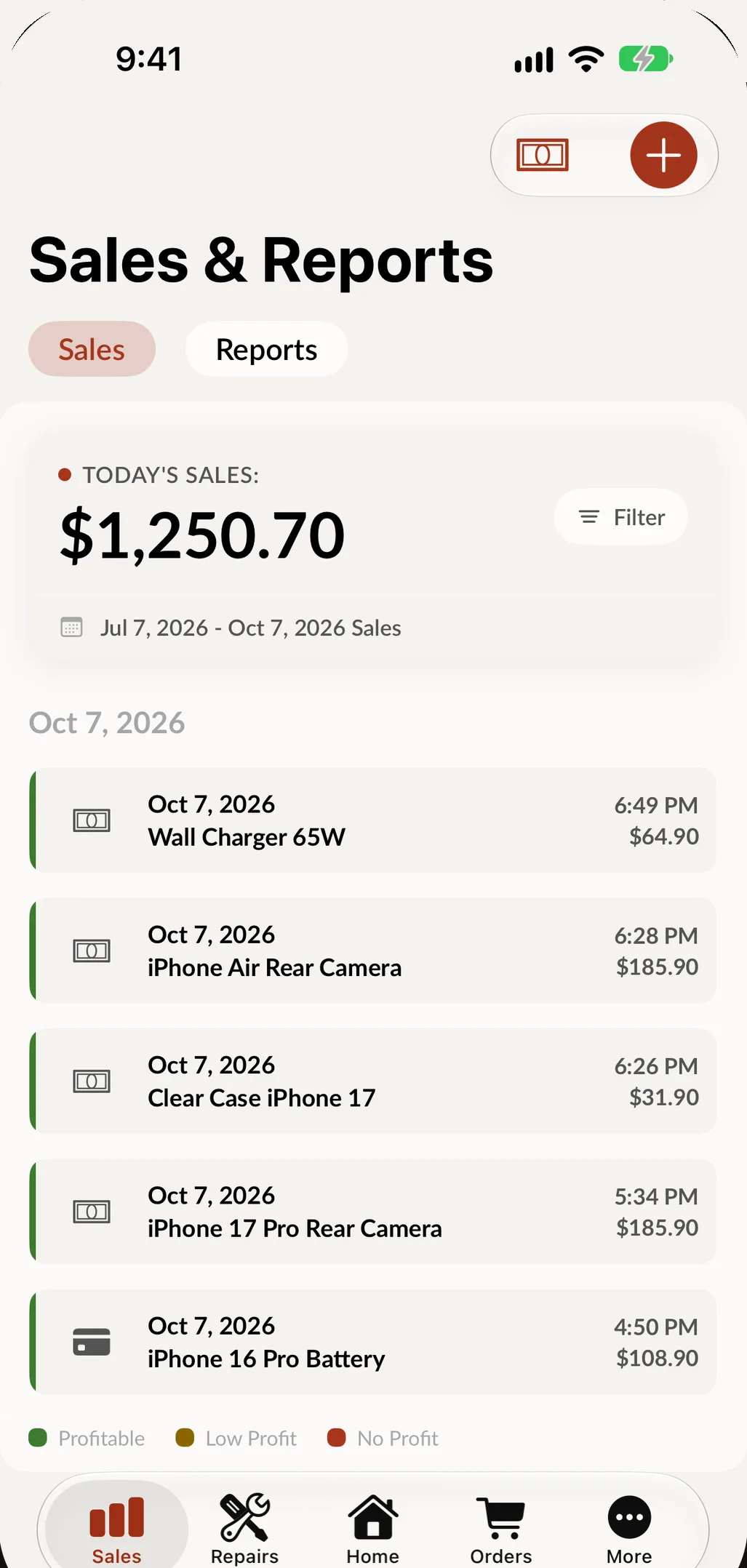
Then check it. A discount rule that nobody reviews is a suggestion. In SpotsPOS, the Profit Overview uses the cost of what you sold to show profit for today, the last 7 days, this month or last month, and every sale is marked profitable, low profit or no profit. A discount that went too far stands out in the list, with the employee on the sale. See reports.
Step 4: Count comebacks against commission
In a repair shop, the job is not done when it is paid for. It is done when it does not come back. Tie commission to quality:
- Hold commission on a repair until the warranty window for workmanship passes, or deduct it if the repair comes back for the same fault.
- Mark repairs damaged during the work. SpotsPOS has a Tech Damage status for repairs damaged at the bench, and each employee's profile shows their repairs, their sales and any repairs marked Tech Damage.
- Look at time, not just totals. Technicians start and complete a time log on each ticket, so you can see what each job took. Labor groups with an hourly rate per repair type turn that time into a fair labor charge (repair tracking).
Step 5: Write a staff discount policy
Employees buy from you, and that is a good thing: it is a perk that costs you little if it is written down. A simple policy:
- Who qualifies. Current employees, after their first 30 days.
- How much. A fixed percentage off retail on accessories, and parts at cost plus a set percentage for repairs on the employee's own devices.
- What is excluded. Phones and devices for resale, gift cards, special orders and items already on sale.
- How often. A monthly limit, so the discount is for the employee and not for their resale business.
- Who rings it up. A manager, never the employee buying.
- How it is recorded. As a sale under the employee's customer profile, with the discount and its reason.
Because the sale is recorded like any other, it shows up in your sales and profit reports instead of disappearing.
Step 6: Review the numbers every week
Fifteen minutes a week keeps both programs honest. Look at:
- Sales and repairs by employee. SpotsPOS has Employee Sales and Employee Repairs reports, by day or by month.
- Low profit and no profit sales. Who made them, and with what discount.
- Comebacks and Tech Damage. By technician.
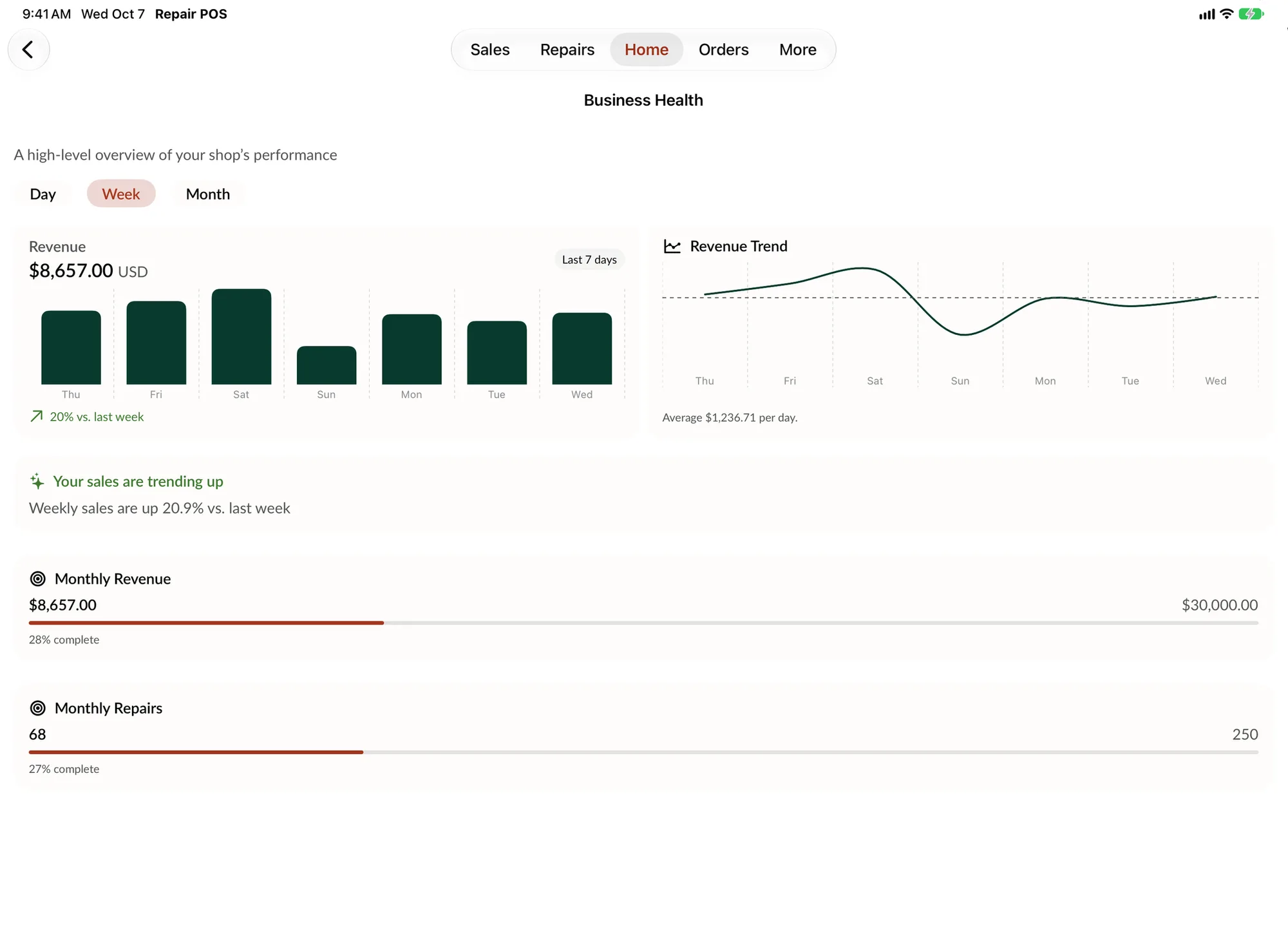
- Progress toward the monthly goal. Business Health shows revenue and your monthly sales and repair goals as a percentage complete, marked Achieved when you hit them. If the bonus is tied to that goal, everyone can see where it stands.
You can also ask. With Spots Intelligence, an admin can ask the shop questions like "This week's sales by payment type," and only admins can compare employees, so those numbers stay with you. To keep sales totals away from staff entirely, hide Sales for that employee in Employee Limitations.
Sample policy: commission and discounts
Copy this and fill in your own numbers:
Commission. Sales staff earn ___% of gross profit on accessories and devices they sell. Technicians earn ___% of the labor on repairs they complete. Commission on a repair is paid after ___ days and is not paid if the repair comes back for the same fault in that time.
Team bonus. When the shop reaches the monthly sales goal, every employee who worked ___ or more hours that month receives $___.
Customer discounts. Staff may discount up to ___% with a reason on the sale. Larger discounts need a manager. Discounts do not stack and do not apply to ___.
Staff discount. After 30 days, employees receive ___% off accessories and parts at cost plus % for their own devices, up to $ a month. A manager rings up every staff purchase.
Records. Every sale and repair is entered under the employee's own PIN. Commission is calculated from the shop's sales and repair reports.
Frequently asked questions
Should I pay commission on sales or on profit?
On profit, for anything where the margin varies, like repairs and devices. Commission on sales rewards discounting. Commission on gross profit rewards selling at the right price.
How much commission do repair shop employees get?
It varies by shop and role. Set a percentage you can afford out of gross profit, not revenue, and test it against last month's numbers before you announce it.
How do I stop employees from giving too many discounts?
Write a cap, require a reason on every discount, have larger discounts go to a manager, and review low profit sales by employee every week.
What is a fair staff discount?
A fixed percentage on accessories and parts at cost plus a small margin for the employee's own repairs is common. Exclude devices for resale and gift cards, set a monthly limit, and have a manager ring it up.
How do I track sales by employee?
Give every employee their own PIN and have them sign in for every sale and repair. In SpotsPOS, the employee is recorded on each sale and receipt, and the Employee Sales and Employee Repairs reports show the totals by day or month.
Running a team? See how employee permissions and reports work together in SpotsPOS.