
SpotsPOS Repair
Bike repair shop software for the spring rush and every flat after it.
Tune-ups, flats, brake bleeds, wheel builds and e-bikes that will not turn on. SpotsPOS Repair is bike repair shop software that checks each bike in by its frame serial, follows the parts you are waiting on, and sells the tubes, lights and locks at the same counter.
Free for 14 days. No credit card needed.
What a bike shop's service desk needs, handled.
A bike shop is a service desk and a store at once. These are the pieces of SpotsPOS Repair a bike shop leans on.
-
Your own bike catalog
Create a Bike device type, add the brands and models you see, and name your services the way your shop does: basic tune-up, full overhaul, flat repair, brake bleed, wheel true.
-
Frame serial on every ticket
Record the frame serial, or scan its barcode with the camera, so the right bike goes back to the right rider. Search any repair by serial, name or ticket number.
-
Tune-ups in one tap
Save your standard service packages as Quick Repairs with the labor and parts already filled in, so a Saturday check-in takes seconds.
-
Parts you have to order
Create an order for the derailleur or e-bike part you do not stock, add the tracking number and follow it from Ordered to Received.
-
Appointments for the rush
Book drop-offs ahead and turn each appointment into a ticket, so the first warm weekend does not bury your service desk.
-
Accessories at the same checkout
Tubes, tires, lights, locks and helmets sell from inventory on the same sale as the repair.
Every bike comes with extras.
Lights, a bag, a computer on the bars, a battery and its charger. Note what came in, photograph it, and keep it on the ticket with the frame serial, so pickup is not an argument about a missing light. Notes can be internal, for your team only, or part of the repair record.
- Up to 10 photos per ticket
- A component checklist per repair type
- The customer signs your terms on the screen
A bike, from the service desk to the test ride
-
Check it in
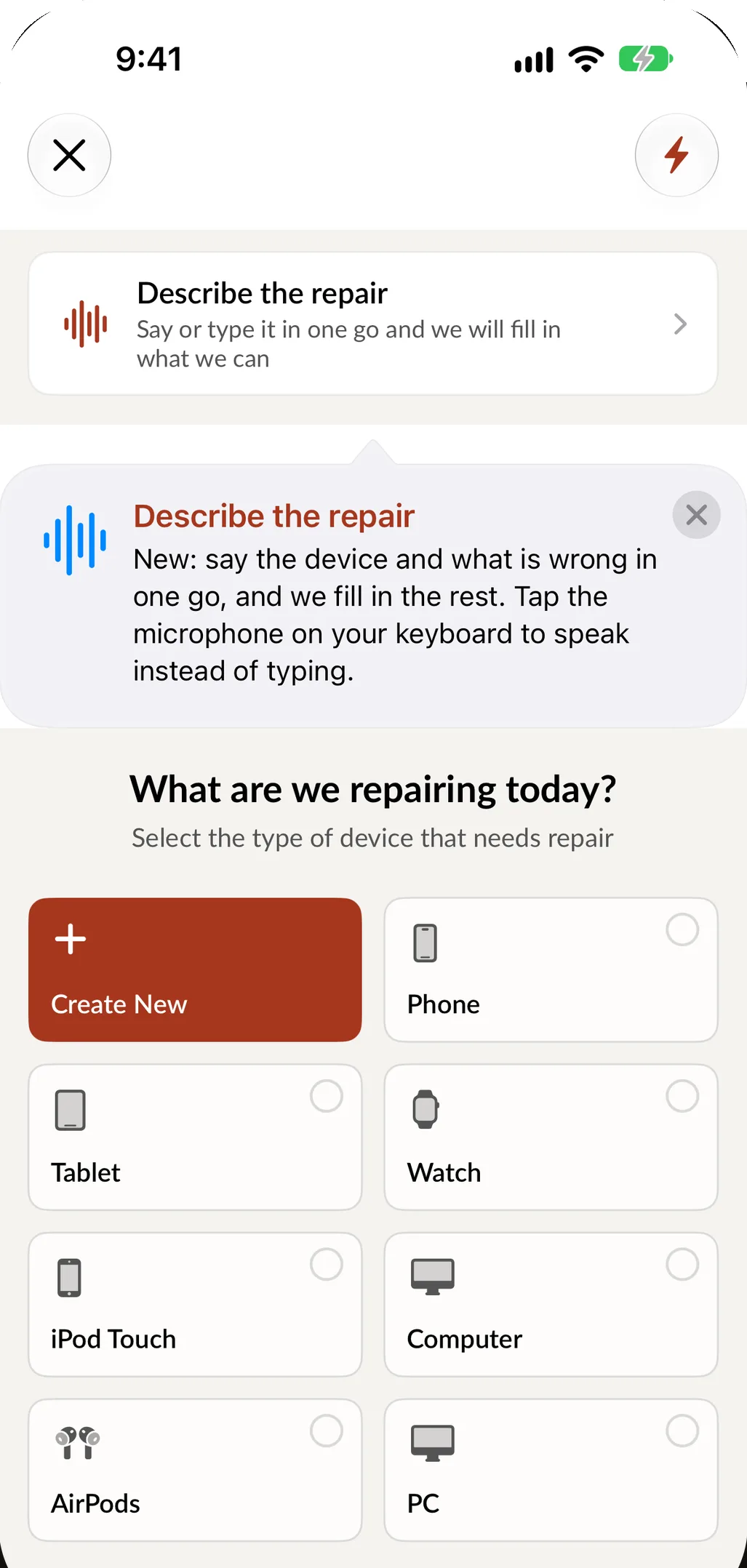
Pick Bike, the brand, the model and the service, or say it the way a rider would: hybrid, brakes rubbing and a slow leak in the rear, needs it Saturday. SpotsPOS fills in what matches your catalog.
-
Document it
Record the frame serial, take photos, tick what works, list the accessories that stay with it and get the customer's signature on your terms.
-
Quote and approve
Add parts and labor, print the estimate and take a deposit for special-order parts. The status reads Waiting on customer until they say yes.
-
Order and repair
Order what you do not stock and move the bike to Awaiting Parts. When the part arrives, the mechanic logs time on the ticket.
-
Ride and hand back
Test ride it, move it to Repaired, notify the customer and set a warranty period on the work.
Bike repair shop software, from the service desk to the sales floor
Your catalog, not a phone catalog
SpotsPOS does not force a phone shop's list on you. Tap Create New to add a Bike device type, or one each for road, mountain, kids and e-bikes, then add the brands, models and services you work on. Link the parts each repair type uses, like a tube and a tire boot for a flat, so the price and stock are right on every ticket.
The spring rush
The first warm weekend brings every bike in the neighborhood. Book drop-offs as appointments and turn each one into a ticket when the bike arrives. On iPad, the Repair Board shows every open repair as a card you drag from status to status, so the whole service area is clear at a glance. Popular Times shows your busiest hours, which helps you staff the counter.
Parts that come from far away
Drivetrain parts, e-bike components and hydraulic brake parts are often ordered one at a time. Each special order records the part, the customer's price, your cost and whether the bike was left in the shop. Add tracking and the order shows its delivery updates, while the repair sits in Awaiting Parts. Tell riders where their bike is with customer notifications by text or email.
Labor that is priced fairly
Labor groups with an hourly rate per repair type turn the time a mechanic logs on a ticket into a fair labor charge. A wheel build and a flat fix are not the same job, and the ticket shows it.
Used bikes and trade-ins
Buy used bikes with buybacks: record the seller with an ID photo and a signature, grade the condition, and add each part and hour of labor you put into it. Then sell it as a unit by serial number from device management, with a warranty that starts on the day of the sale.
What to look for in bike repair shop software
Use this list when you compare tools, including ours.
| Ask | Why it matters for bikes | In SpotsPOS Repair |
|---|---|---|
| Can I build my own bike catalog? | Bikes are not in a phone database | You create the device types, brands, models and services, and link parts to each repair type |
| Does it record the frame serial? | The right bike has to go back to the right rider | Serial on the ticket, scanned or typed, and repairs searchable by serial |
| Can I save my service packages? | Tune-ups are most of the work | Quick Repairs start a package in one tap |
| How are special-order parts followed? | Many parts are ordered one at a time | Orders with the customer's price, your cost, tracking and an Awaiting Parts status |
| Can riders book ahead? | Spring brings everyone at once | Appointments that turn into tickets |
| Does it sell accessories too? | Tubes, lights and locks sell with the repair | Point of sale and inventory in the same app |
| Does it run on the shop floor? | Mechanics update jobs at the stand | Native iPhone and iPad apps, in English and Spanish, with a web portal for the office |
SpotsPOS Repair plans start at $45 a month; see pricing.
Questions bike shops ask
Can I set up bikes in SpotsPOS Repair?
Yes. You create the device types, brands, models and services yourself, and link the parts each repair type uses. Road, mountain, kids' bikes and e-bikes can each be their own type.
Can I save tune-up packages?
Yes. Save each package as a Quick Repair with the service, parts and price filled in, and start it in one tap at check-in.
Can I track bikes by frame serial number?
Yes. Record the serial on the ticket, typed or scanned from a barcode with the camera, and search repairs by serial later.
Can I sell accessories and parts at the counter?
Yes. Point of sale and inventory are part of every Repair plan, so tubes, tires, lights and locks sell on the same checkout as the repair.
How much does SpotsPOS Repair cost for a bike shop?
Plans start at $45 a month for one location, and every plan comes with a 14 day free trial that does not ask for a credit card. See pricing for what each plan includes.
Check in your next bike on SpotsPOS.
Start a 14 day free trial and build your bike catalog in minutes.
Free for 14 days. No credit card needed.